> ## Documentation Index
> Fetch the complete documentation index at: https://docs.bfl.ml/llms.txt
> Use this file to discover all available pages before exploring further.

# Single-Reference Editing

> How to edit images using a single reference with FLUX.2

export const PromptDisplay = ({prompt}) => {
  const [copied, setCopied] = useState(false);
  const copy = () => {
    navigator.clipboard.writeText(prompt);
    setCopied(true);
    setTimeout(() => setCopied(false), 2000);
  };
  return <div className="not-prose" style={{
    marginTop: "1rem"
  }}>
      <div style={{
    backgroundColor: "#1a1a1a",
    borderRadius: "1rem",
    padding: "1.25rem 1.5rem",
    display: "flex",
    flexDirection: "column",
    gap: "1rem"
  }}>
        <p style={{
    color: "#e5e5e5",
    fontSize: "1rem",
    lineHeight: 1.6,
    margin: 0,
    fontFamily: "inherit"
  }}>
          {prompt}
        </p>
        <div style={{
    display: "flex",
    justifyContent: "flex-end"
  }}>
          <button onClick={copy} style={{
    backgroundColor: copied ? "#3d8a5b" : "var(--aspen-evergreen, #486A58)",
    color: "#fff",
    border: "none",
    borderRadius: "0.375rem",
    padding: "0.25rem 0.6rem",
    fontSize: "0.7rem",
    fontWeight: 600,
    cursor: "pointer",
    transition: "background-color 0.2s"
  }}>
            {copied ? "Copied!" : "Copy prompt"}
          </button>
        </div>
      </div>
    </div>;
};

export const ImageComparisonSlider = ({beforeImage, afterImage, beforeLabel = "Before", afterLabel = "After", height = "500px", objectFit = "cover"}) => {
  const [position, setPosition] = useState(50);
  const getPosition = (e, container) => {
    const rect = container.getBoundingClientRect();
    const clientX = e.touches ? e.touches[0].clientX : e.clientX;
    const x = clientX - rect.left;
    return Math.max(0, Math.min(100, x / rect.width * 100));
  };
  const onPointerDown = e => {
    e.preventDefault();
    e.stopPropagation();
    const container = e.currentTarget;
    setPosition(getPosition(e, container));
    const onMove = ev => {
      ev.preventDefault();
      setPosition(getPosition(ev, container));
    };
    const onUp = () => {
      window.removeEventListener("mousemove", onMove);
      window.removeEventListener("mouseup", onUp);
      window.removeEventListener("touchmove", onMove);
      window.removeEventListener("touchend", onUp);
    };
    window.addEventListener("mousemove", onMove);
    window.addEventListener("mouseup", onUp);
    window.addEventListener("touchmove", onMove, {
      passive: false
    });
    window.addEventListener("touchend", onUp);
  };
  return <div className="not-prose" style={{
    borderRadius: "1rem",
    overflow: "hidden",
    height,
    width: "100%"
  }}>
      <div onMouseDown={onPointerDown} onTouchStart={onPointerDown} onClick={e => {
    e.preventDefault();
    e.stopPropagation();
  }} style={{
    position: "relative",
    width: "100%",
    height,
    overflow: "hidden",
    cursor: "ew-resize",
    userSelect: "none",
    WebkitUserSelect: "none"
  }}>
        {}
        <img src={afterImage} alt={afterLabel} draggable={false} style={{
    position: "absolute",
    top: 0,
    left: 0,
    width: "100%",
    height: "100%",
    objectFit,
    pointerEvents: "none"
  }} />

        {}
        <div style={{
    position: "absolute",
    top: 0,
    left: 0,
    width: "100%",
    height: "100%",
    clipPath: `inset(0 ${100 - position}% 0 0)`
  }}>
          <img src={beforeImage} alt={beforeLabel} draggable={false} style={{
    display: "block",
    width: "100%",
    height: "100%",
    objectFit,
    pointerEvents: "none"
  }} />
        </div>

        {}
        <div style={{
    position: "absolute",
    top: 0,
    left: `${position}%`,
    transform: "translateX(-50%)",
    width: "3px",
    height: "100%",
    background: "rgba(255,255,255,0.85)",
    pointerEvents: "none",
    zIndex: 2
  }} />

        {}
        <div style={{
    position: "absolute",
    top: "50%",
    left: `${position}%`,
    transform: "translate(-50%, -50%)",
    width: "44px",
    height: "44px",
    borderRadius: "50%",
    background: "rgba(255,255,255,0.95)",
    border: "2px solid rgba(0,0,0,0.15)",
    display: "flex",
    alignItems: "center",
    justifyContent: "center",
    gap: "6px",
    zIndex: 3,
    pointerEvents: "none",
    boxShadow: "0 2px 8px rgba(0,0,0,0.3)"
  }}>
          {}
          <svg width="10" height="14" viewBox="0 0 10 14" fill="none" style={{
    marginRight: "-2px"
  }}>
            <path d="M8 1L2 7L8 13" stroke="#333" strokeWidth="2.5" strokeLinecap="round" strokeLinejoin="round" />
          </svg>
          {}
          <svg width="10" height="14" viewBox="0 0 10 14" fill="none" style={{
    marginLeft: "-2px"
  }}>
            <path d="M2 1L8 7L2 13" stroke="#333" strokeWidth="2.5" strokeLinecap="round" strokeLinejoin="round" />
          </svg>
        </div>

        {}
        <div style={{
    position: "absolute",
    top: "12px",
    left: "12px",
    padding: "4px 10px",
    borderRadius: "6px",
    background: "rgba(0,0,0,0.55)",
    backdropFilter: "blur(4px)",
    color: "#fff",
    fontSize: "0.75rem",
    fontWeight: 600,
    letterSpacing: "0.02em",
    pointerEvents: "none",
    zIndex: 4
  }}>
          {beforeLabel}
        </div>
        <div style={{
    position: "absolute",
    top: "12px",
    right: "12px",
    padding: "4px 10px",
    borderRadius: "6px",
    background: "rgba(0,0,0,0.55)",
    backdropFilter: "blur(4px)",
    color: "#fff",
    fontSize: "0.75rem",
    fontWeight: 600,
    letterSpacing: "0.02em",
    pointerEvents: "none",
    zIndex: 4
  }}>
          {afterLabel}
        </div>
      </div>
    </div>;
};

Single-reference editing is the most common workflow: you provide **one input image** and describe the changes you want. FLUX.2 understands the context of your image and applies edits while preserving what you didn't ask to change.

<Tip>
  Refer to the [Image Editing Overview](/guides/prompting_editing_overview) for core concepts before diving into specific use cases.
</Tip>

## Example 1

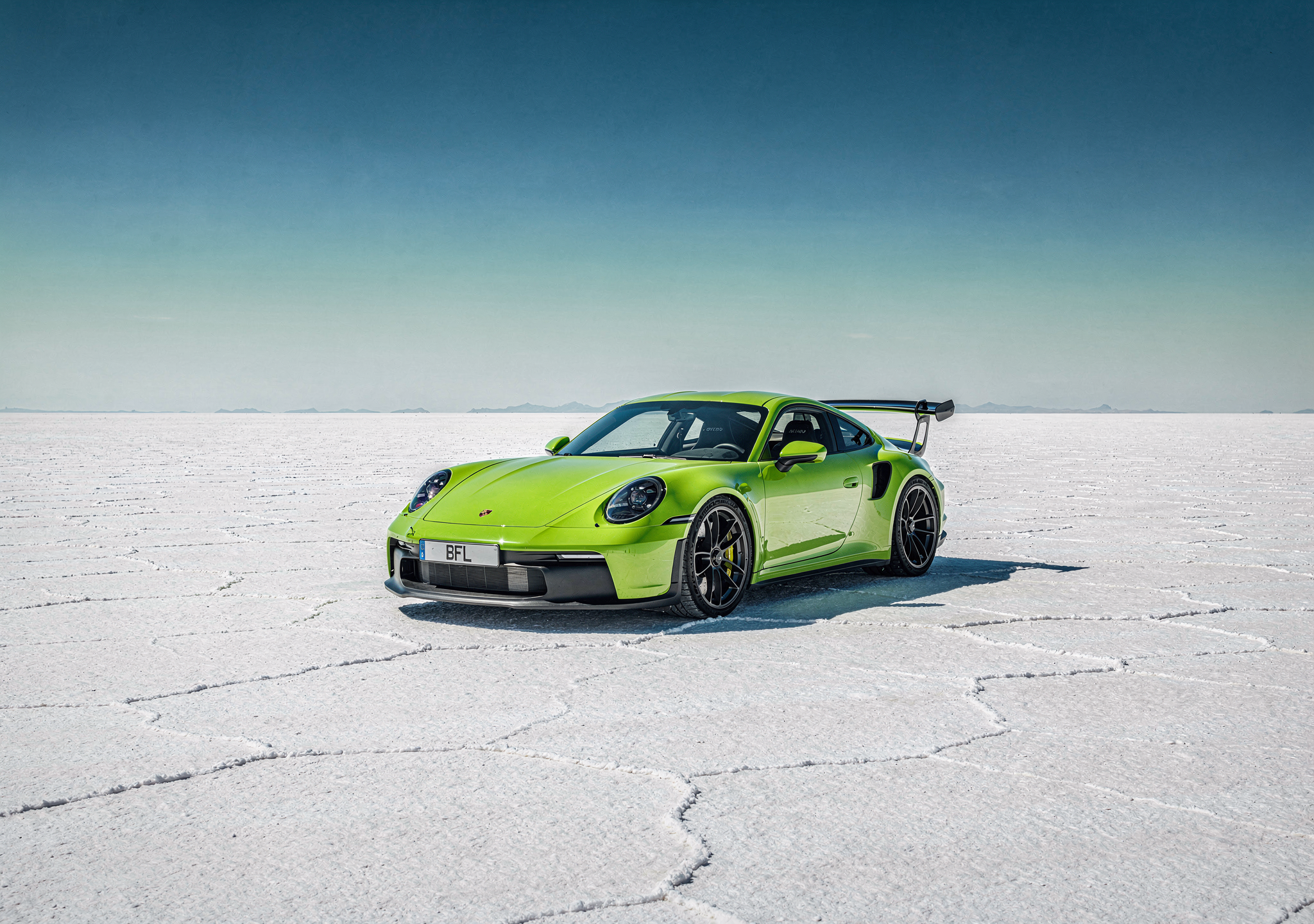
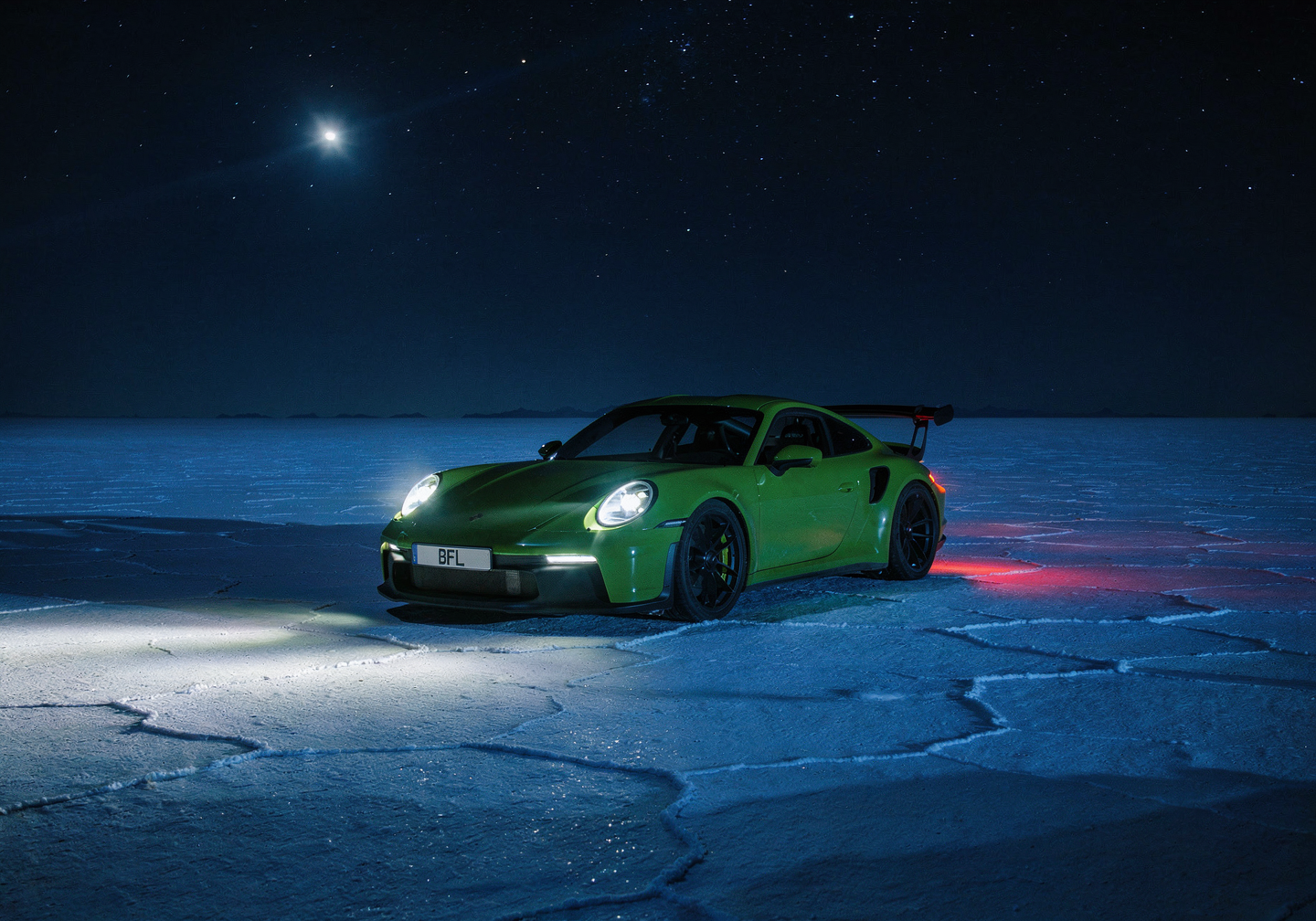
<ImageComparisonSlider beforeImage="https://cdn.sanity.io/images/2gpum2i6/production/ca563be7241d46f06868a7aae876098ce8520588-1440x960.png" afterImage="https://cdn.sanity.io/images/2gpum2i6/production/b200442e944e6f1f58a91443dd82e64f8eb753c4-1549x1033.jpg" beforeLabel="Original" afterLabel="Edited" height="500px" />

<PromptDisplay prompt="Change it to Night" />

## Example 2

<ImageComparisonSlider beforeImage="https://cdn.sanity.io/images/2gpum2i6/production/0e6b543a1f039a393140b60a534dd9205fe50275-630x750.png" afterImage="https://cdn.sanity.io/images/2gpum2i6/production/1425f216fa898f5c8d686fc48a09af7649e24c56-624x736.png" beforeLabel="Original" afterLabel="Edited" height="600px" objectFit="contain" />

<PromptDisplay prompt={'On the top polaroid photo, diagonally, write in handwritten pink marker: "2020 <3"'} />

## Example 3

<ImageComparisonSlider beforeImage="https://cdn.sanity.io/images/2gpum2i6/production/319364be1cd918c09e9b7d58045020dde9a6b245-3008x2000.jpg" afterImage="https://cdn.sanity.io/images/2gpum2i6/production/f30cc780d66ec4db86a2e2b7c62e9d1853b40c8e-1440x944.png" beforeLabel="Original" afterLabel="Edited" height="500px" />

<PromptDisplay prompt="Place this can on top of a minimalistic black shiny surface on black background" />

## Use Cases

Single-reference editing covers a wide range of creative and professional tasks. Below are the most common categories with real prompt examples.

***

### Background Replacement

Change or replace the background of your image while keeping the subject intact.

<AccordionGroup>
  <Accordion title="Product on new background">
    <Columns cols={2}>
      <Frame>
        <img src="https://cdn.sanity.io/images/2gpum2i6/production/40f4afc4e8663ce9087e66d998ca5fed48860a03-600x600.webp" alt="Input: bottle product photo" />
      </Frame>

      <Frame>
        <img src="https://cdn.sanity.io/images/2gpum2i6/production/5950af13503a110628744a4fe1fb3fff7cbf5a73-1024x1024.png" alt="Output: bottle in strawberries on white background" />
      </Frame>
    </Columns>

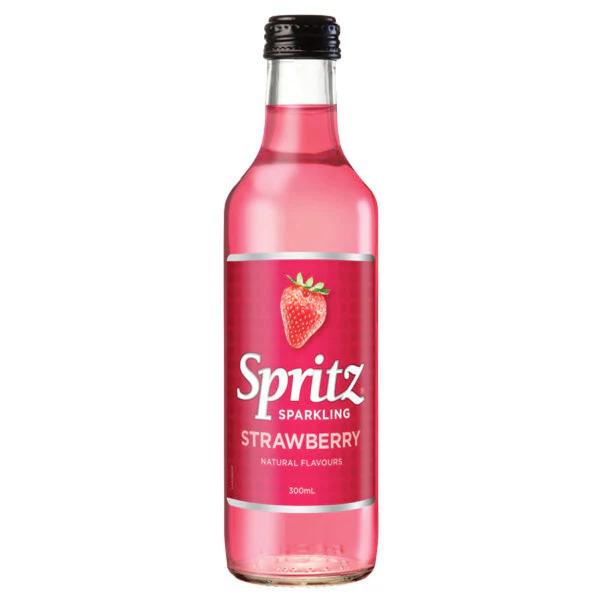
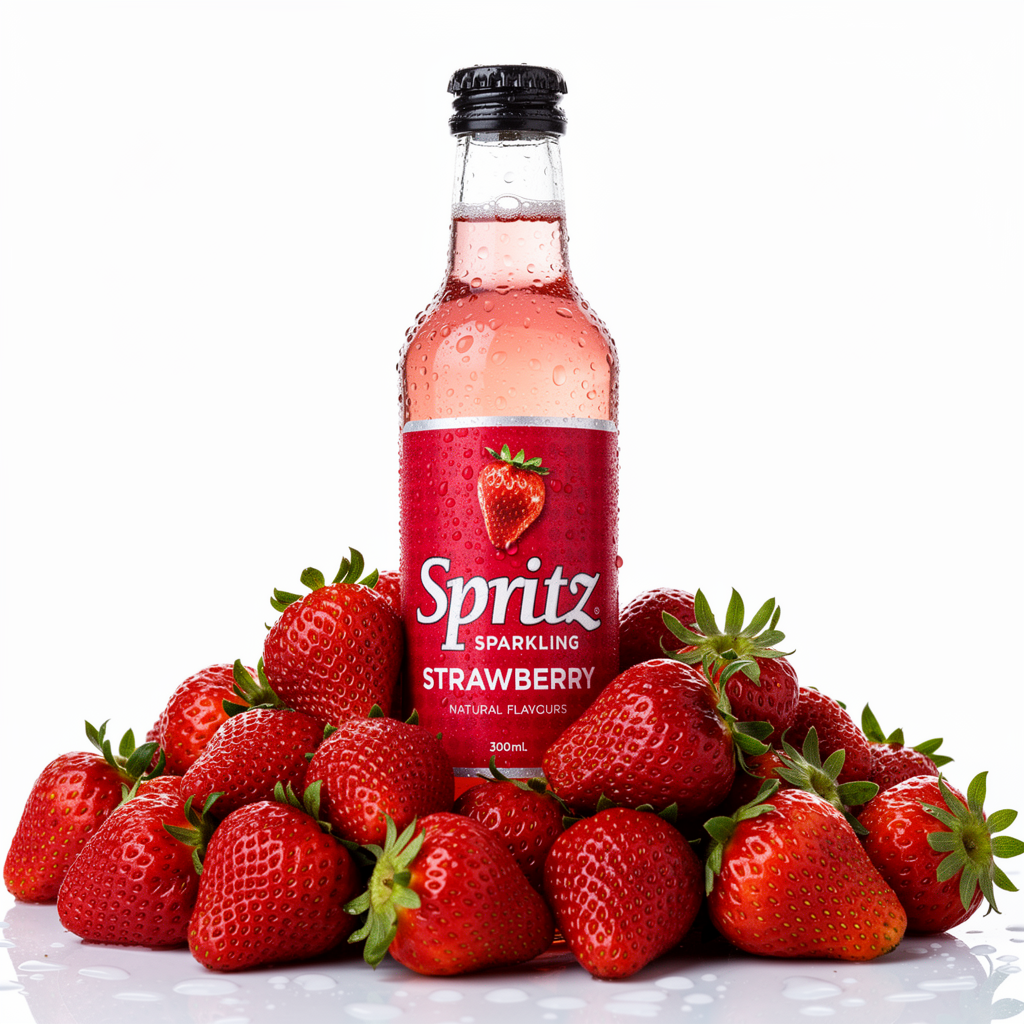
    <PromptDisplay prompt="a professional high end product shot of this bottle in a pile of fresh wet strawberries on white background, studio lighting" />
  </Accordion>

  <Accordion title="Scene replacement">
    <Columns cols={2}>
      <Frame>
        <img src="https://cdn.sanity.io/images/2gpum2i6/production/f0d1483a17bec23427792d50abed3e3579d0d8e1-752x1360.png" alt="Input: subject with original background" />
      </Frame>

      <Frame>
        <img src="https://cdn.sanity.io/images/2gpum2i6/production/881c68c1e53a44d57fbdd84d7b64820b11a34b24-752x1360.png" alt="Output: subject in cozy home environment" />
      </Frame>
    </Columns>

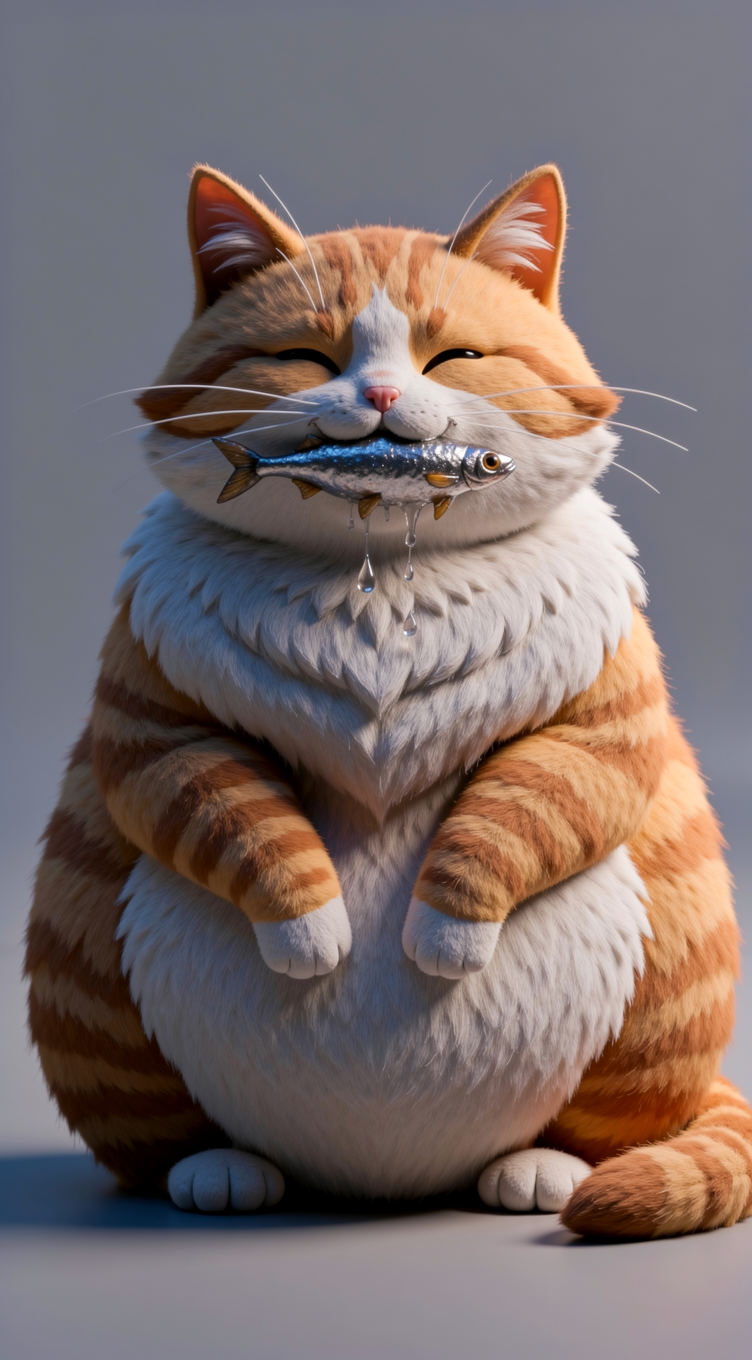
    <PromptDisplay prompt="Replace the background with a warm cozy home environment." />
  </Accordion>
</AccordionGroup>

***

### Style Transfer

Transform the visual style or medium of an image — from illustration to photorealism, or from photo to painting.

<AccordionGroup>
  <Accordion title="Photo to oil painting">
    <Columns cols={2}>
      <Frame>
        <img src="https://cdn.sanity.io/images/2gpum2i6/production/ef75babb2f3e56a3e4acef468fa5bac88a5e672f-656x736.png" alt="Input: original photo" />
      </Frame>

      <Frame>
        <img src="https://cdn.sanity.io/images/2gpum2i6/production/aec799c192472171eeac5da0be614ca865bc76c2-656x736.png" alt="Output: oil painting style" />
      </Frame>
    </Columns>

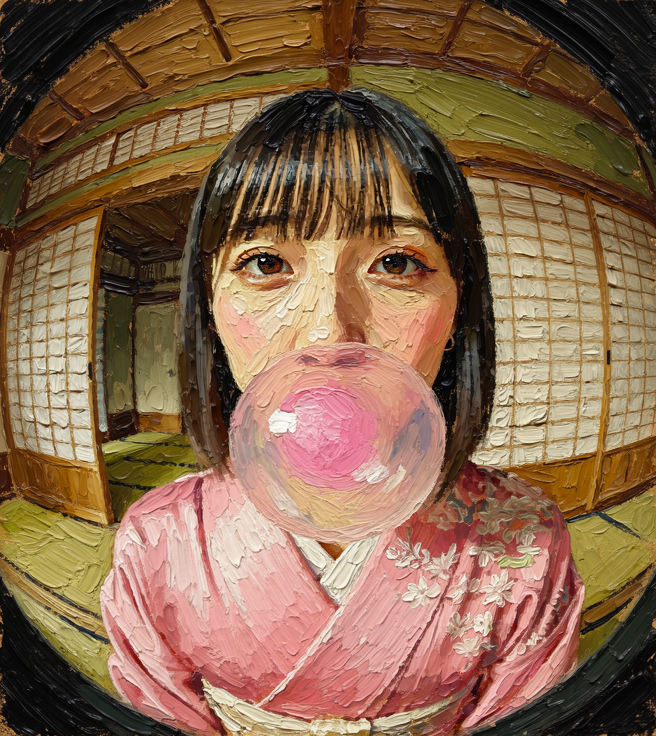
    <PromptDisplay prompt="Turn the image into an oil painting with thick, textured brushstrokes" />
  </Accordion>

  <Accordion title="Illustration to photorealism">
    <Columns cols={2}>
      <Frame>
        <img src="https://cdn.sanity.io/images/2gpum2i6/production/5298b857f3f80c33dc6eb0c69e11a94234a76267-1000x639.jpg" alt="Input: architectural illustration" />
      </Frame>

      <Frame>
        <img src="https://cdn.sanity.io/images/2gpum2i6/production/90fe9dafd99234d2a16e0efecdc0e04c7cedff6c-992x624.png" alt="Output: photorealistic house" />
      </Frame>
    </Columns>

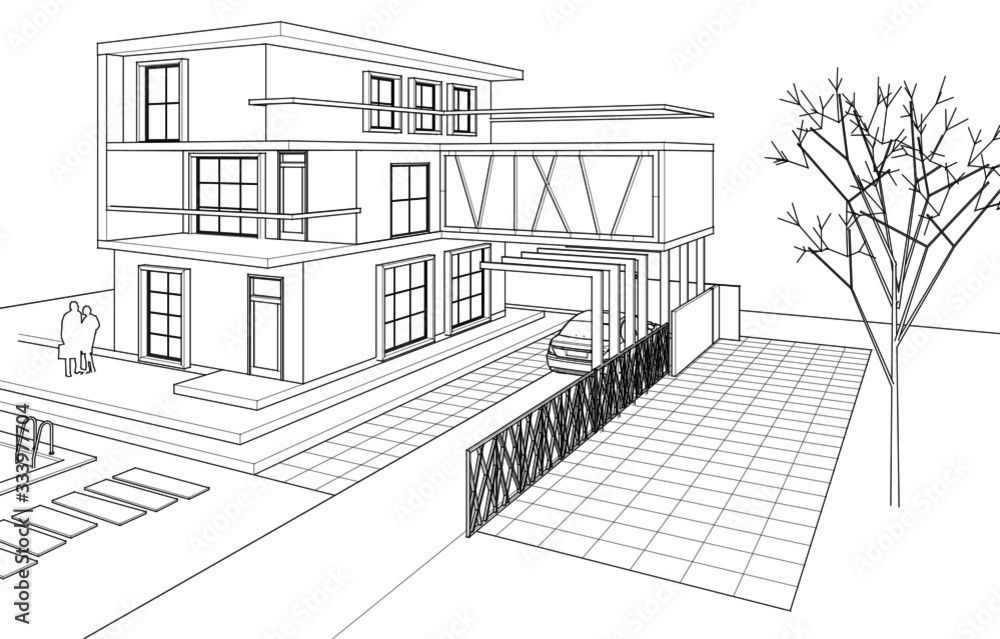
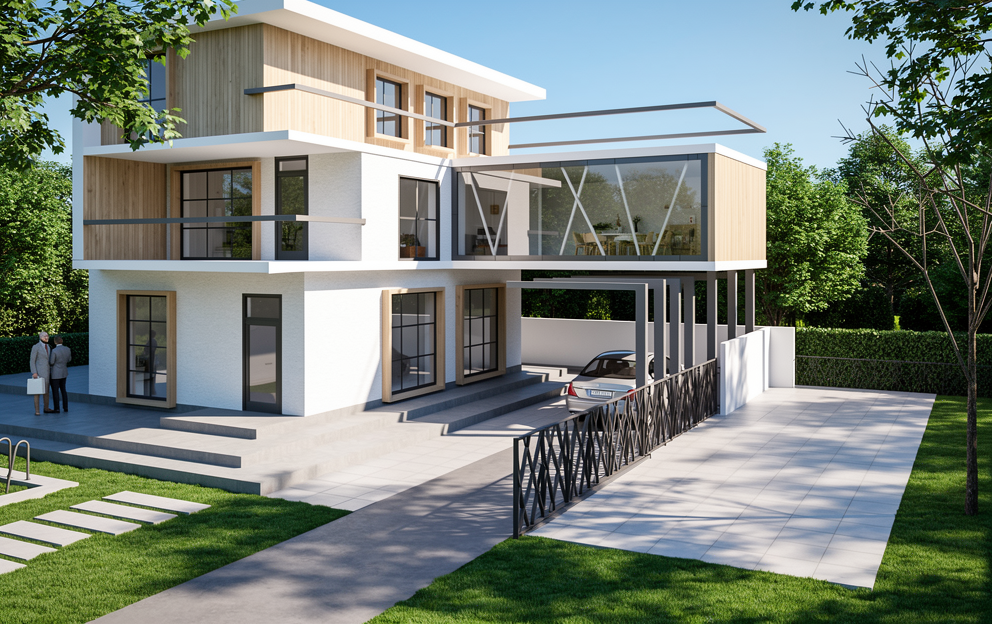
    <PromptDisplay prompt="Transform the architectural illustration from image 1 into a fully realistic house, natural lighting, real textures for walls windows and roof, realistic landscaping around the house, accurate shadows, real materials such as wood stone and glass, high resolution photorealism, clean perspective, keep the proportions and layout exactly as in the illustration while turning every element into a believable real world version." />
  </Accordion>

  <Accordion title="Reskin to mountain vista">
    <Columns cols={2}>
      <Frame>
        <img src="https://cdn.sanity.io/images/2gpum2i6/production/00f3de86b945fb15ebf80fedb73bf25613a6cc63-627x1115.jpg" alt="Input: abstract artwork" />
      </Frame>

      <Frame>
        <img src="https://cdn.sanity.io/images/2gpum2i6/production/ff9926cc9f8fda72cef2423a74bb8837aa2a1b42-624x1104.jpg" alt="Output: mountain vista transformation" />
      </Frame>
    </Columns>

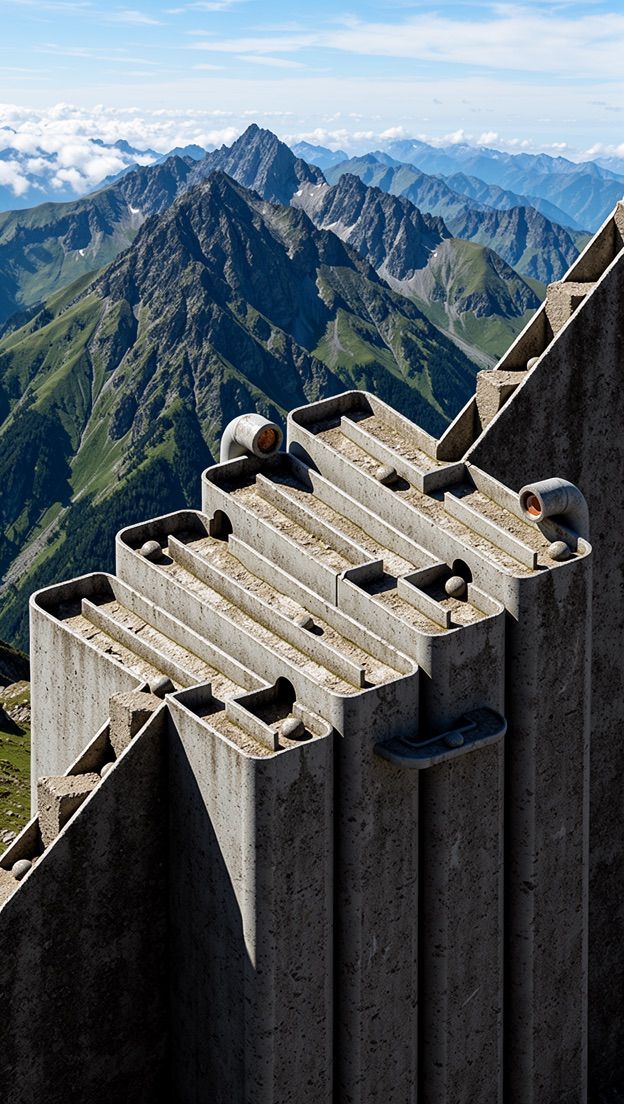
    <PromptDisplay prompt="Reskin this into a realistic mountain vista" />
  </Accordion>
</AccordionGroup>

***

### Object Manipulation

Add, remove, or replace objects in a scene. Be specific about what should change and what should stay.

<AccordionGroup>
  <Accordion title="Remove object">
    <Columns cols={2}>
      <Frame>
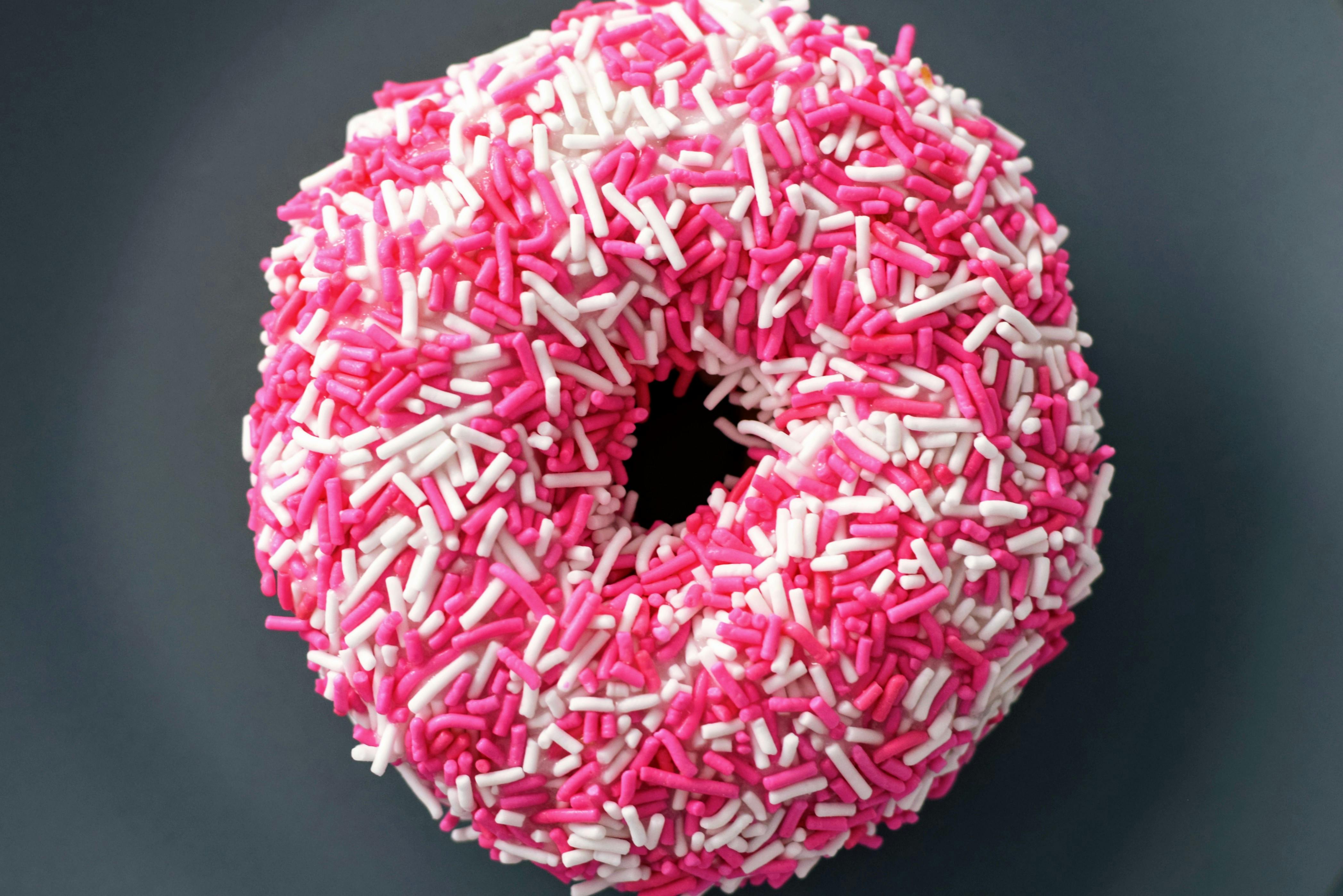
        <img src="https://cdn.sanity.io/images/2gpum2i6/production/9cb1c9770442822cf7ee63402d80f6a002099421-4190x2796.jpg" alt="Input: image with sprinkles" />
      </Frame>

      <Frame>
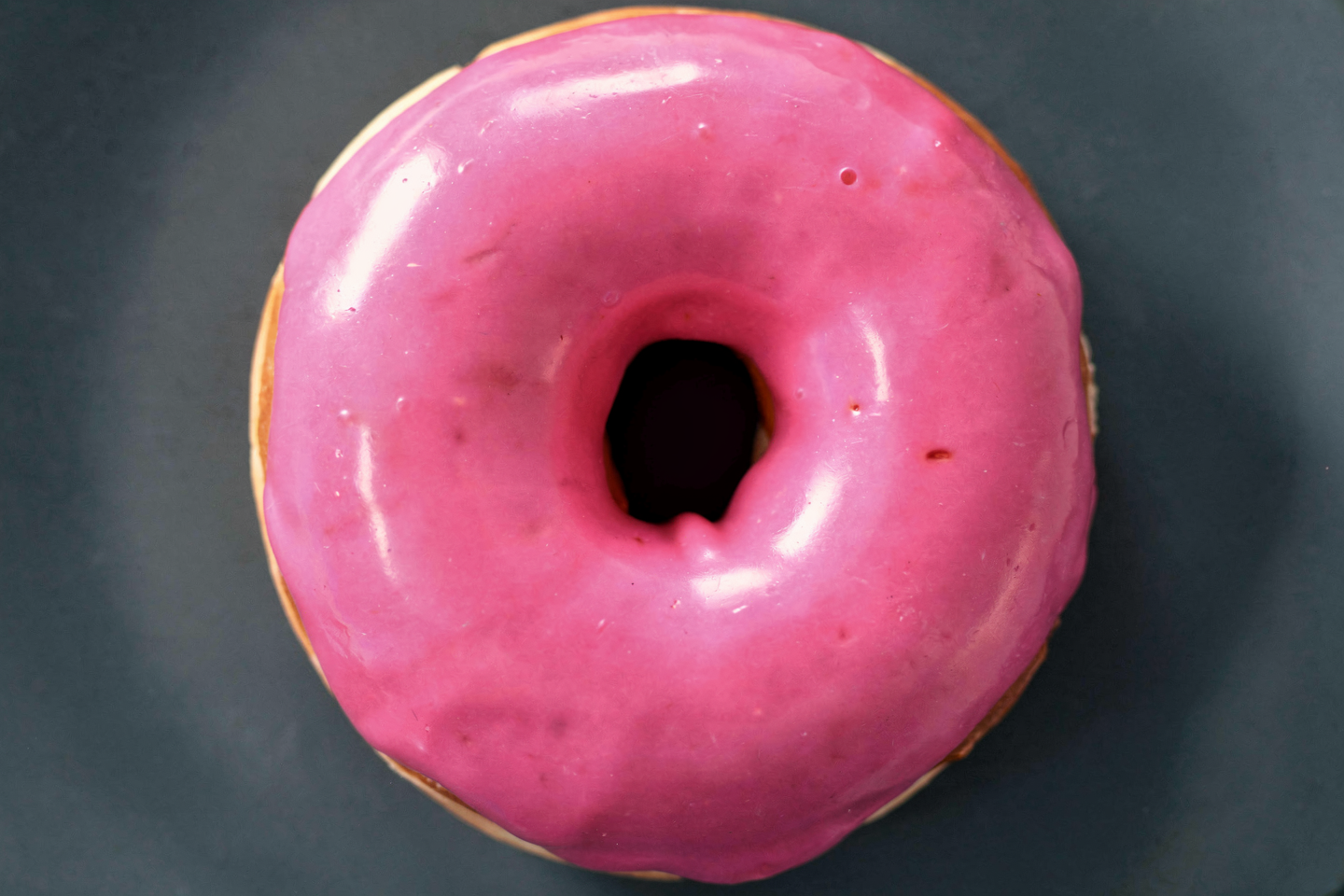
        <img src="https://cdn.sanity.io/images/2gpum2i6/production/2136a5de05310685e6123c9b6851444cb3594c98-1440x960.png" alt="Output: sprinkles removed" />
      </Frame>
    </Columns>

    <PromptDisplay prompt="Remove all of the sprinkles while keeping the rest of the image unchanged" />
  </Accordion>

  <Accordion title="Replace object">
    <Columns cols={2}>
      <Frame>
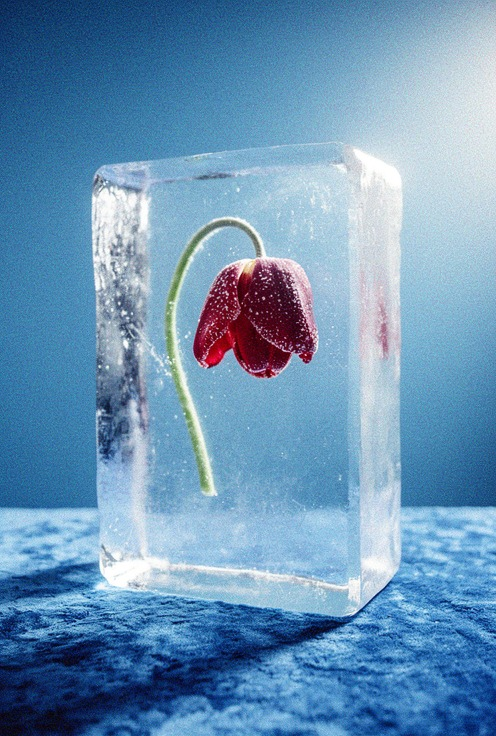
        <img src="https://cdn.sanity.io/images/2gpum2i6/production/e163342d136d60e1eeea536cfc2ee6fc71b9ce4d-496x736.png" alt="Input: image with flower" />
      </Frame>

      <Frame>
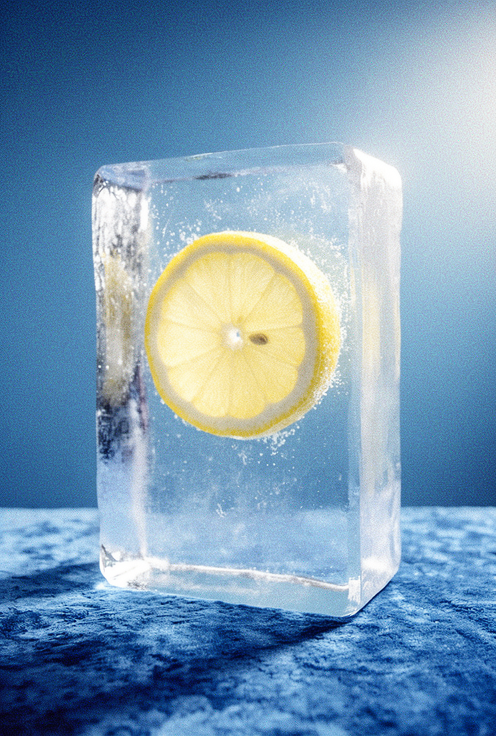
        <img src="https://cdn.sanity.io/images/2gpum2i6/production/1bf1dc0a4964f33fc848c9a7852cfef8ca17ad3a-496x736.png" alt="Output: flower replaced with lemon slice" />
      </Frame>
    </Columns>

    <PromptDisplay prompt="Replace the flower in image 1 with a slice of lemon" />
  </Accordion>

  <Accordion title="Add object">
    <Columns cols={2}>
      <Frame>
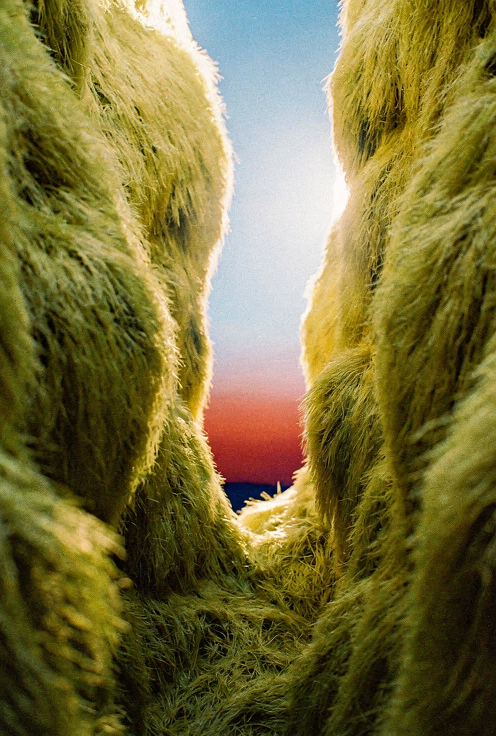
        <img src="https://cdn.sanity.io/images/2gpum2i6/production/df06372ee169f763ad923dee2ee8ddd0c60b9d65-496x736.png" alt="Input: gorge scene" />
      </Frame>

      <Frame>
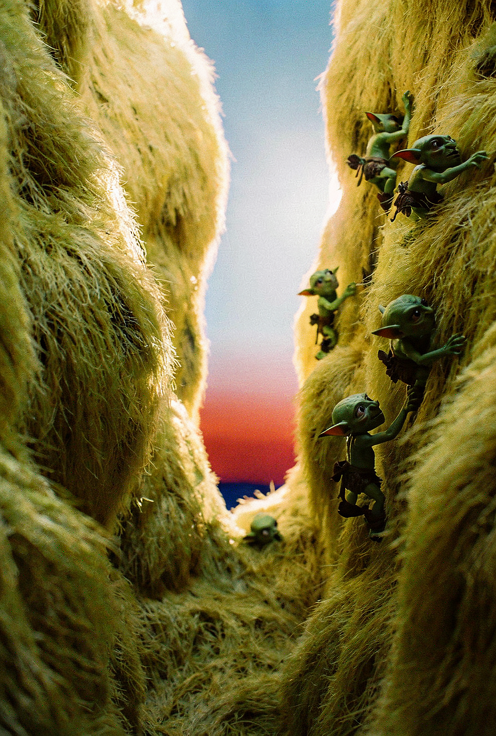
        <img src="https://cdn.sanity.io/images/2gpum2i6/production/5b64c3f4c5c0e17aacd975118939285d33c833c1-496x736.png" alt="Output: goblins added to gorge wall" />
      </Frame>
    </Columns>

    <PromptDisplay prompt="Add small goblins climbing the right wall of the gorge" />
  </Accordion>

  <Accordion title="Replace subject">
    <Columns cols={2}>
      <Frame>
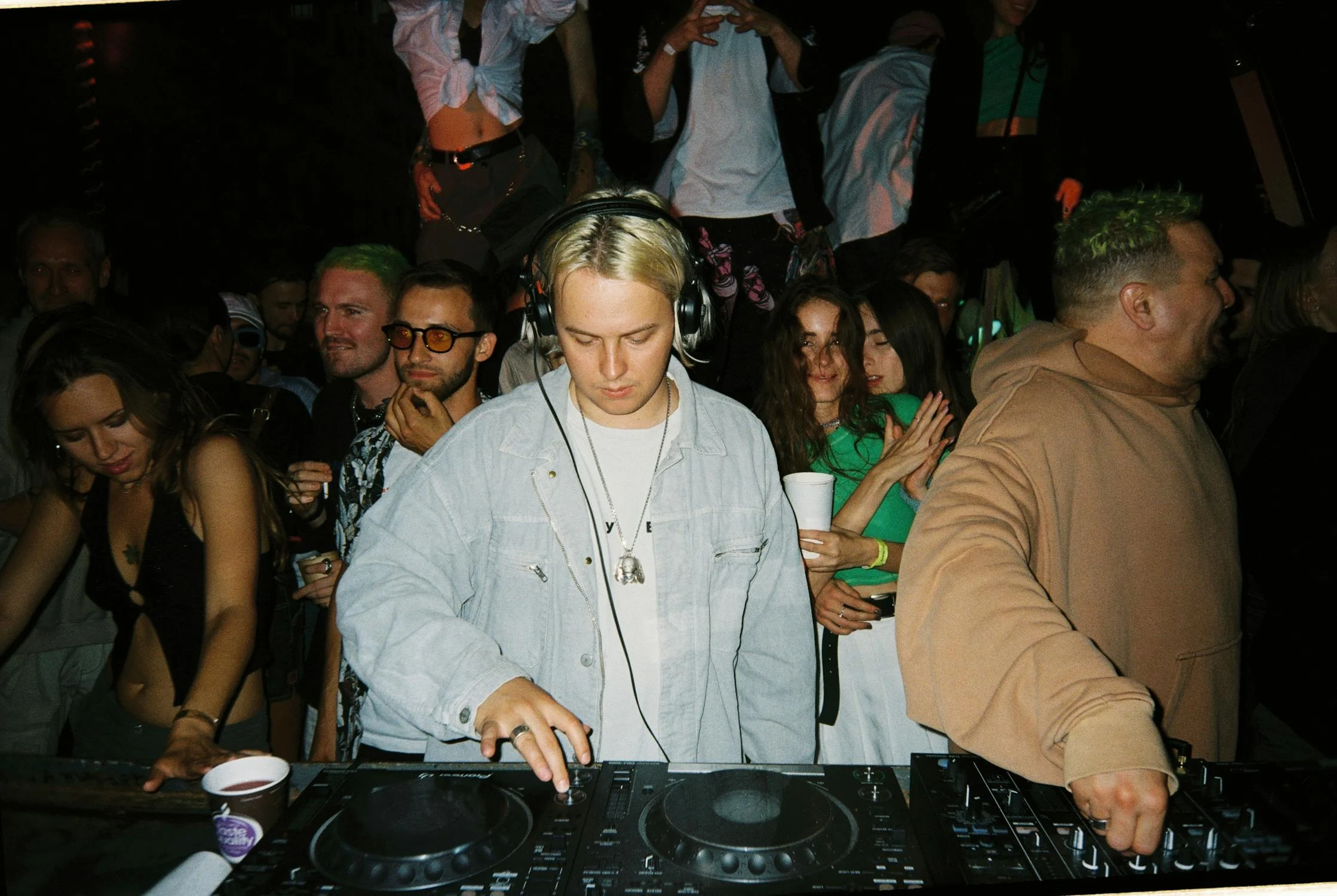
        <img src="https://cdn.sanity.io/images/2gpum2i6/production/20f94b47aeaeaaed370031ca98aed4ba67dc603f-2238x1500.png" alt="Input: DJ scene" />
      </Frame>

      <Frame>
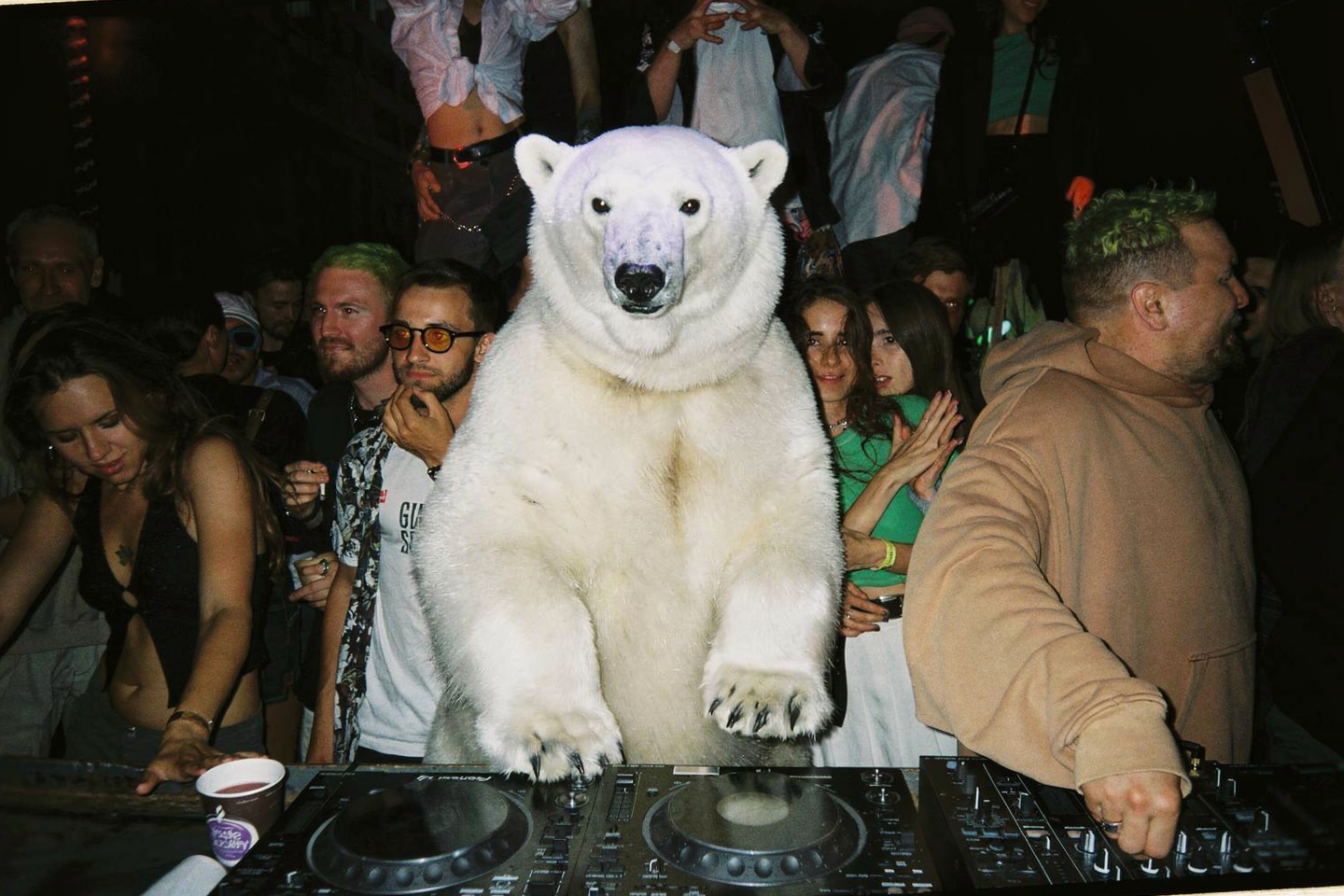
        <img src="https://cdn.sanity.io/images/2gpum2i6/production/e2d2e556d0ad7a587589e01607febda7dd549785-1440x960.png" alt="Output: polar bear replaces DJ" />
      </Frame>
    </Columns>

    <PromptDisplay prompt="Replace the DJ with a polar bear without headphones" />
  </Accordion>

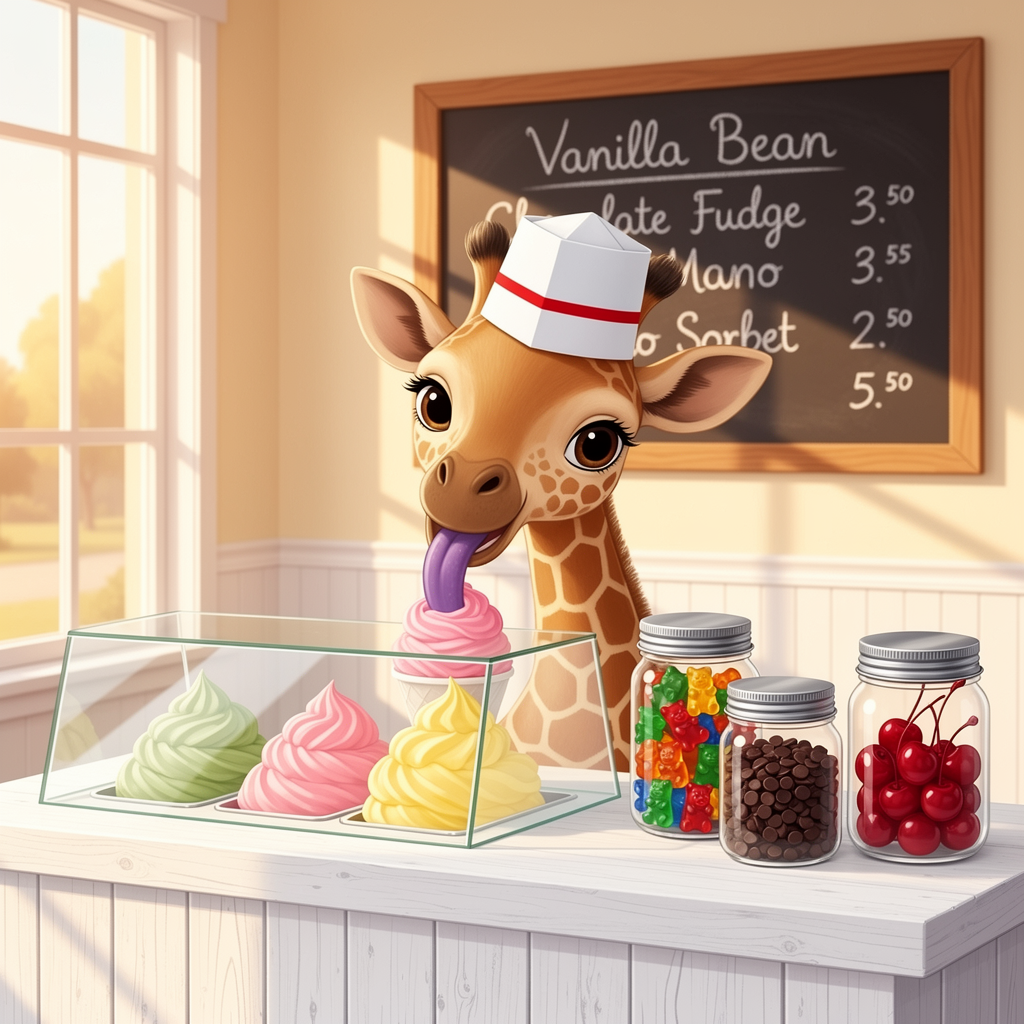
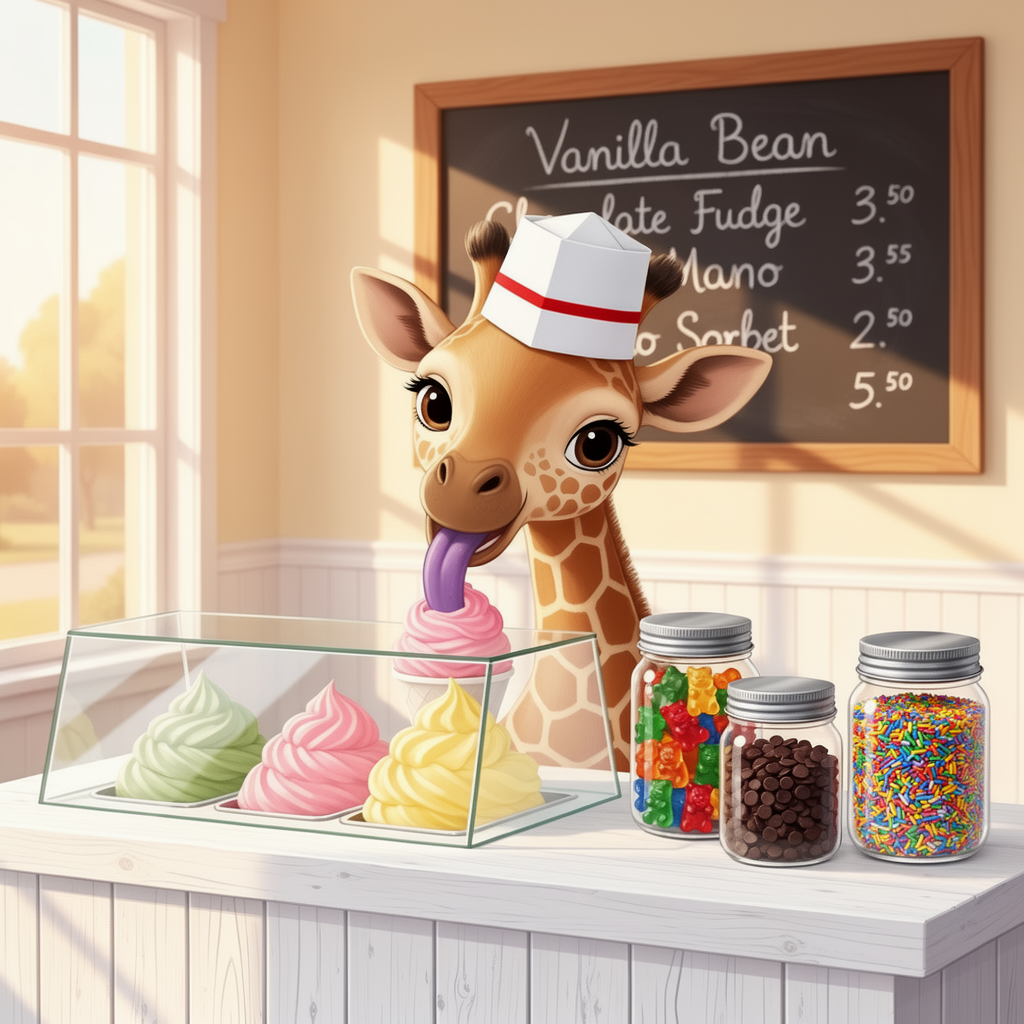
  <Accordion title="Selective replacement">
    <Columns cols={2}>
      <Frame>
        <img src="https://cdn.sanity.io/images/2gpum2i6/production/700fcf1730b96165452bef99fa3f699e256bba45-1024x1024.png" alt="Input: jars with cherries" />
      </Frame>

      <Frame>
        <img src="https://cdn.sanity.io/images/2gpum2i6/production/d15d465e7d2807c50efecac83b87f132b9d03c12-1024x1024.png" alt="Output: cherries replaced with sprinkles" />
      </Frame>
    </Columns>

    <PromptDisplay prompt="Replace the cherries in the right-most jar with multi-colored sprinkles. Change nothing else" />
  </Accordion>

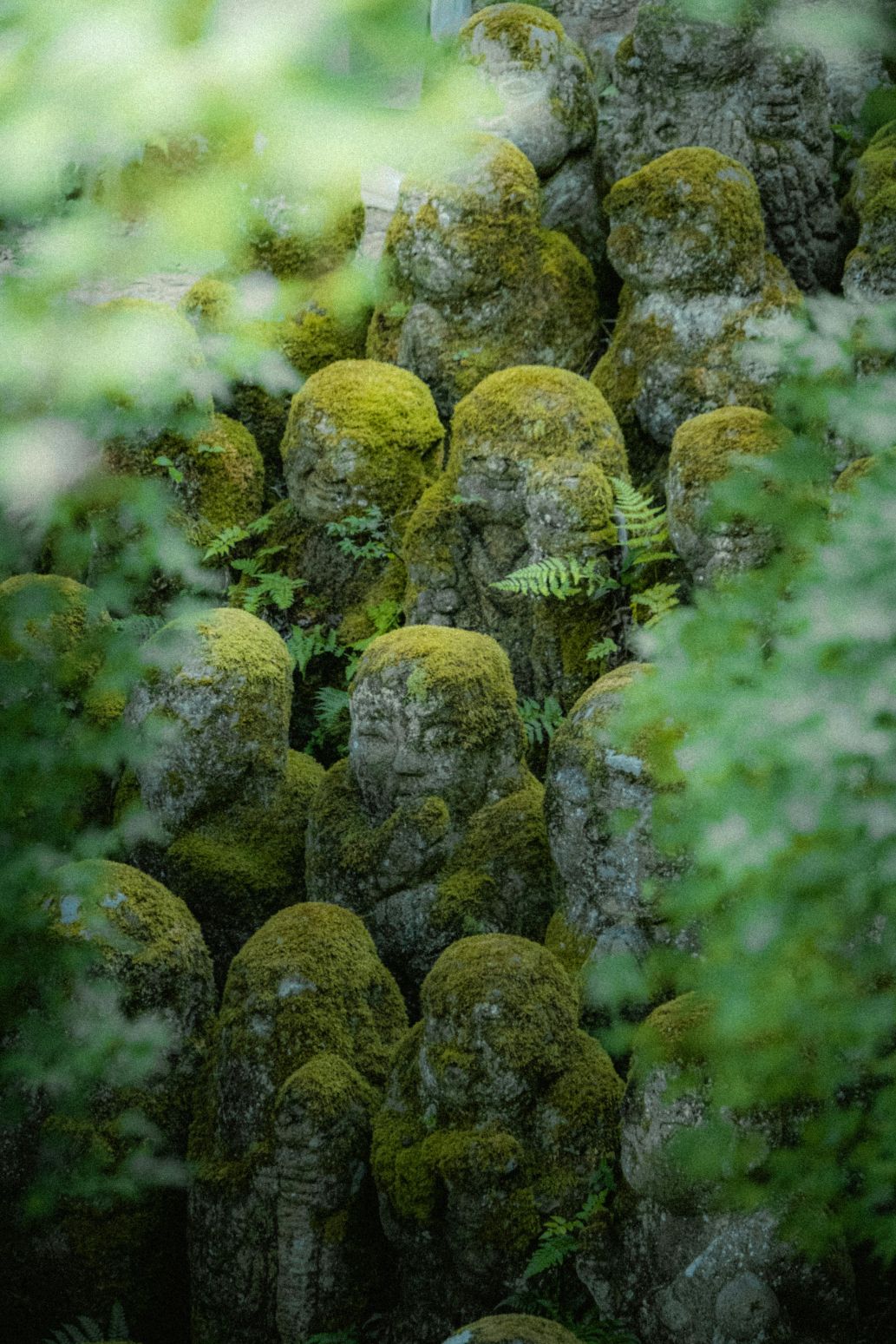
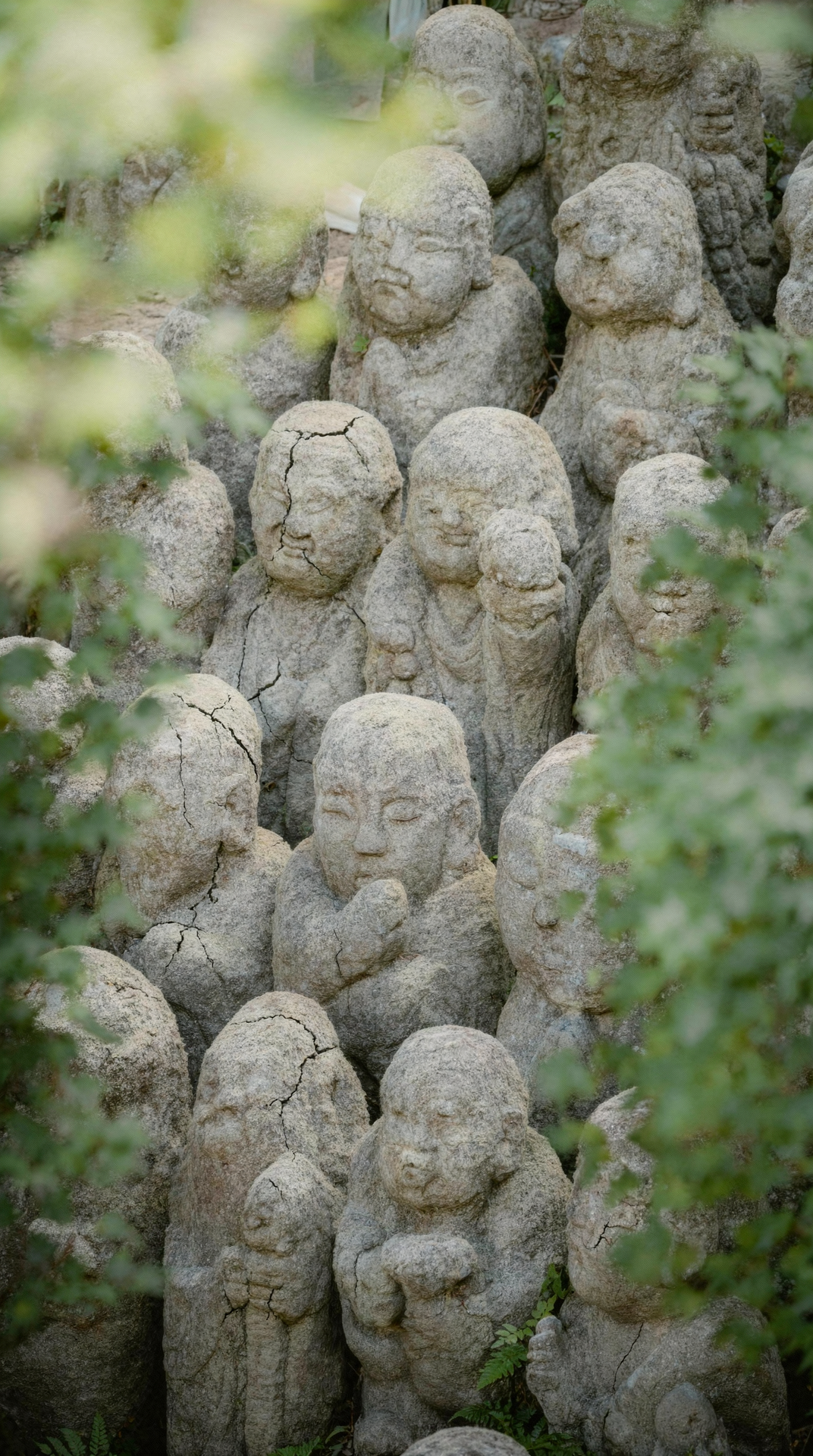
  <Accordion title="Remove vegetation">
    <Columns cols={2}>
      <Frame>
        <img src="https://cdn.sanity.io/images/2gpum2i6/production/36a9166aecd1e04f684c9d1fcecb8d78d0338a81-1033x1549.jpg" alt="Input: moss-covered statues" />
      </Frame>

      <Frame>
        <img src="https://cdn.sanity.io/images/2gpum2i6/production/3e6fd95cb7eb09f98ac4607292ae027c67f215a8-1072x1920.png" alt="Output: clean stone statues" />
      </Frame>
    </Columns>

    <PromptDisplay prompt="Remove all vegetation moss and greenery from the statues. Keep only the original stone structure with no plants no moss no algae no green tint. Reveal the raw stone texture with visible small cracks and natural erosion." />
  </Accordion>

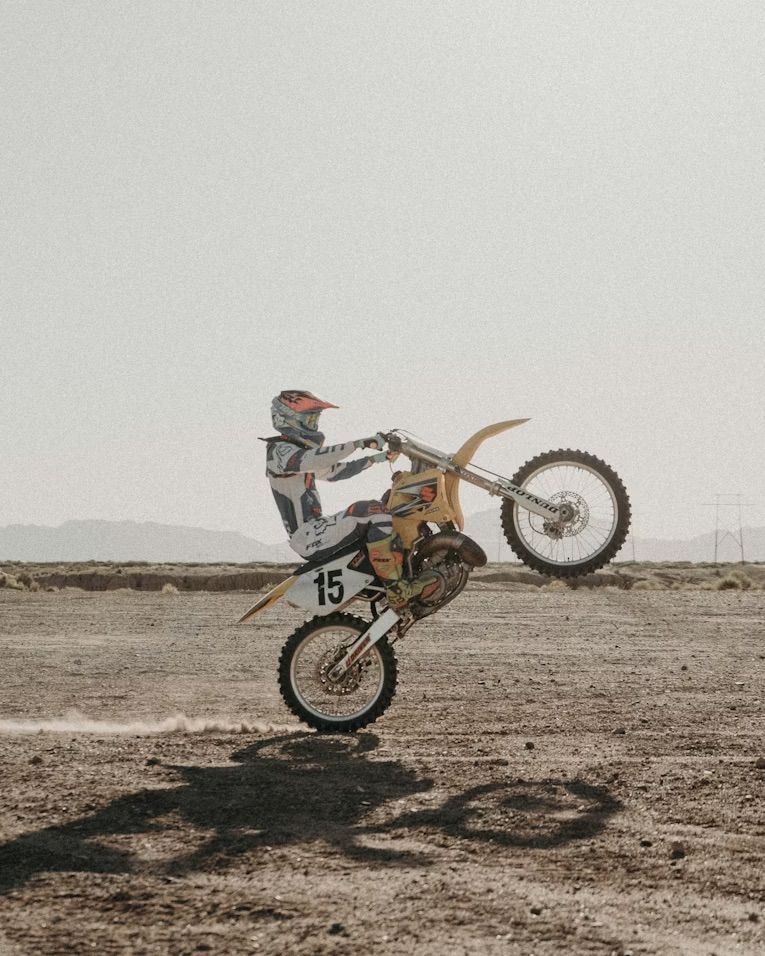
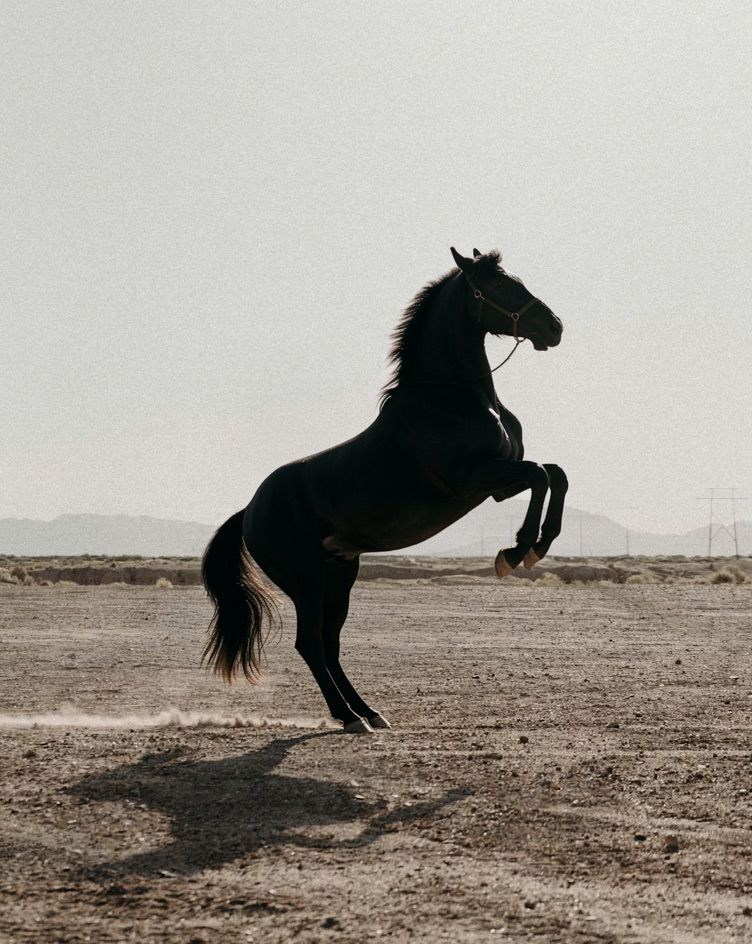
  <Accordion title="Object swap — bike to horse">
    <Columns cols={2}>
      <Frame>
        <img src="https://cdn.sanity.io/images/2gpum2i6/production/59fdd6b45c1d2d4180390ae98380a9425ce8bd99-765x956.jpg" alt="Input: person on motorcycle" />
      </Frame>

      <Frame>
        <img src="https://cdn.sanity.io/images/2gpum2i6/production/95be0d8eeab9acdd7cdfb73d68120385050b7073-752x944.jpg" alt="Output: person on rearing black horse" />
      </Frame>
    </Columns>

    <PromptDisplay prompt="Replace the bike with a rearing black horse" />
  </Accordion>

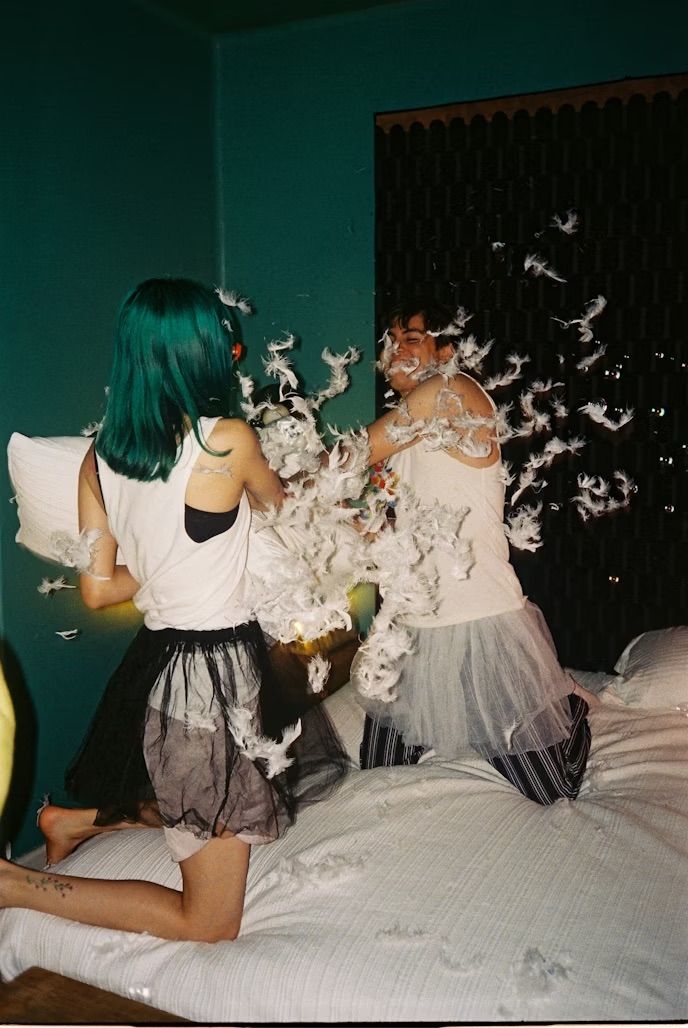
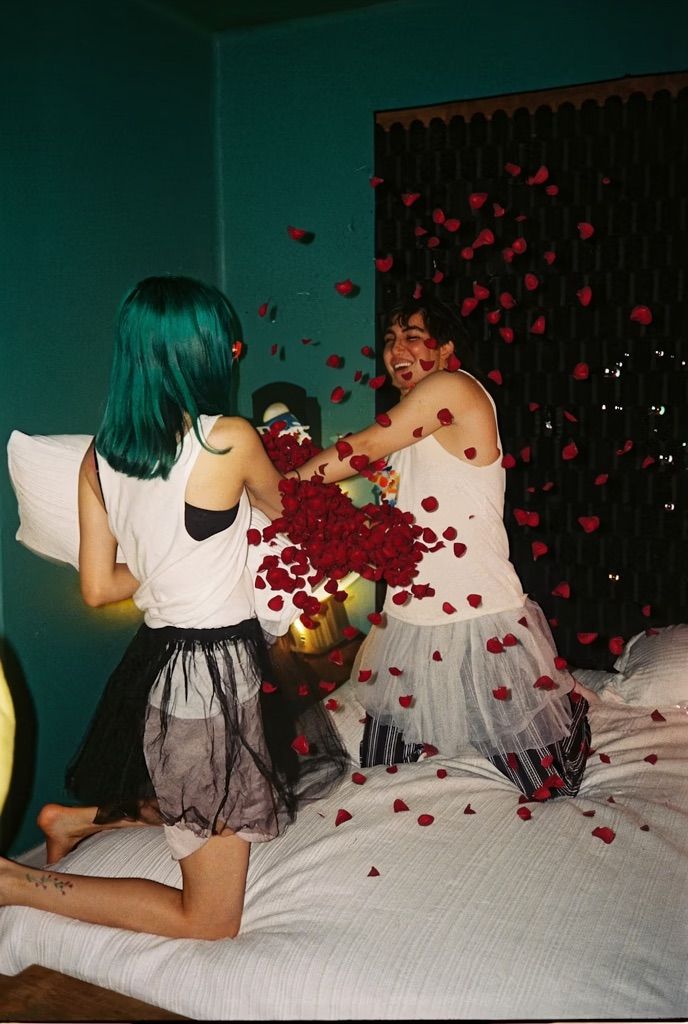
  <Accordion title="Element replacement — feathers to petals">
    <Columns cols={2}>
      <Frame>
        <img src="https://cdn.sanity.io/images/2gpum2i6/production/479b03e2cc5bbdf7f56151ec6dce055cb7dfe11a-688x1028.jpg" alt="Input: portrait with feathers" />
      </Frame>

      <Frame>
        <img src="https://cdn.sanity.io/images/2gpum2i6/production/3cc63c124d2a504a6f1e021948bc69db41b05731-688x1024.jpg" alt="Output: portrait with rose petals" />
      </Frame>
    </Columns>

    <PromptDisplay prompt="Replace all the feathers with rose petals" />
  </Accordion>
</AccordionGroup>

***

### Color & Material Changes

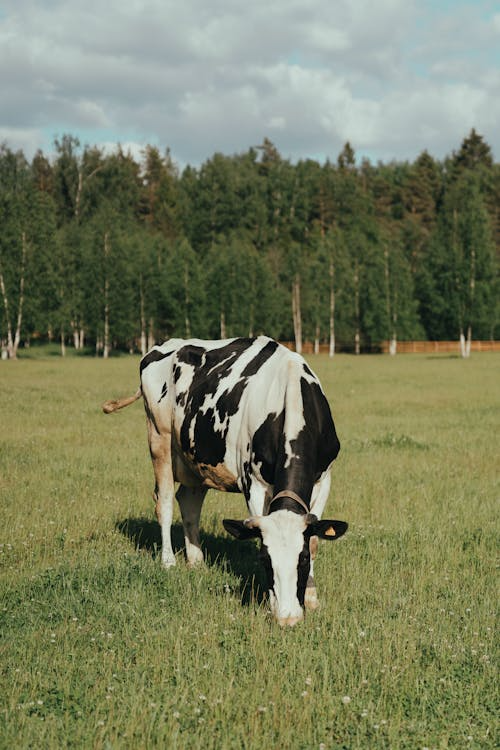
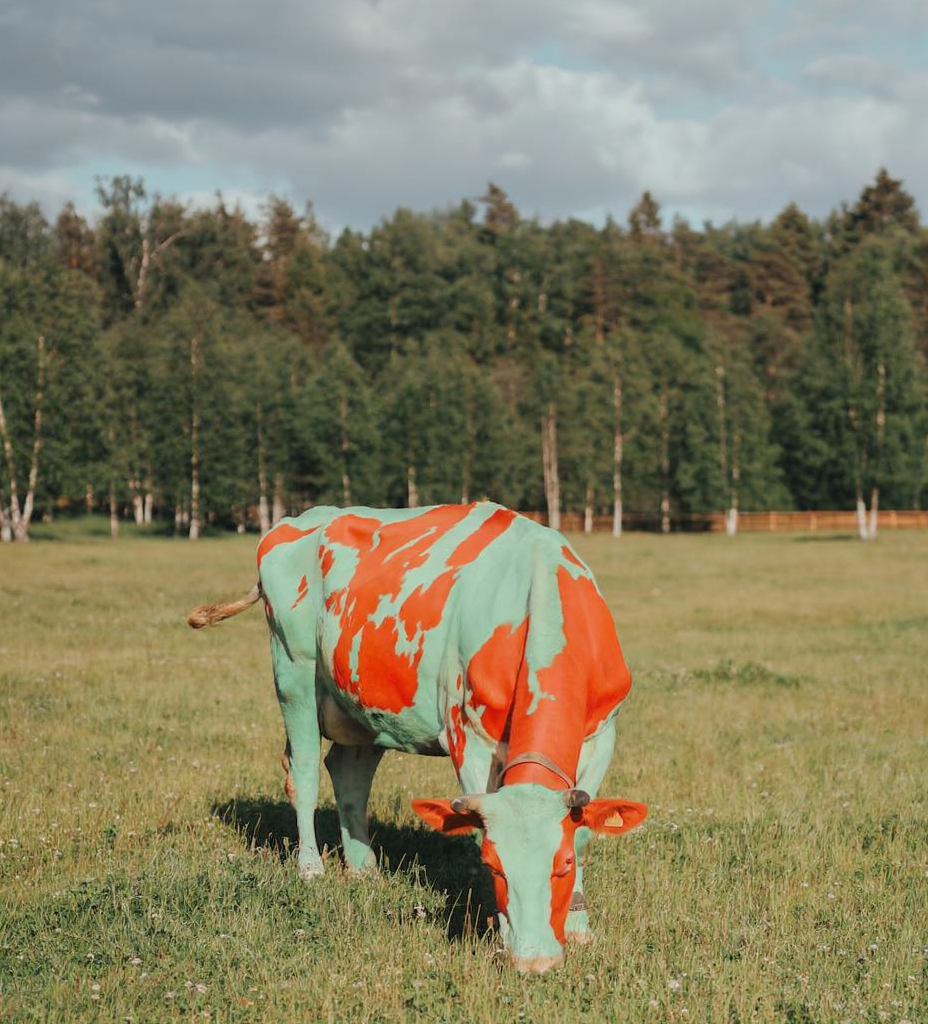
Recolor specific elements or transform materials — FLUX.2 supports hex color codes for precision.

<AccordionGroup>
  <Accordion title="Recolor with hex codes">
    <Columns cols={2}>
      <Frame>
        <img src="https://cdn.sanity.io/images/2gpum2i6/production/e42c9778a28707cc65bf7c913591d947f8bfd4b9-500x750.png" alt="Input: cow with natural colors" />
      </Frame>

      <Frame>
        <img src="https://cdn.sanity.io/images/2gpum2i6/production/691a310bf2729d3ce4f4bda0402259c3668ca135-928x1024.png" alt="Output: cow with custom colors" />
      </Frame>
    </Columns>

    <PromptDisplay prompt="Change the cow's white fur to the color #8bc4bb and its black spots to #de4528" />
  </Accordion>

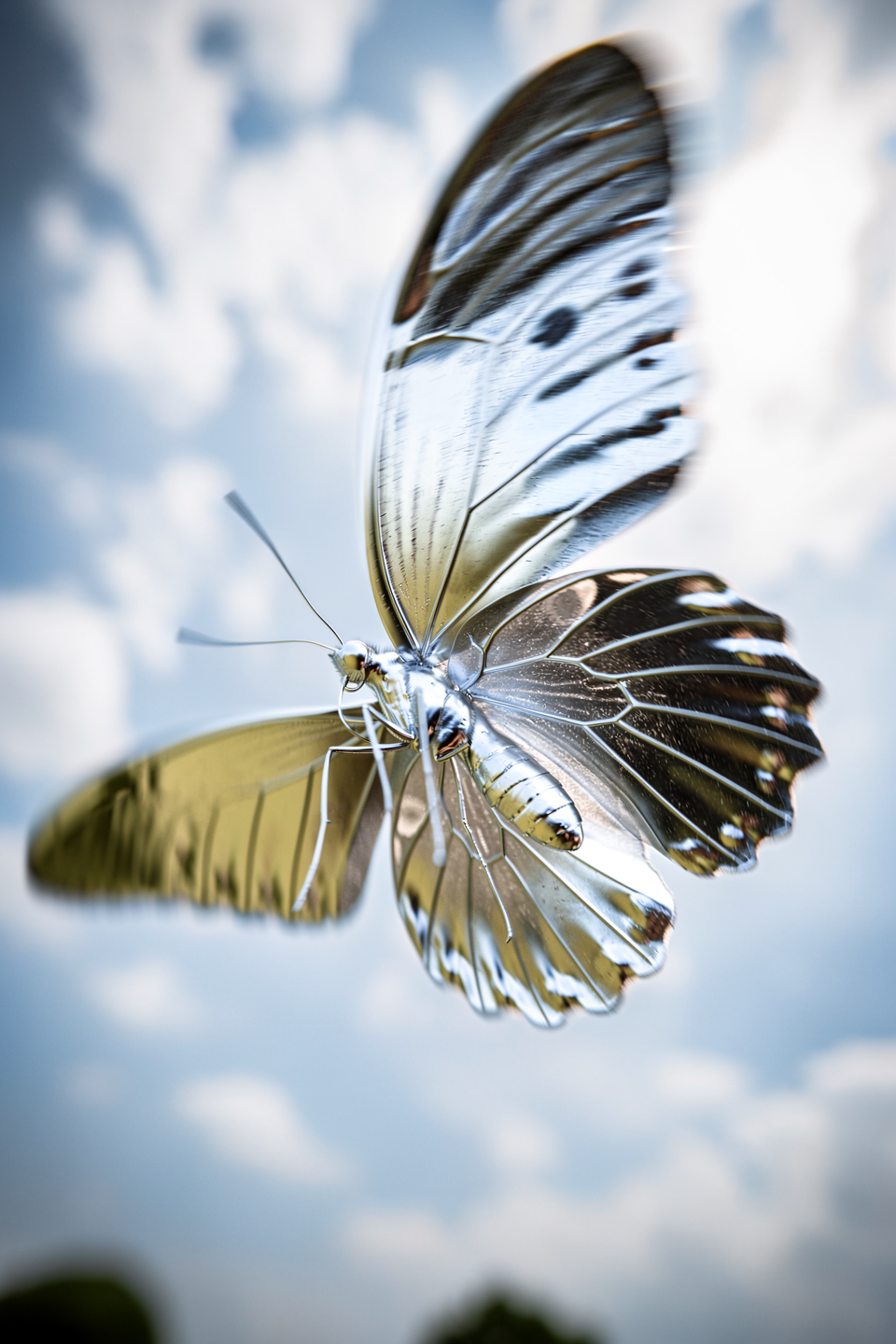
  <Accordion title="Material transformation — silver">
    <Columns cols={2}>
      <Frame>
        <img src="https://cdn.sanity.io/images/2gpum2i6/production/ce6665b32fd9f96a2c1bb8bd30e73b000912d225-960x1440.png" alt="Input: butterfly" />
      </Frame>

      <Frame>
        <img src="https://cdn.sanity.io/images/2gpum2i6/production/d8b6455ab9ab2ee12c914be6afa4bea3fcc414b3-960x1440.png" alt="Output: silver butterfly" />
      </Frame>
    </Columns>

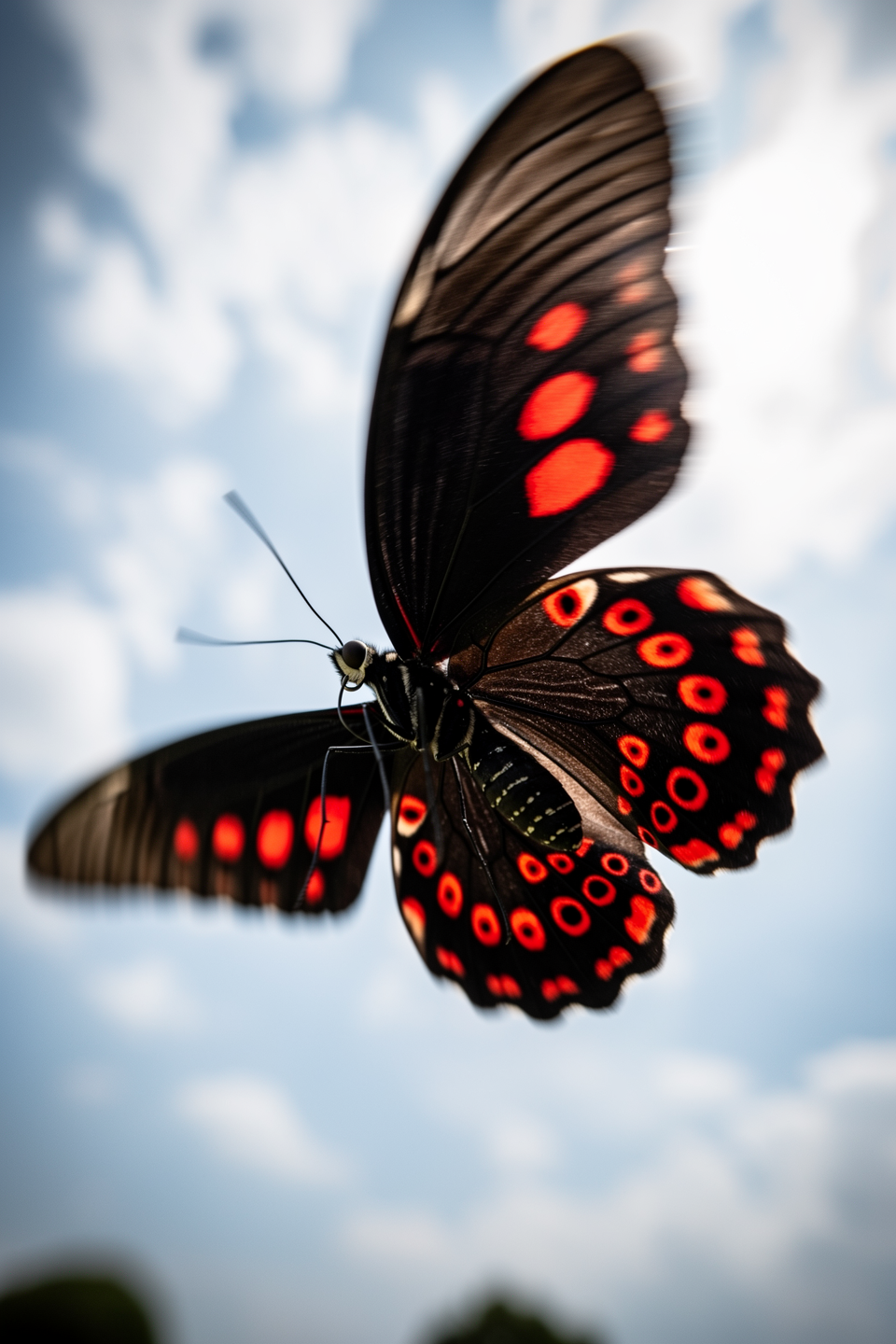
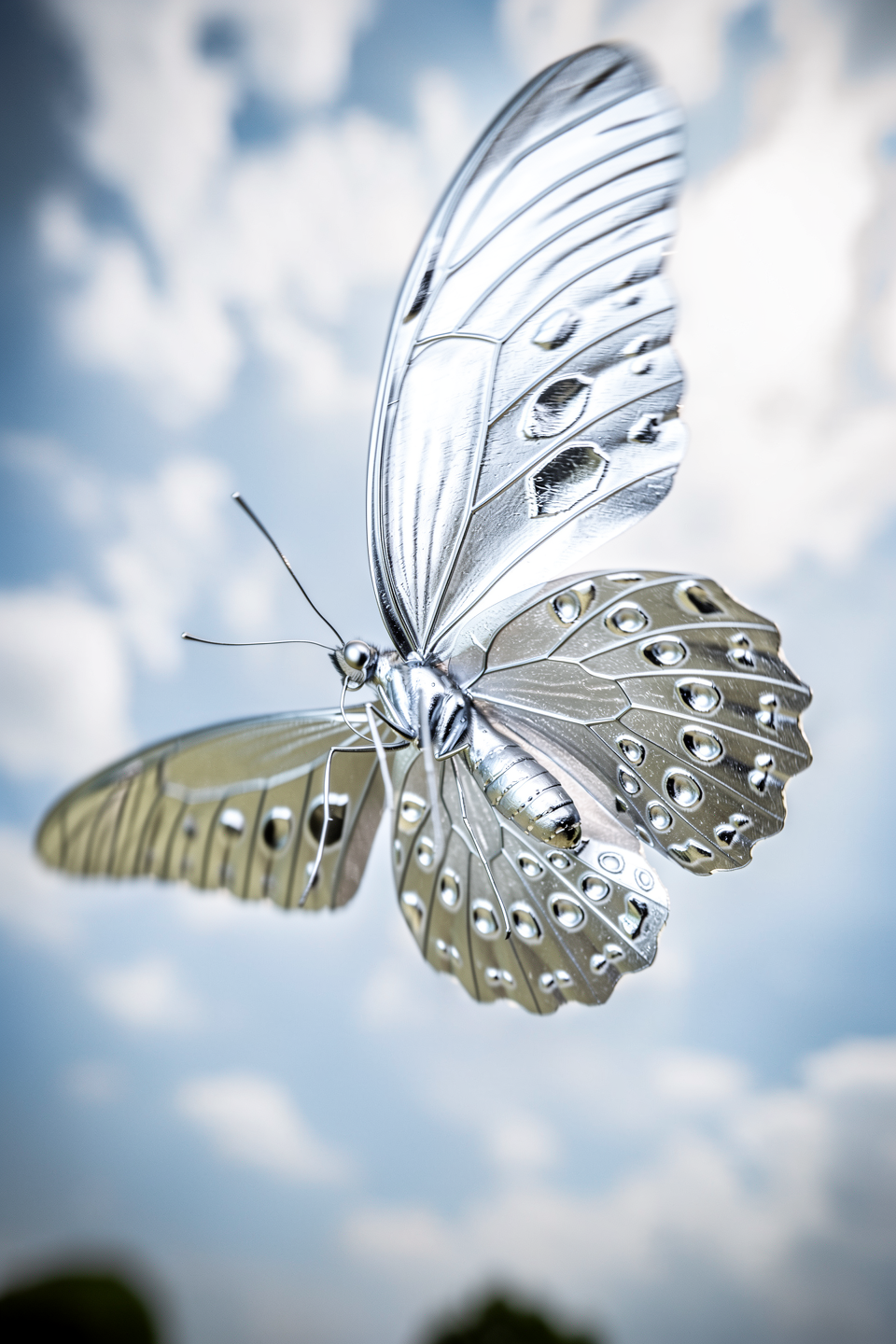
    <PromptDisplay prompt="The butterfly is now made of shiny silver" />
  </Accordion>

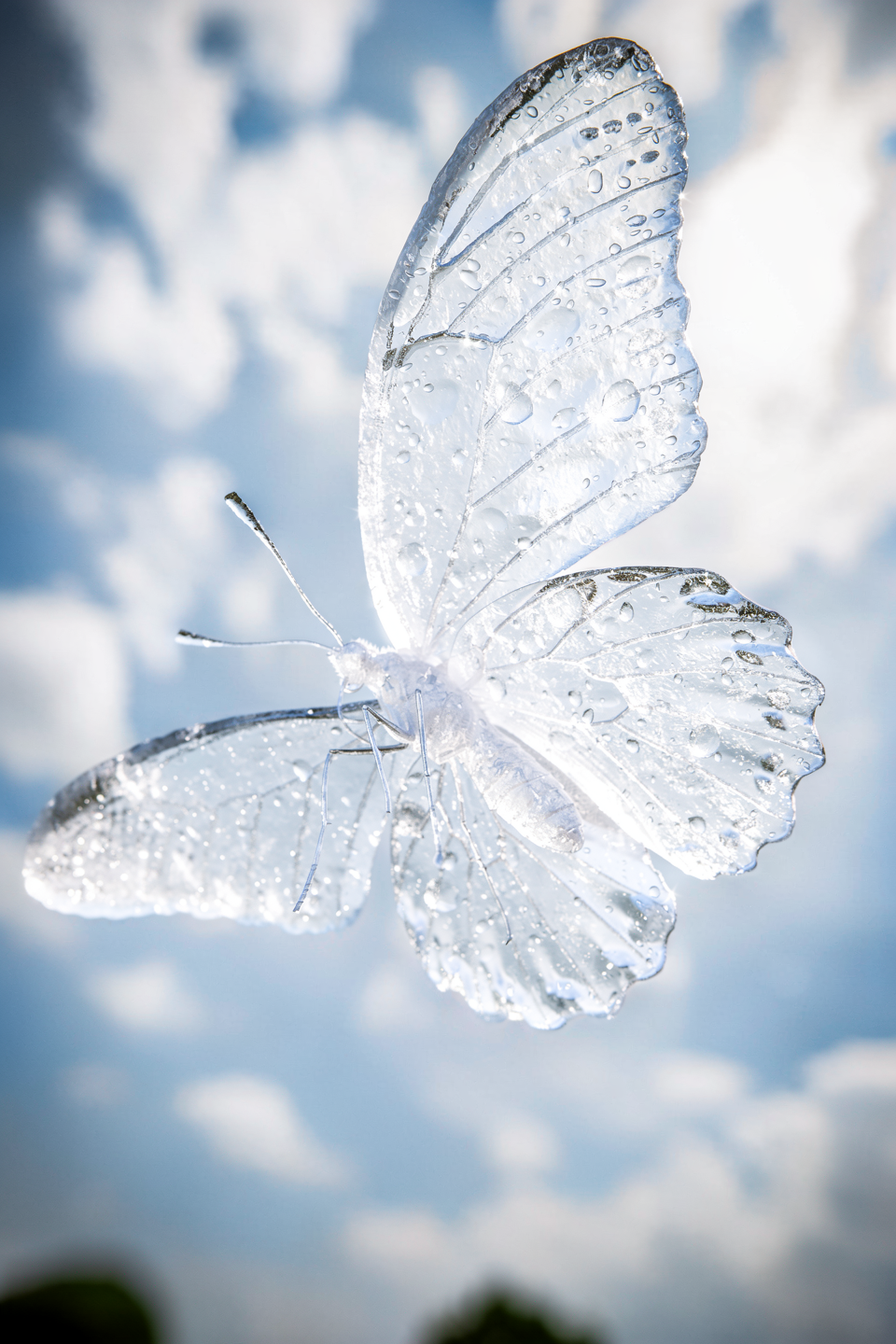
  <Accordion title="Material transformation — ice">
    <Columns cols={2}>
      <Frame>
        <img src="https://cdn.sanity.io/images/2gpum2i6/production/649bd0775125f412f8aa0446f55d74f3f1fc1b14-960x1440.png" alt="Input: butterfly" />
      </Frame>

      <Frame>
        <img src="https://cdn.sanity.io/images/2gpum2i6/production/71a57f1289d5c4934a9e5a1de2d65e490537e271-960x1440.png" alt="Output: ice butterfly" />
      </Frame>
    </Columns>

    <PromptDisplay prompt="Turn the butterfly into one sculpted from clear ice, with tiny droplets forming across its frozen surface. Create a refined, realistic texture, preserving the original style of the image" />
  </Accordion>
</AccordionGroup>

***

### Lighting, Weather & Season Changes

Shift the time of day, season, or weather conditions with a simple instruction.

<AccordionGroup>
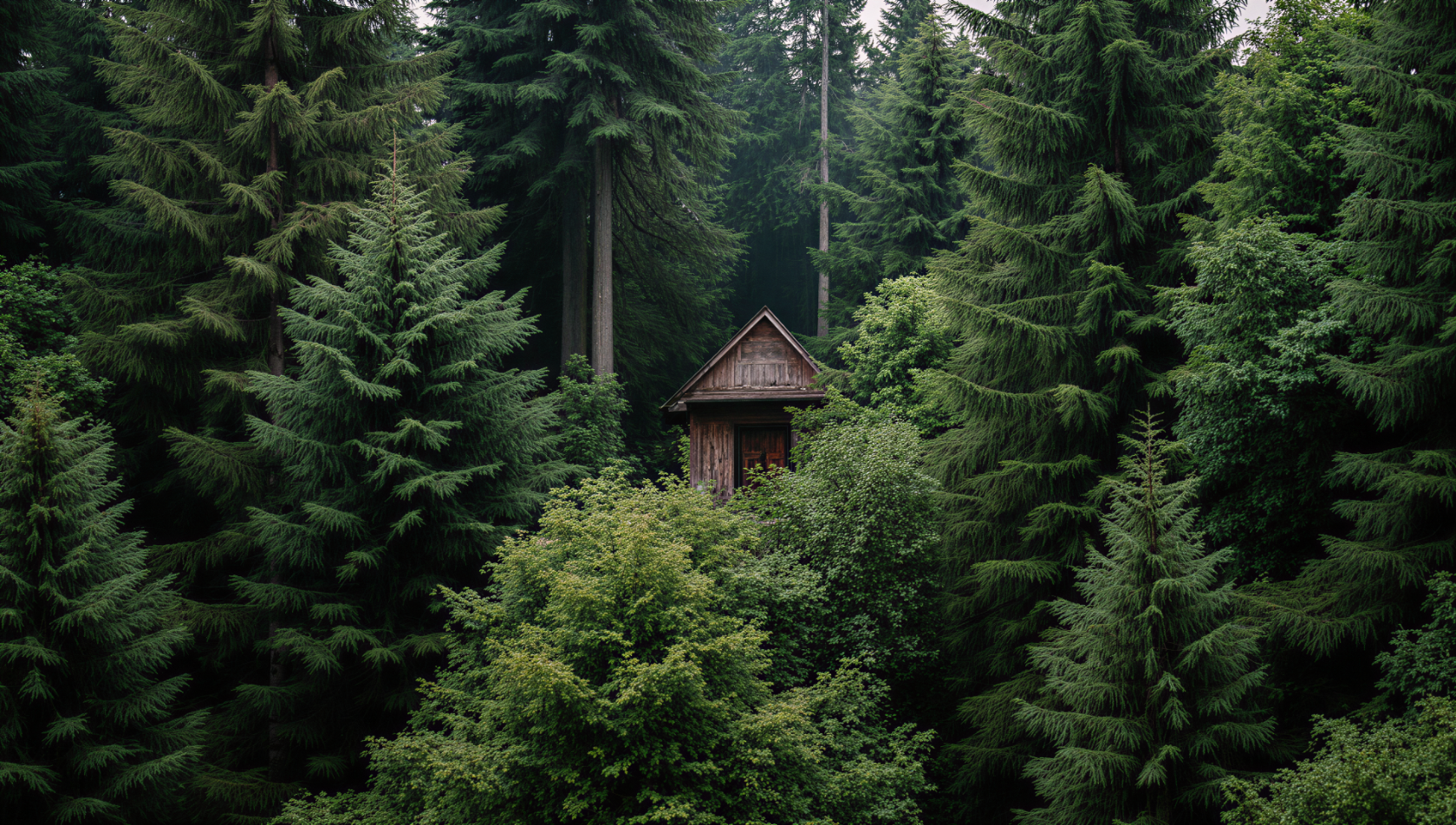
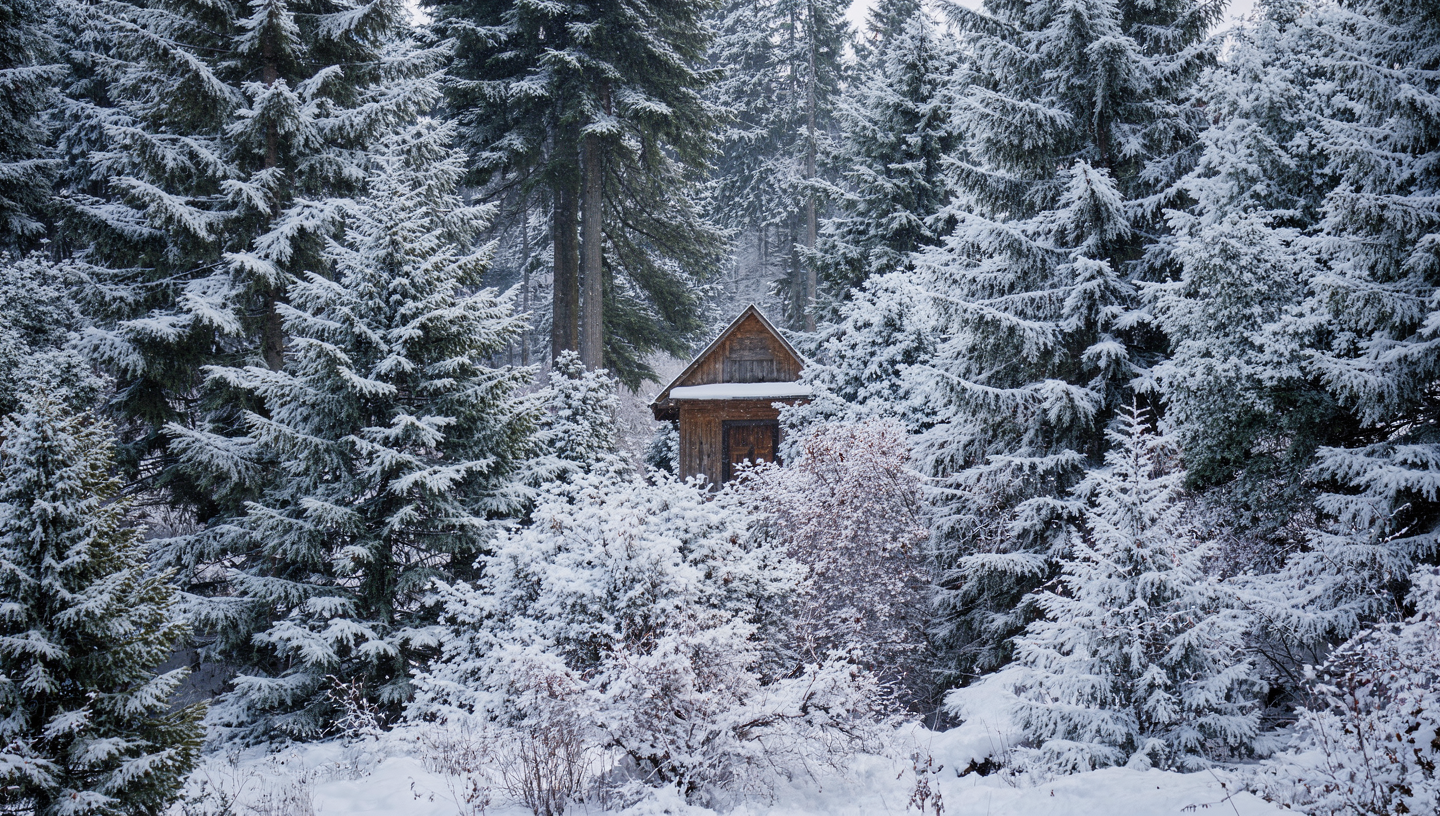
  <Accordion title="Season change — winter">
    <Columns cols={2}>
      <Frame>
        <img src="https://cdn.sanity.io/images/2gpum2i6/production/60c0bd0873dce1991931829d93ca1270dd42cb0c-1680x952.png" alt="Input: scene in original season" />
      </Frame>

      <Frame>
        <img src="https://cdn.sanity.io/images/2gpum2i6/production/afd7679c6592a45b2124416faf572ce48c6e114a-1440x816.png" alt="Output: winter scene" />
      </Frame>
    </Columns>

    <PromptDisplay prompt="Change this to Winter" />
  </Accordion>

  <Accordion title="Time of day — night">
    <Columns cols={2}>
      <Frame>
        <img src="https://cdn.sanity.io/images/2gpum2i6/production/899402d052604cc5471942e61176309b75d8096d-2048x1440.png" alt="Input: daytime scene" />
      </Frame>

      <Frame>
        <img src="https://cdn.sanity.io/images/2gpum2i6/production/31799e6fc25fae11adc720693c4a7bbbc1b9ddb7-1440x1008.png" alt="Output: nighttime scene" />
      </Frame>
    </Columns>

    <PromptDisplay prompt="Change it to Night" />
  </Accordion>

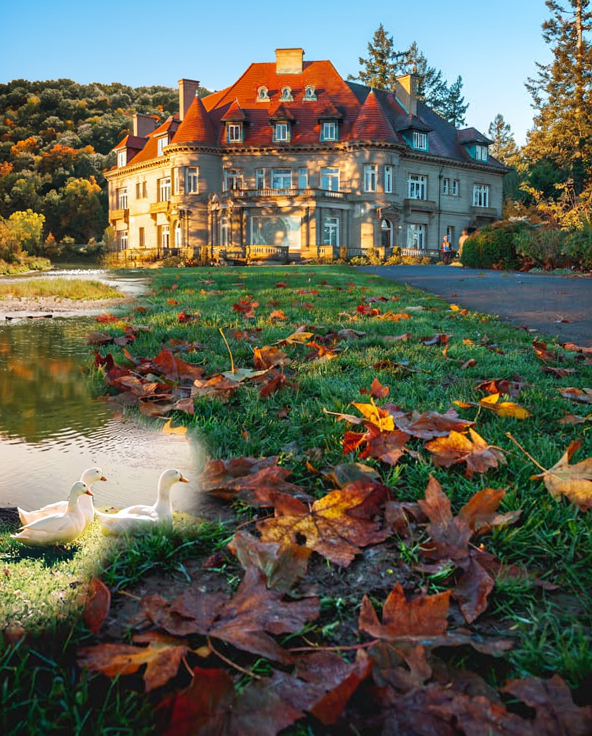
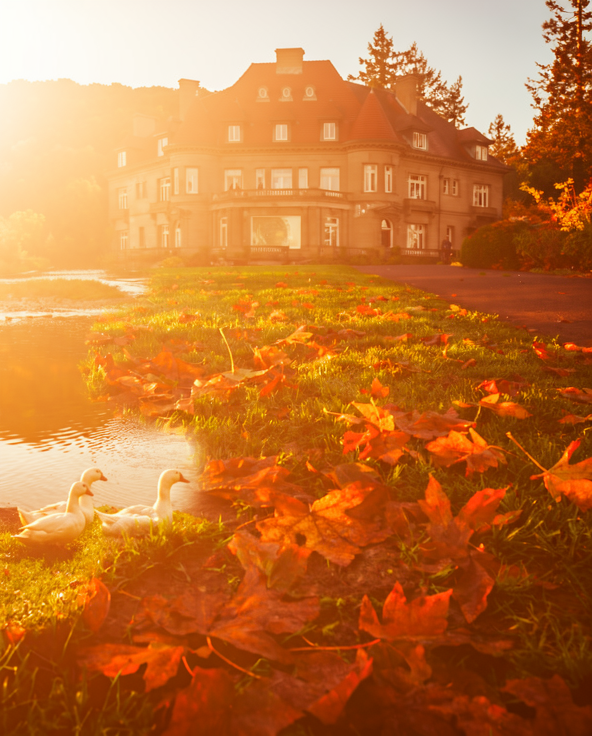
  <Accordion title="Lighting and color mood">
    <Columns cols={2}>
      <Frame>
        <img src="https://cdn.sanity.io/images/2gpum2i6/production/989d574adc3c3c845a52fadda2d7ae0a15841b73-592x736.png" alt="Input: scene with original lighting" />
      </Frame>

      <Frame>
        <img src="https://cdn.sanity.io/images/2gpum2i6/production/c828dbe1430f5782adfa8610c01a8a87574479bb-592x736.png" alt="Output: warm autumn lighting" />
      </Frame>
    </Columns>

    <PromptDisplay prompt="Fix the lighting and make the entire scene appear in warm autumn colors with sunlight" />
  </Accordion>
</AccordionGroup>

***

### Text Editing

Add, replace, or modify text within images — from simple swaps to full ad layouts.

<AccordionGroup>
  <Accordion title="Simple text replacement">
    <Columns cols={2}>
      <Frame>
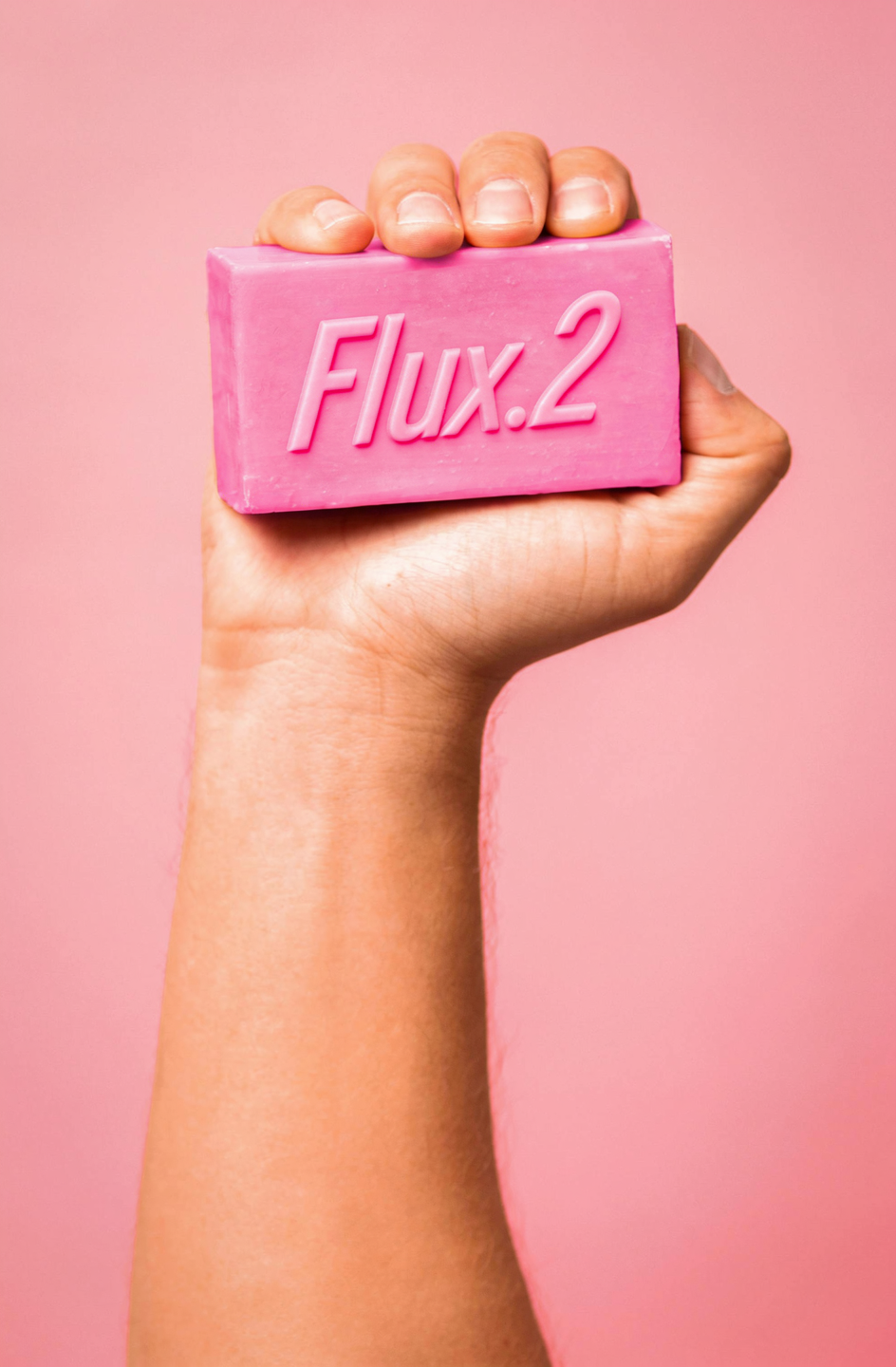
        <img src="https://cdn.sanity.io/images/2gpum2i6/production/454286fa6880e6a2772ea1423e478280469354fb-1999x3000.jpg" alt="Input: image with original text" />
      </Frame>

      <Frame>
        <img src="https://cdn.sanity.io/images/2gpum2i6/production/db0aa37eb019d14345f3bc7593c7caedee5f7fce-944x1440.png" alt="Output: text changed to Flux.2" />
      </Frame>
    </Columns>

    <PromptDisplay prompt="Change the text to Flux.2" />
  </Accordion>

  <Accordion title="Neon sign text">
    <Columns cols={2}>
      <Frame>
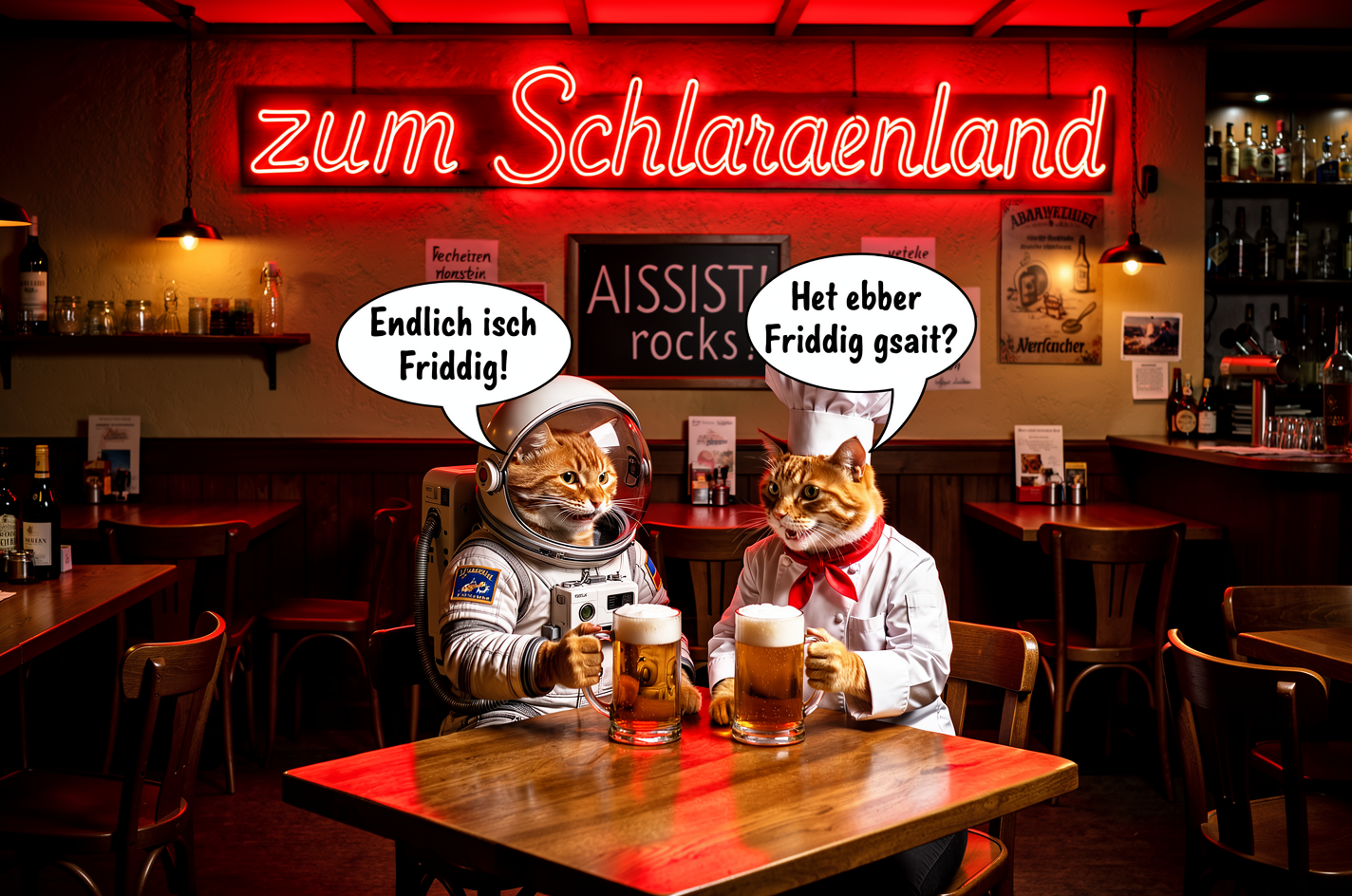
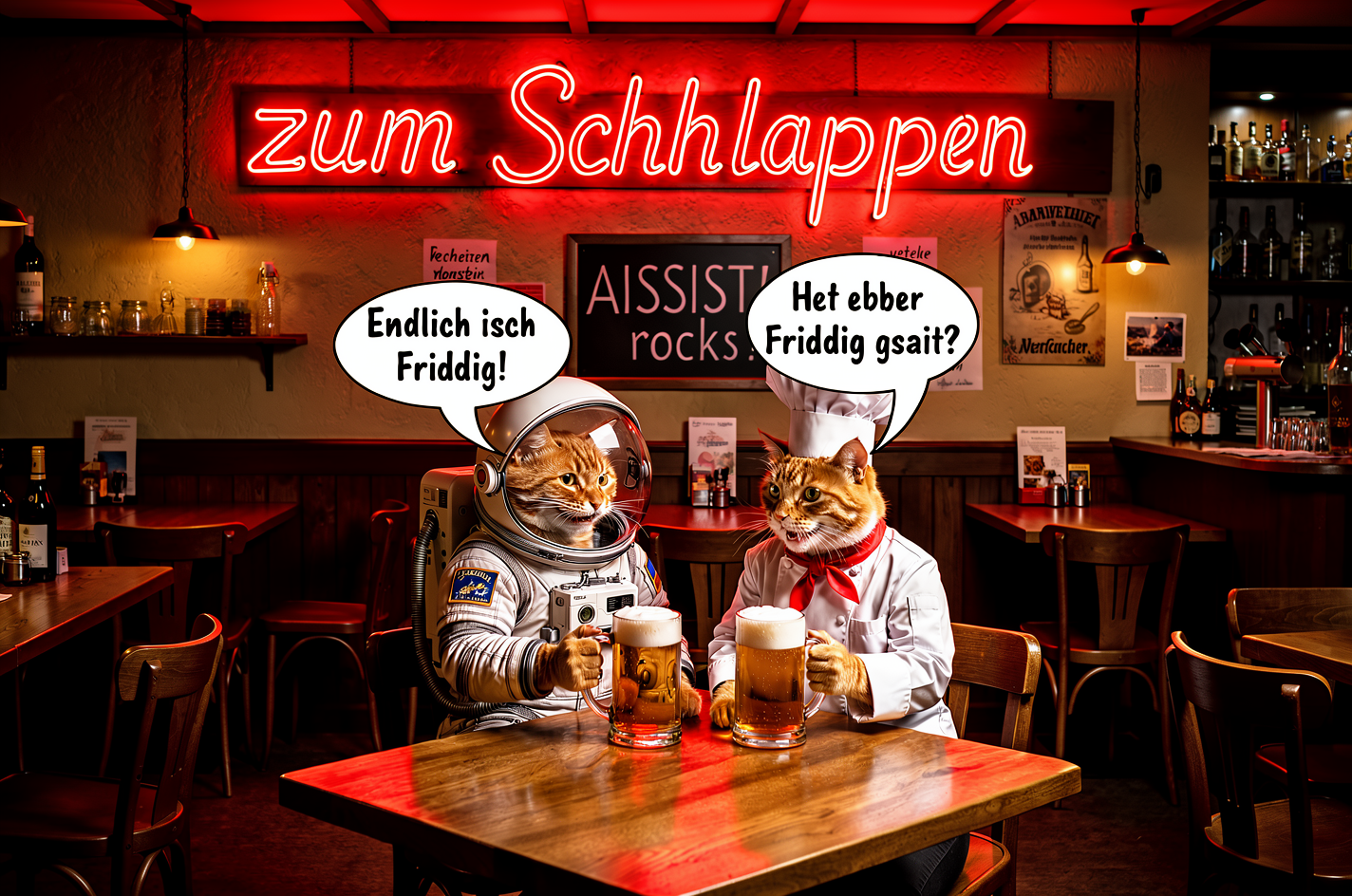
        <img src="https://cdn.sanity.io/images/2gpum2i6/production/7a9cbb845dd15f4c25045d5bdd601ffda9e15b64-1424x944.png" alt="Input: neon sign with original text" />
      </Frame>

      <Frame>
        <img src="https://cdn.sanity.io/images/2gpum2i6/production/416e69a864c5eeaf59dd61b992592d47780be3f5-1424x944.png" alt="Output: neon sign with new text" />
      </Frame>
    </Columns>

    <PromptDisplay prompt="Change the text on the neon sign to 'zum Schlappen'" />
  </Accordion>

  <Accordion title="Sign replacement + scene edit">
    <Columns cols={2}>
      <Frame>
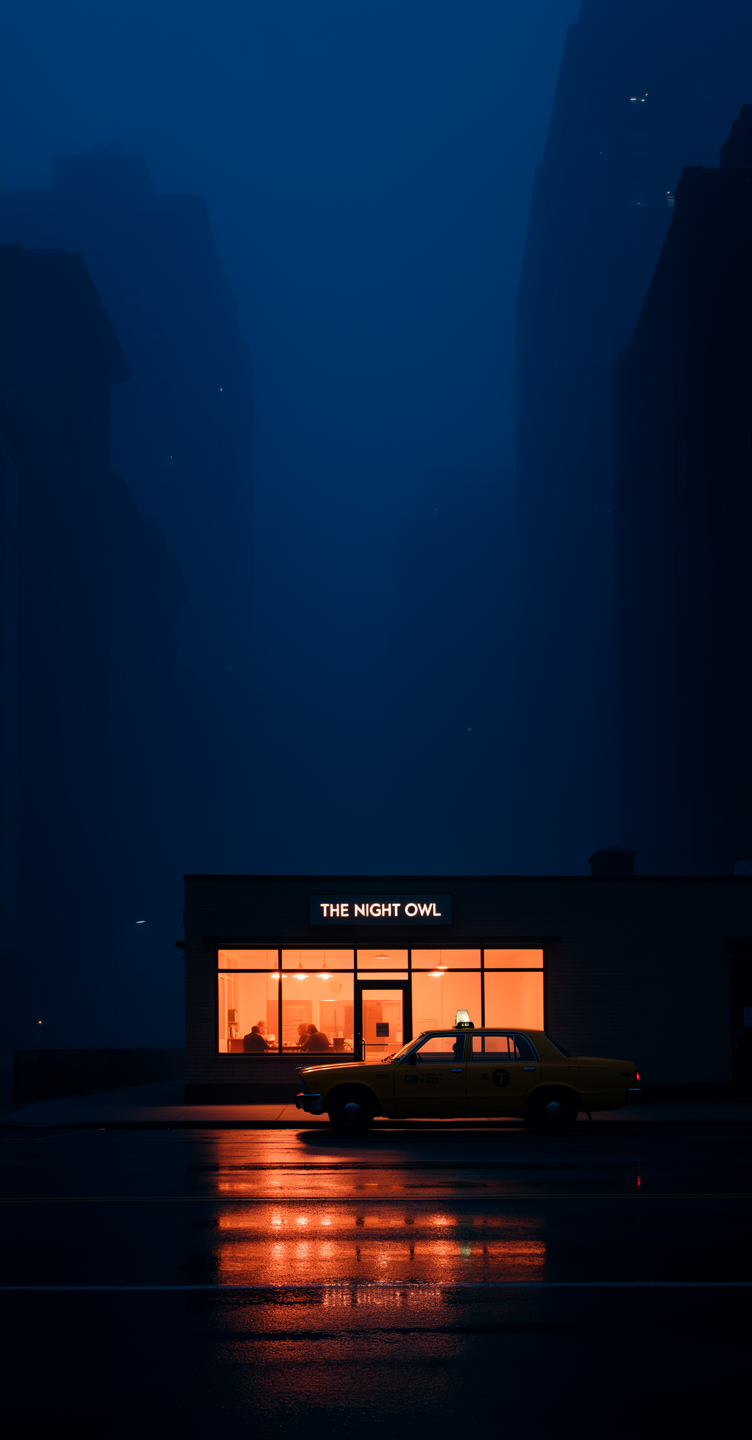
        <img src="https://cdn.sanity.io/images/2gpum2i6/production/865cc685167fa3b10e722a2d048b89cdbf9a9613-752x1440.png" alt="Input: shop scene" />
      </Frame>

      <Frame>
        <img src="https://cdn.sanity.io/images/2gpum2i6/production/e228384f2f234290699e684e5a743ebfab7ce38e-752x1440.png" alt="Output: new neon sign and traffic light" />
      </Frame>
    </Columns>

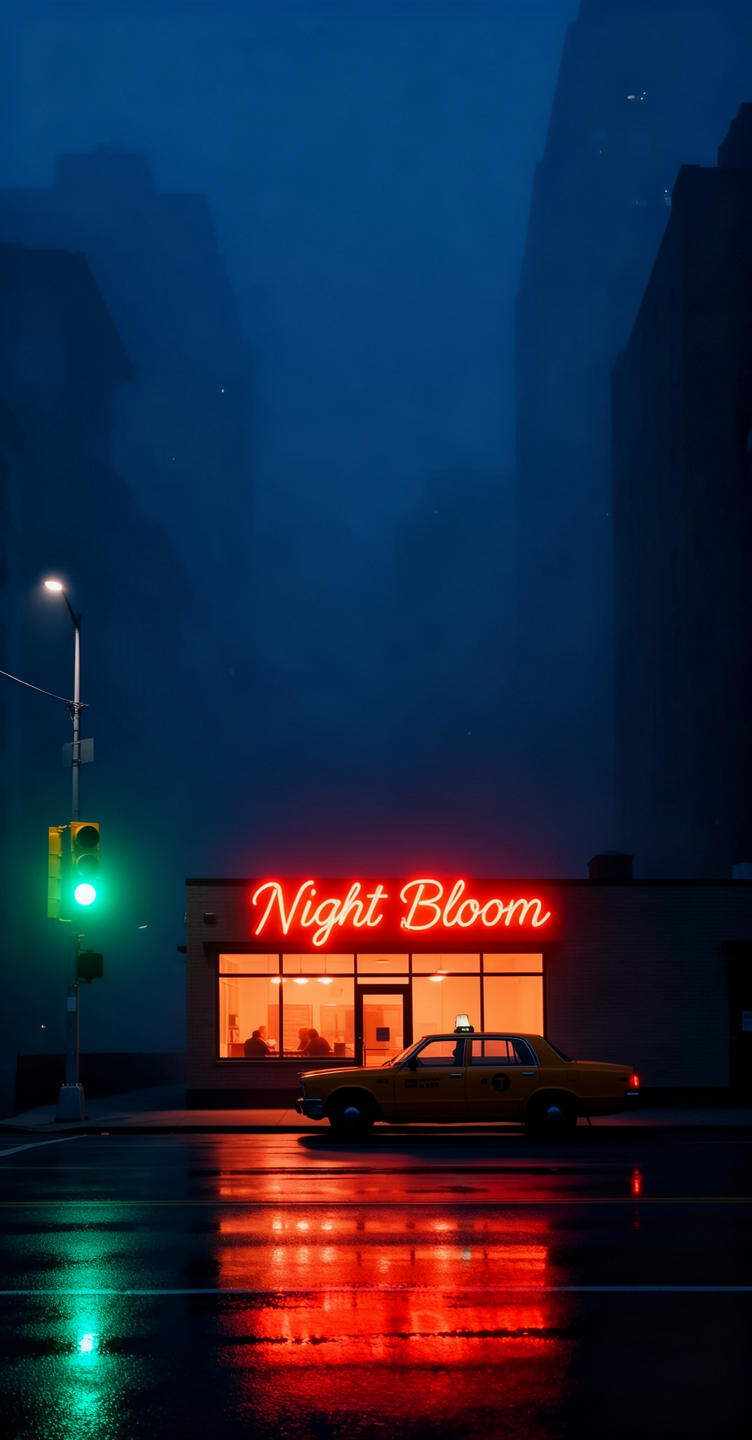
    <PromptDisplay prompt="Replace the shop sign with a red-orange neon sign that says 'Night Bloom', and add a green traffic light on the left side of the frame." />
  </Accordion>

  <Accordion title="Ad creation with text overlay">
    <Columns cols={2}>
      <Frame>
        <img src="https://cdn.sanity.io/images/2gpum2i6/production/cc46de090b61254fad1f7c6783b8bb76d05c4ee6-500x750.png" alt="Input: fashion photo" />
      </Frame>

      <Frame>
        <img src="https://cdn.sanity.io/images/2gpum2i6/production/7dca5c2b3834bfa11c2bc19051185579c999a380-496x736.png" alt="Output: fashion ad with text and CTA" />
      </Frame>
    </Columns>

    <PromptDisplay prompt="Use this image to create an ad. Add the text 'Black Friday hasta -50%' on the right side, making sure it does not overlay the clothes. Add a call-to-action button that says 'Take me there'" />
  </Accordion>
</AccordionGroup>

***

### Virtual Try-On & Clothing

Change outfits, add accessories, or adjust clothing colors — great for fashion and e-commerce.

<AccordionGroup>
  <Accordion title="Outfit change">
    <Columns cols={2}>
      <Frame>
        <img src="https://cdn.sanity.io/images/2gpum2i6/production/6579b7ebe92a74bd1751a3a1cc326ae22913b32b-1033x1549.jpg" alt="Input: woman in original outfit" />
      </Frame>

      <Frame>
        <img src="https://cdn.sanity.io/images/2gpum2i6/production/31c55b96ace2a539043fabf95f386ff3e27a6e22-1072x1920.png" alt="Output: woman in fuchsia dress" />
      </Frame>
    </Columns>

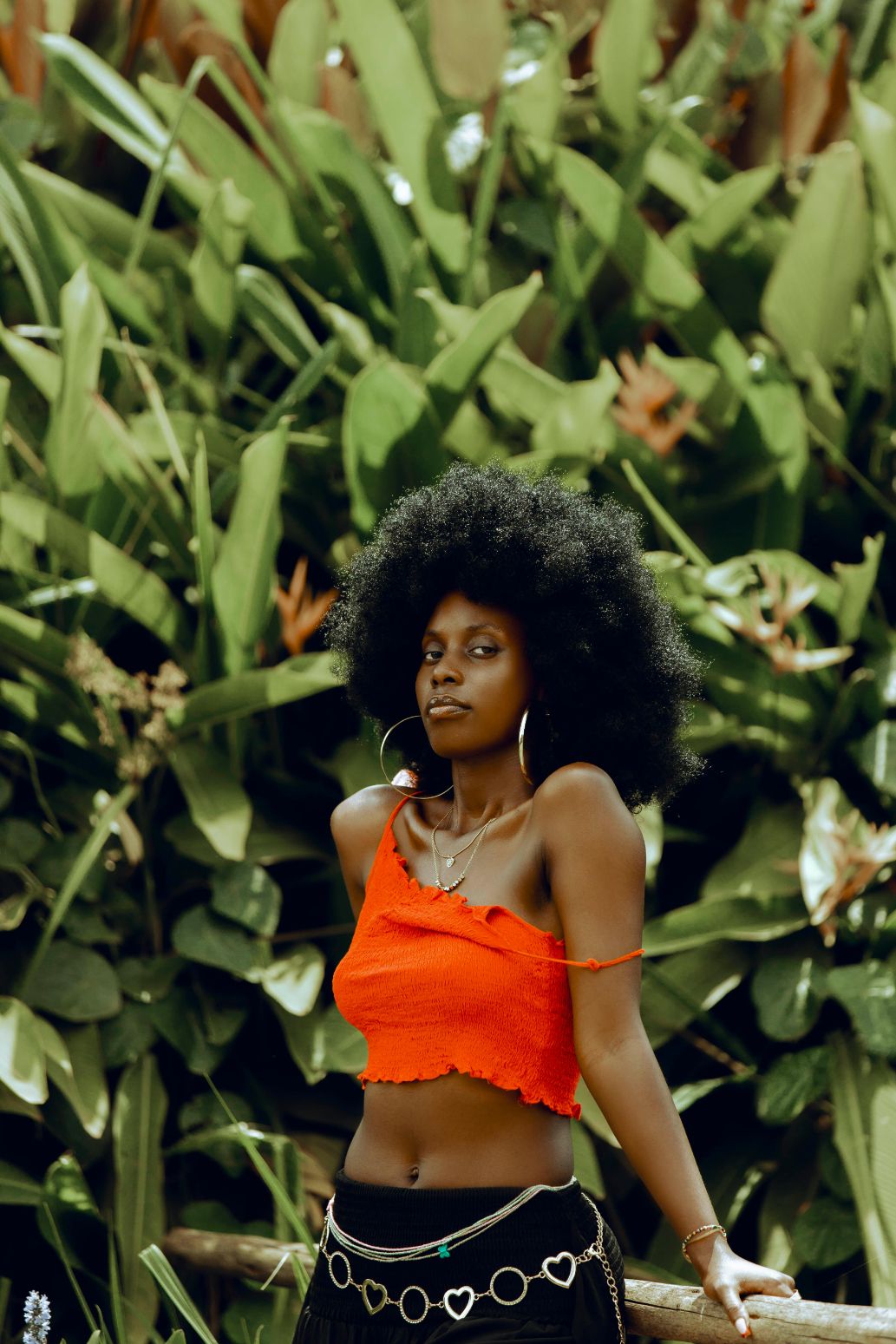
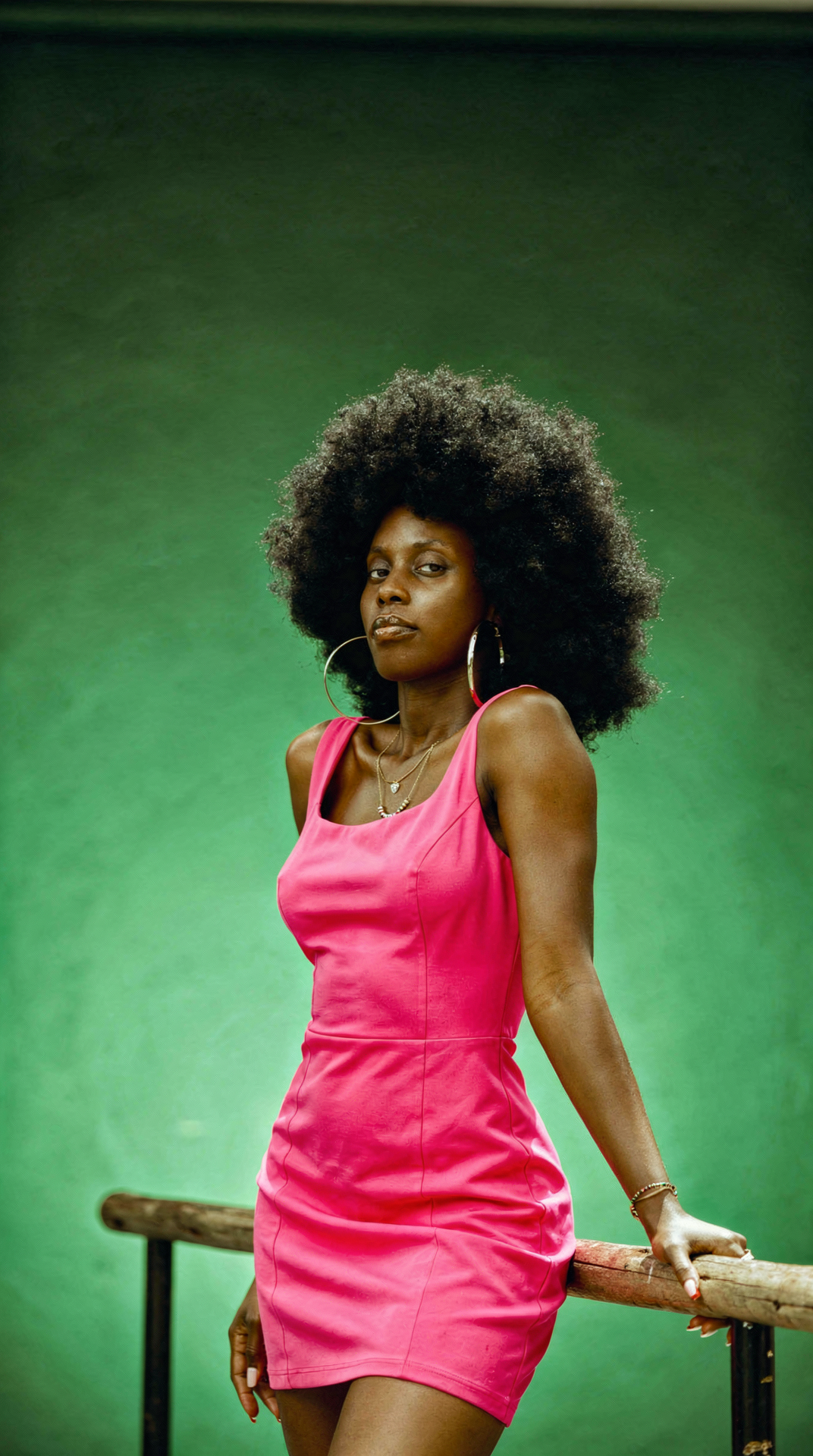
    <PromptDisplay prompt="Change the woman's outfit to a bold fuchsia pink dress against a green studio gradient background." />
  </Accordion>

  <Accordion title="Add accessories with hex colors">
    <Columns cols={2}>
      <Frame>
        <img src="https://cdn.sanity.io/images/2gpum2i6/production/a4867991ad1e38d17cd89effc5d8b61b96d57f8b-501x750.png" alt="Input: woman without jacket" />
      </Frame>

      <Frame>
        <img src="https://cdn.sanity.io/images/2gpum2i6/production/931e7c71fac23775c0ee893dba5c88cd95ae0b85-496x736.png" alt="Output: woman with fluffy jacket and hat" />
      </Frame>
    </Columns>

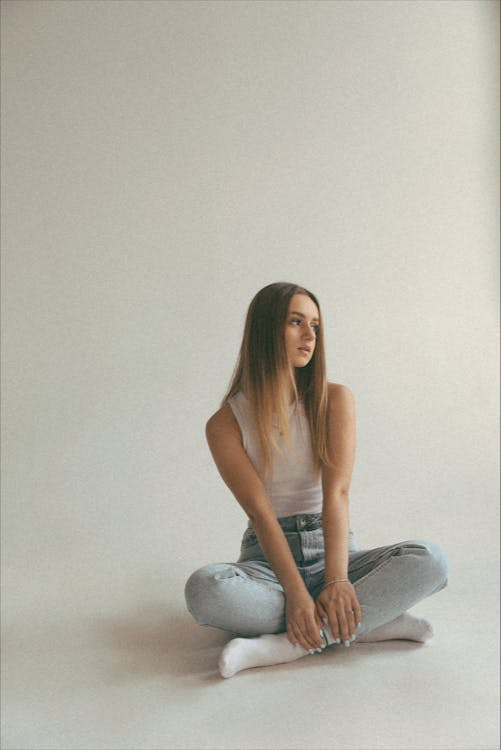
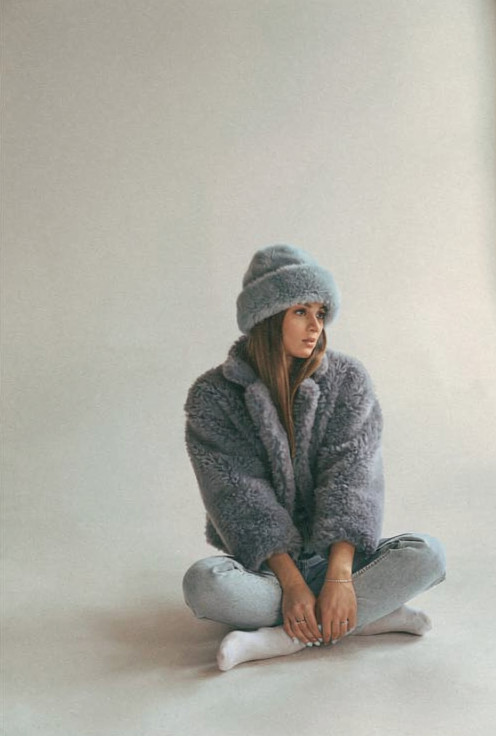
    <PromptDisplay prompt="Add a short fluffy jacket on her colored #778899, and a hat in the same fluffy style, colored #98AFC7. Keep her pose" />
  </Accordion>

  <Accordion title="Dress recoloring with detail preservation">
    <Columns cols={2}>
      <Frame>
        <img src="https://cdn.sanity.io/images/2gpum2i6/production/bb82e82e1bdc520dbe56f745d7747ddc60a26760-3456x5184.jpg" alt="Input: white lace wedding dress" />
      </Frame>

      <Frame>
        <img src="https://cdn.sanity.io/images/2gpum2i6/production/29a25e49a0f1f5d563c5cc0e6721b763351f6452-960x1440.png" alt="Output: sky blue lace wedding dress" />
      </Frame>
    </Columns>

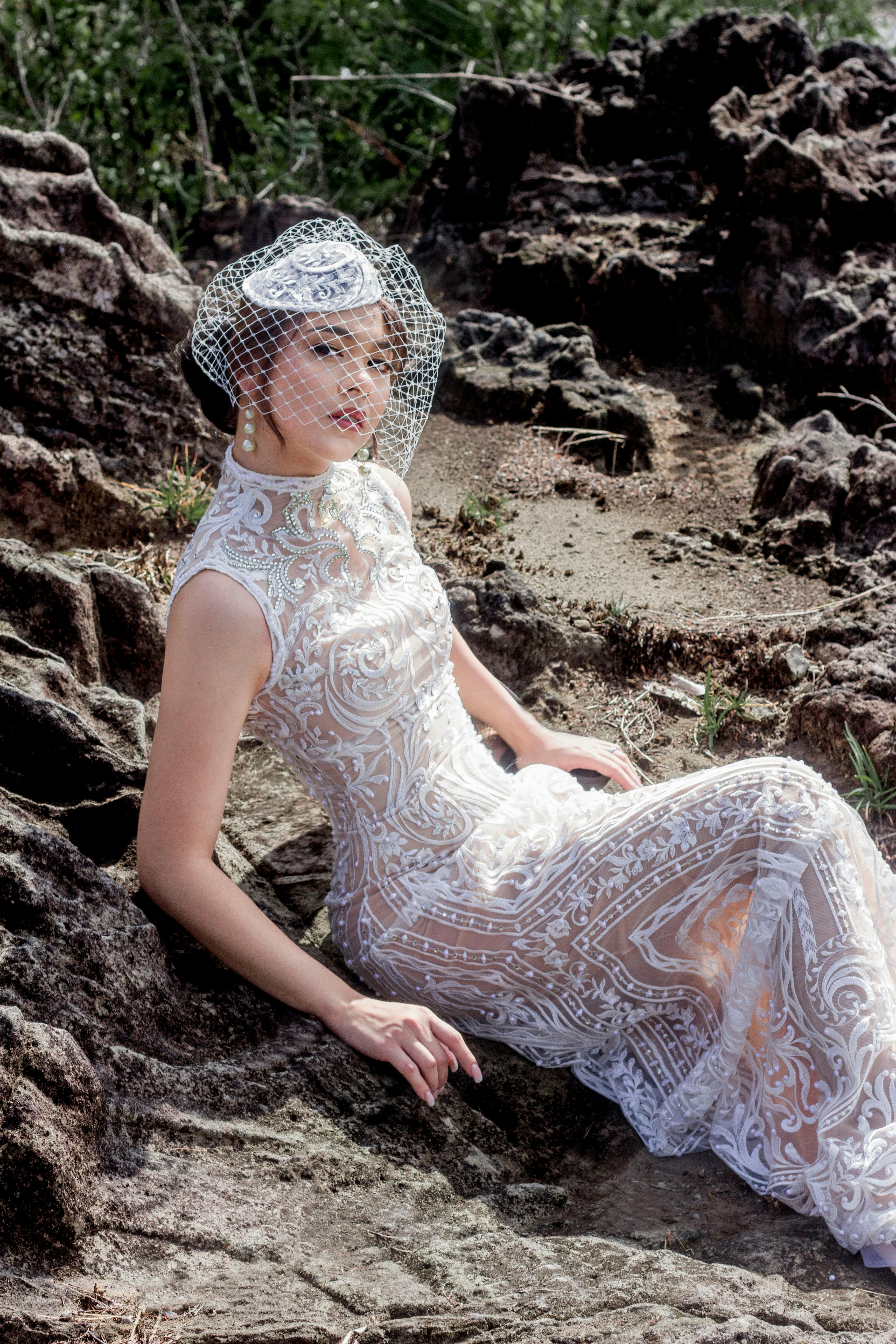
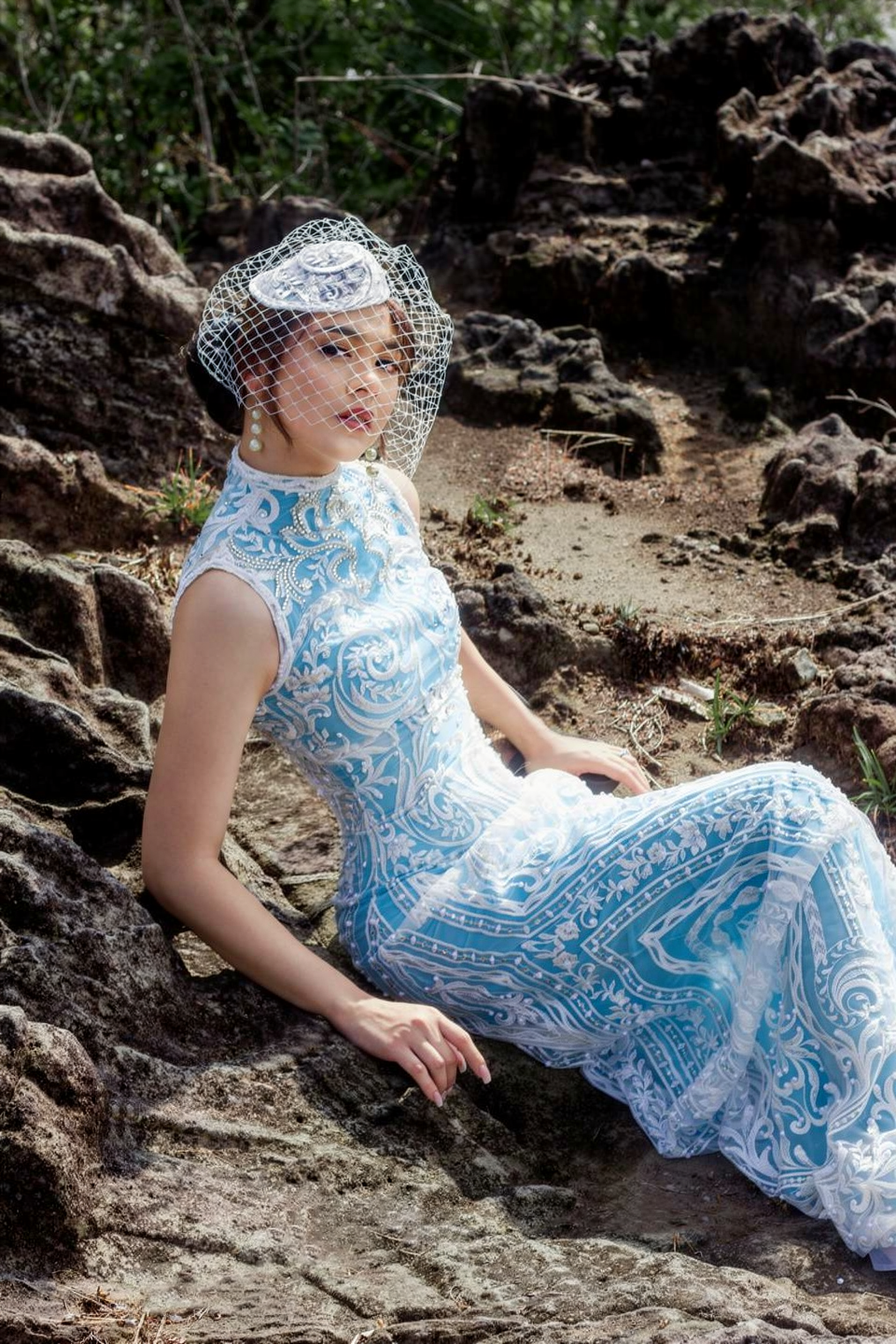
    <PromptDisplay prompt="Change the color of the woman's lace wedding dress to sky blue (light blue, #87CEEB), while keeping all lace embroidery details white and fully visible. Preserve the original fabric texture, transparency, patterns, highlights, and natural folds." />
  </Accordion>
</AccordionGroup>

***

### Pose & Expression Changes

Adjust gaze direction, body pose, or facial expressions of subjects.

<AccordionGroup>
  <Accordion title="Eye/detail correction">
    <Columns cols={2}>
      <Frame>
        <img src="https://cdn.sanity.io/images/2gpum2i6/production/3cf7be64ed894bed4e5dad2ffc1b88962a5e086f-1776x1780.jpg" alt="Input: owl with closed eyes" />
      </Frame>

      <Frame>
        <img src="https://cdn.sanity.io/images/2gpum2i6/production/d93ac086cafa5884dad80c4c13f6009455225609-1408x1408.png" alt="Output: owl with open eyes" />
      </Frame>
    </Columns>

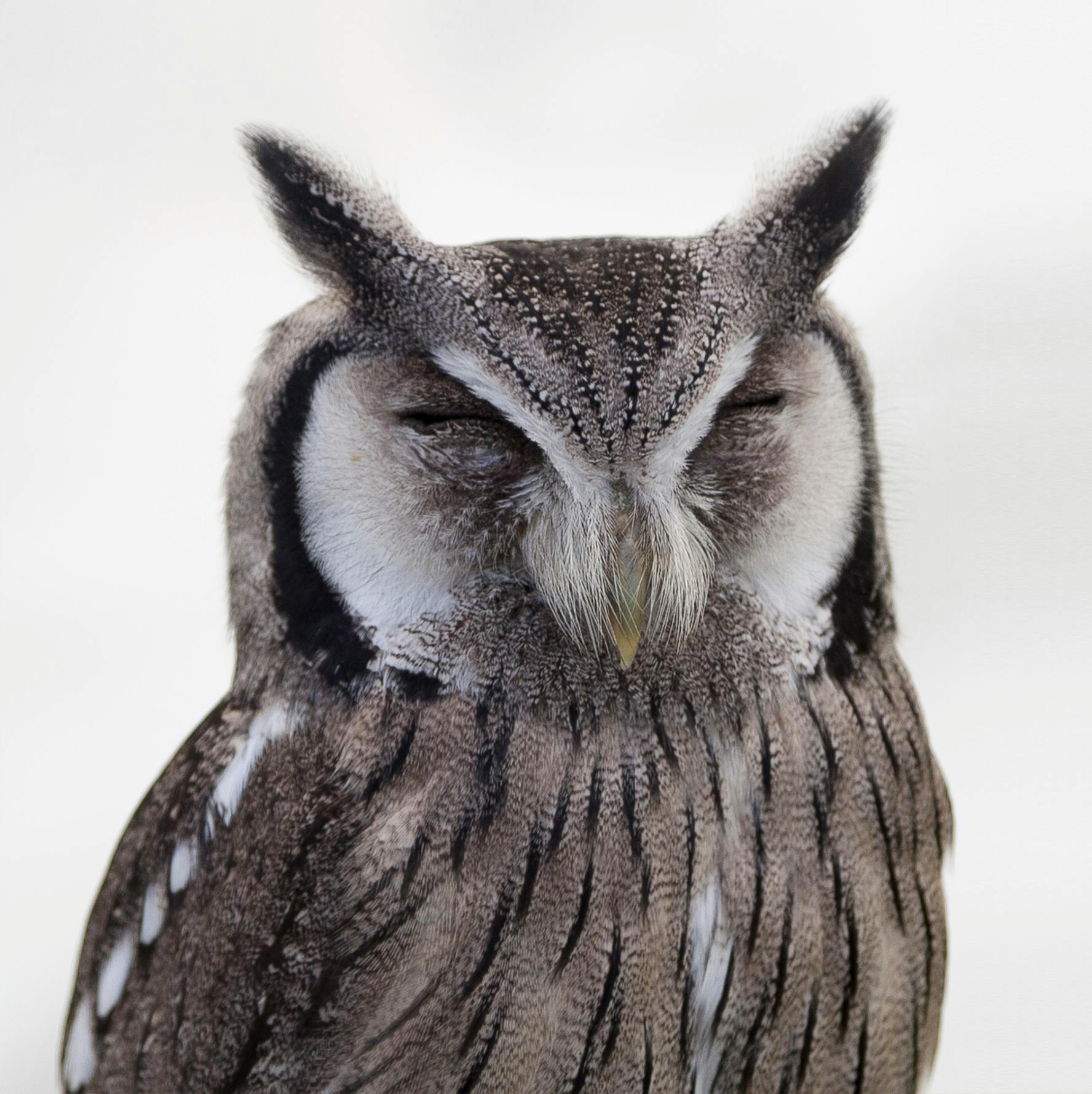
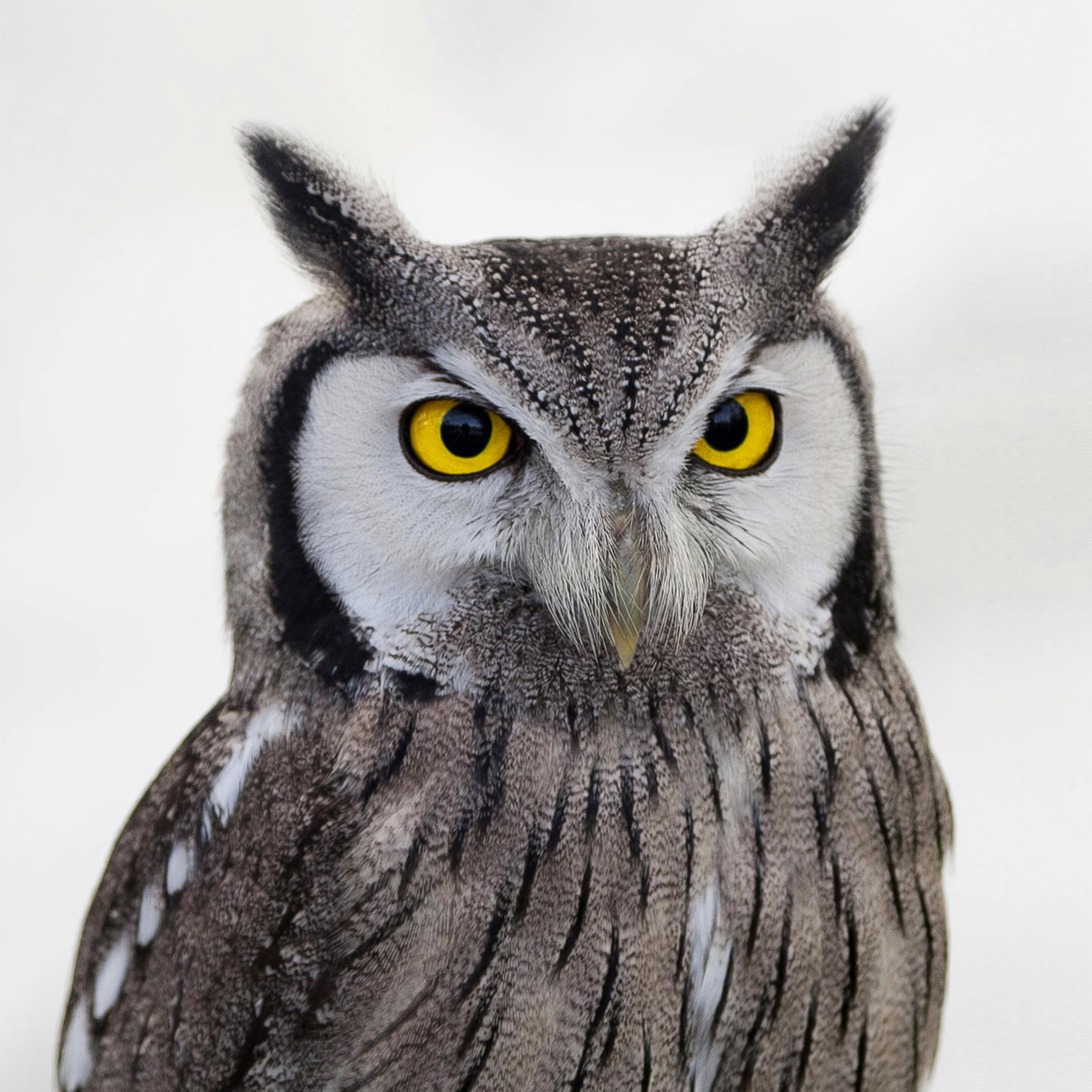
    <PromptDisplay prompt="Open the owl's eyes, making them look natural." />
  </Accordion>

  <Accordion title="Gaze direction">
    <Columns cols={2}>
      <Frame>
        <img src="https://cdn.sanity.io/images/2gpum2i6/production/f4cc0e2d6f1b37a40176de36b1afb03270cbc487-1120x736.png" alt="Input: woman looking away" />
      </Frame>

      <Frame>
        <img src="https://cdn.sanity.io/images/2gpum2i6/production/1f3ffbe5abba7d217bf410216ca292ab8a002ee0-1120x736.png" alt="Output: woman looking at camera" />
      </Frame>
    </Columns>

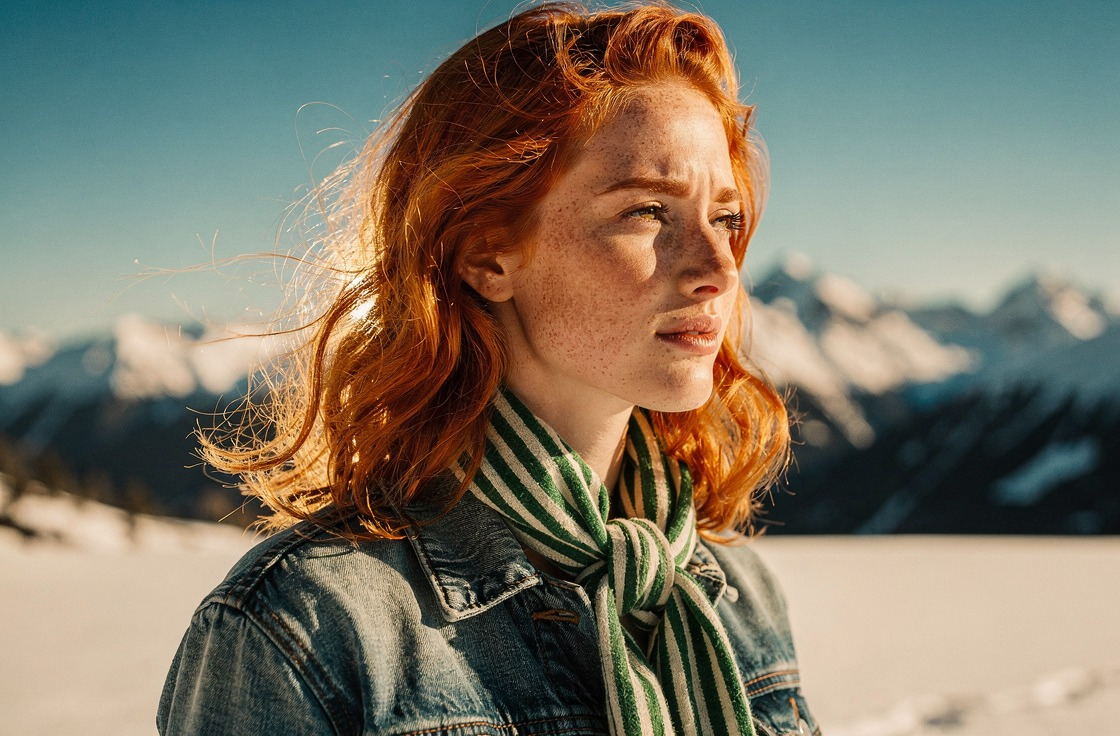
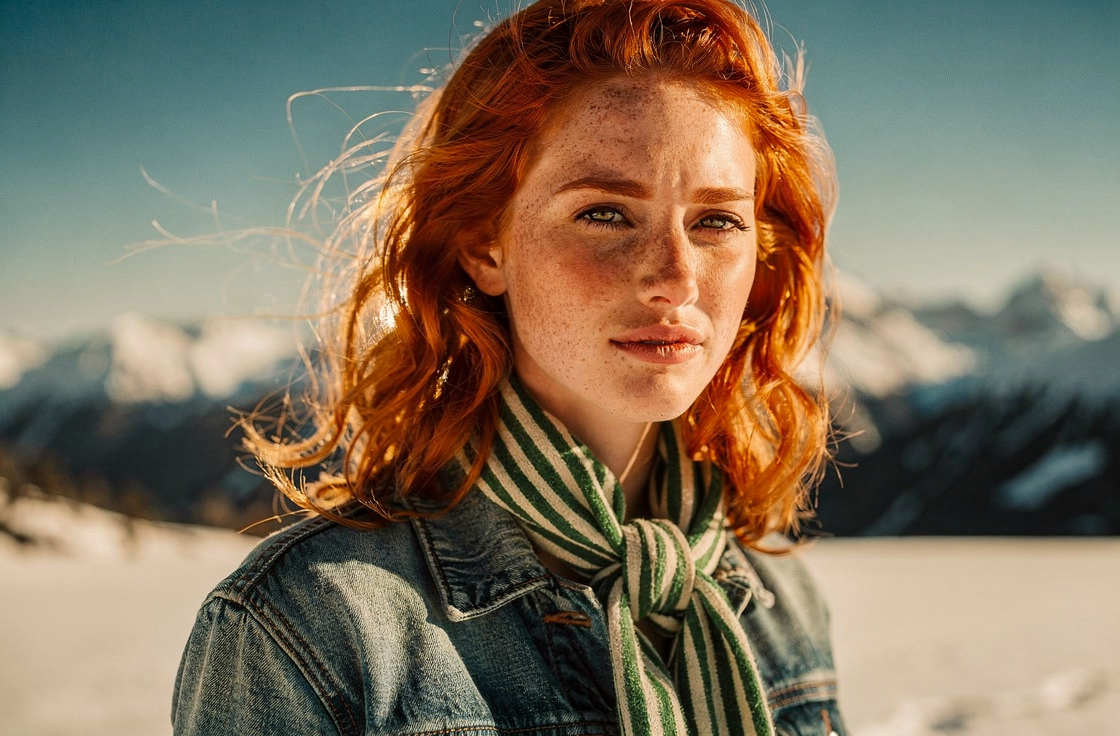
    <PromptDisplay prompt="The woman is now looking at the camera" />
  </Accordion>

  <Accordion title="Pose change">
    <Columns cols={2}>
      <Frame>
        <img src="https://cdn.sanity.io/images/2gpum2i6/production/c7e90ee8f22b9d2d807375b4fb56278c4909504c-1072x1920.png" alt="Input: woman in casual pose" />
      </Frame>

      <Frame>
        <img src="https://cdn.sanity.io/images/2gpum2i6/production/4302b878aa72db273183e06d4ed46fe4388647d9-1072x1920.png" alt="Output: woman in model pose" />
      </Frame>
    </Columns>

    <PromptDisplay prompt="Change the woman's pose to a model-style pose." />
  </Accordion>
</AccordionGroup>

***

## Writing Effective Single-Reference Prompts

<Tip>
  Be **specific** about what changes and **explicit** about what should stay the same. The more precise your instruction, the better the result.
</Tip>

<CardGroup cols={2}>
  <Card title="Good prompts">
    * "Change the shirt color to red"
    * "Replace the background with a sunset beach"
    * "Turn this into an oil painting"
    * "Add snow to the scene, keep everything else unchanged"
  </Card>

  <Card title="Avoid">
    * "Make it better"
    * "Improve the lighting"
    * "Make it more professional"
    * "Fix the image"
  </Card>
</CardGroup>