> ## Documentation Index
> Fetch the complete documentation index at: https://docs.bfl.ml/llms.txt
> Use this file to discover all available pages before exploring further.

# Character & Style Consistency

> Maintaining consistent characters and styles across image edits with FLUX

export const PromptDisplay = ({prompt}) => {
  const [copied, setCopied] = useState(false);
  const copy = () => {
    navigator.clipboard.writeText(prompt);
    setCopied(true);
    setTimeout(() => setCopied(false), 2000);
  };
  return <div className="not-prose" style={{
    marginTop: "1rem"
  }}>
      <div style={{
    backgroundColor: "#1a1a1a",
    borderRadius: "1rem",
    padding: "1.25rem 1.5rem",
    display: "flex",
    flexDirection: "column",
    gap: "1rem"
  }}>
        <p style={{
    color: "#e5e5e5",
    fontSize: "1rem",
    lineHeight: 1.6,
    margin: 0,
    fontFamily: "inherit"
  }}>
          {prompt}
        </p>
        <div style={{
    display: "flex",
    justifyContent: "flex-end"
  }}>
          <button onClick={copy} style={{
    backgroundColor: copied ? "#3d8a5b" : "var(--aspen-evergreen, #486A58)",
    color: "#fff",
    border: "none",
    borderRadius: "0.375rem",
    padding: "0.25rem 0.6rem",
    fontSize: "0.7rem",
    fontWeight: 600,
    cursor: "pointer",
    transition: "background-color 0.2s"
  }}>
            {copied ? "Copied!" : "Copy prompt"}
          </button>
        </div>
      </div>
    </div>;
};

FLUX.2 can maintain a character's identity — face, clothing, proportions, and style — across multiple generations. This is essential for editorial shoots, storyboards, product campaigns, and any workflow where visual continuity matters.

## How It Works

Character consistency in FLUX.2 relies on **multi-reference editing**. You provide one or more reference images of your character, then describe the new scene, pose, or context. FLUX.2 preserves the character's identity while adapting them to the new setting.

## Examples

### Iterative editing with consistent identity

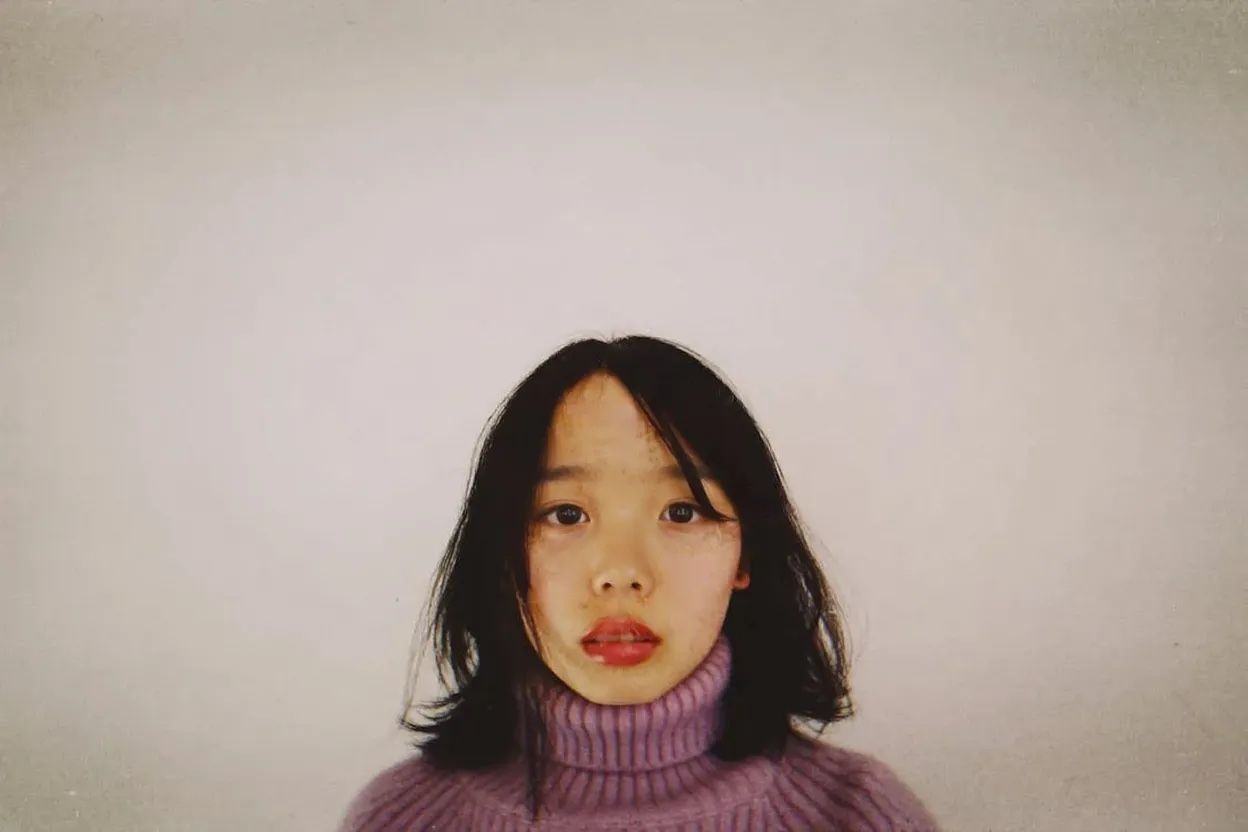
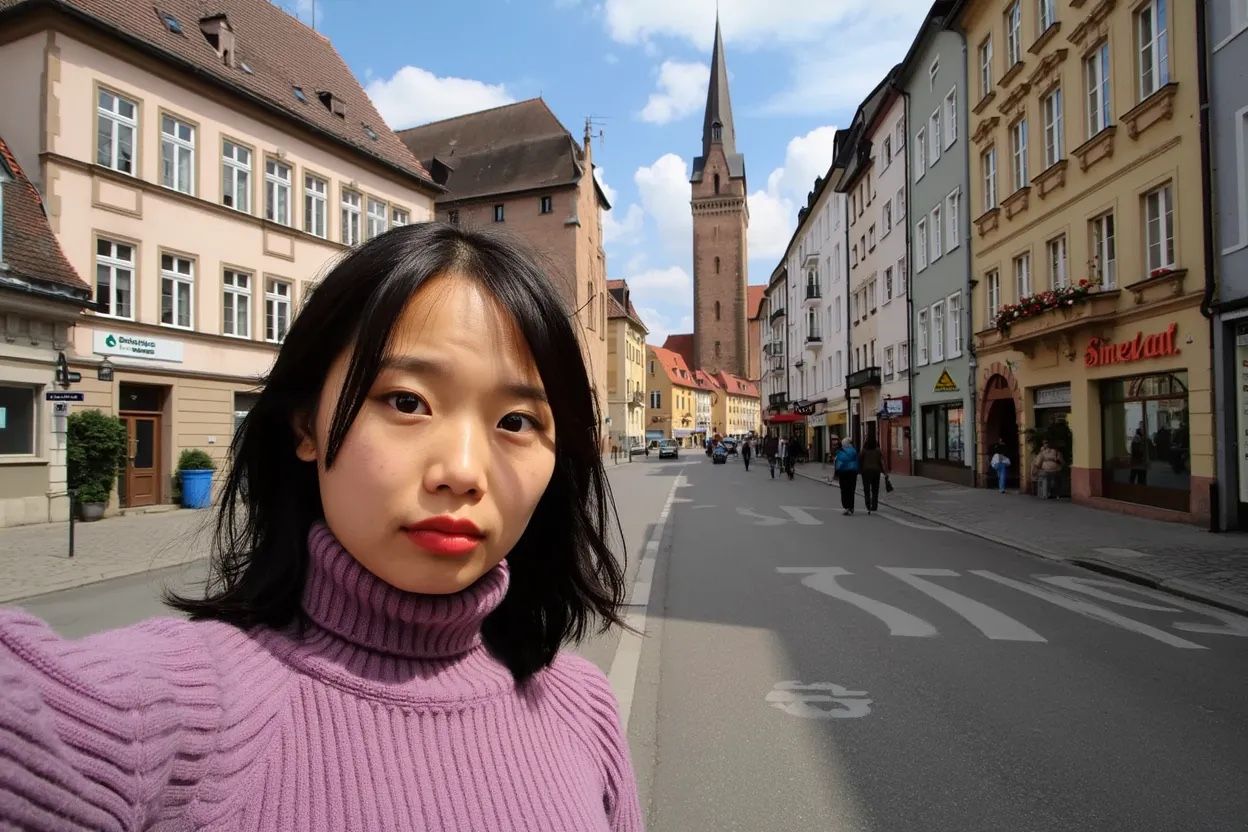
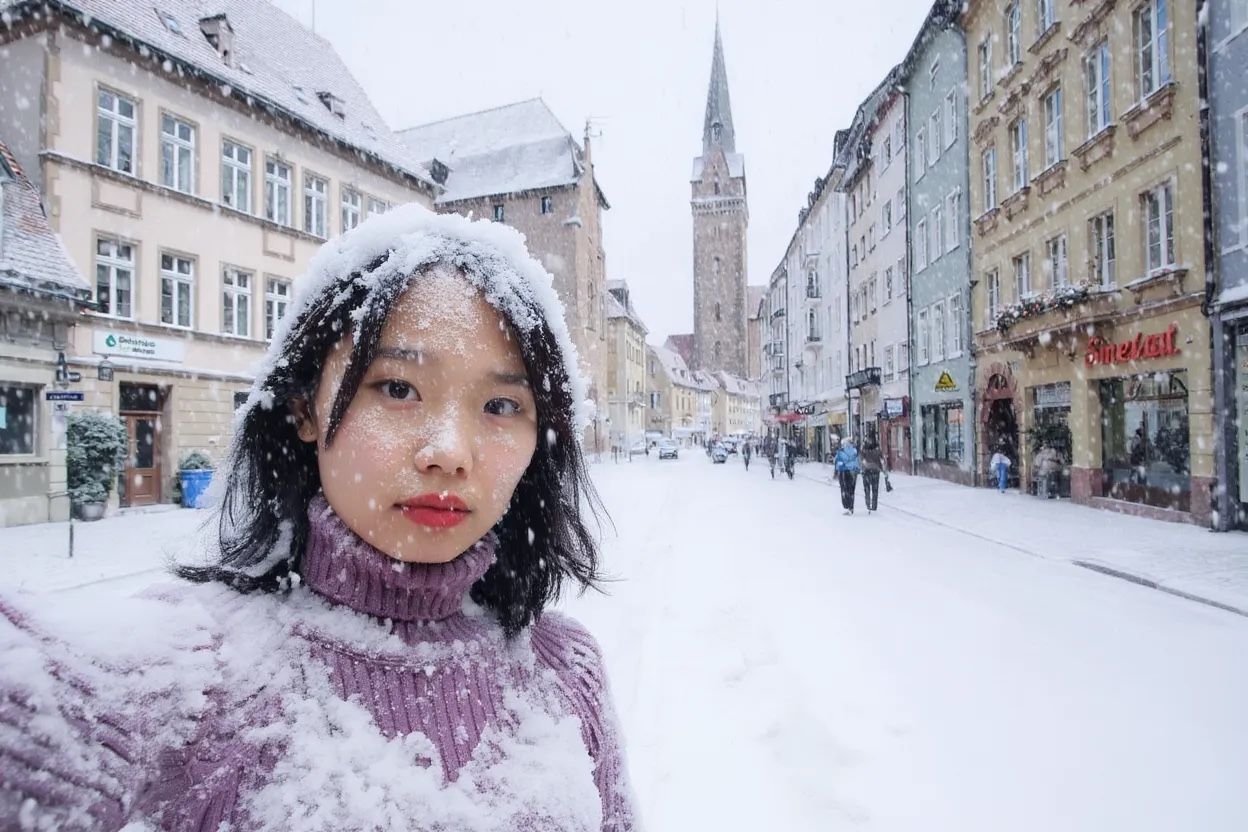
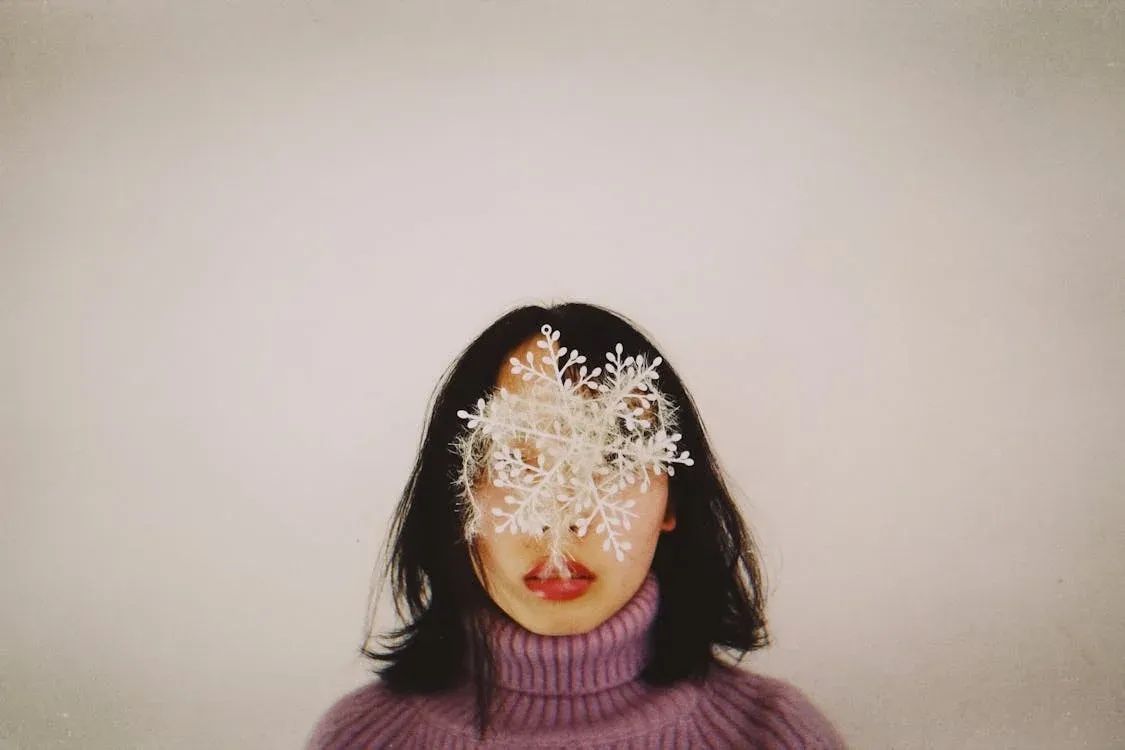
FLUX excels at maintaining character consistency even after multiple sequential edits. Starting from a single reference photo, each edit changes the scene while the character stays recognizable throughout the entire sequence.

<Columns cols={2}>
  <Frame caption="Input image">
    <img src="https://cdn.sanity.io/images/gsvmb6gz/production/41fcbaa8d77c2c2d5bb49467ae6b5a89572022fa-1125x750.jpg" alt="Original reference photo" />
  </Frame>

  <Frame caption="Edit 1: Remove the object from her face">
    <img src="https://cdn.sanity.io/images/gsvmb6gz/production/800f6631c695ff5be4b82ef9cae0981073a0fecd-1248x832.jpg" alt="Object removed, character preserved" />
  </Frame>
</Columns>

<Columns cols={2}>
  <Frame caption="Edit 2: She is now taking a selfie in the streets of Freiburg, it's a lovely day out.">
    <img src="https://cdn.sanity.io/images/gsvmb6gz/production/2090d7d3b1ee0fb83cef25fb94b179163208417b-1248x832.jpg" alt="Same character in new scene" />
  </Frame>

  <Frame caption="Edit 3: It's now snowing, everything is covered in snow.">
    <img src="https://cdn.sanity.io/images/gsvmb6gz/production/cc78fef1c0785656280a120647fb313fda6b977a-1248x832.jpg" alt="Same character in snow scene" />
  </Frame>
</Columns>

### Fashion editorial — consistent characters across scenes

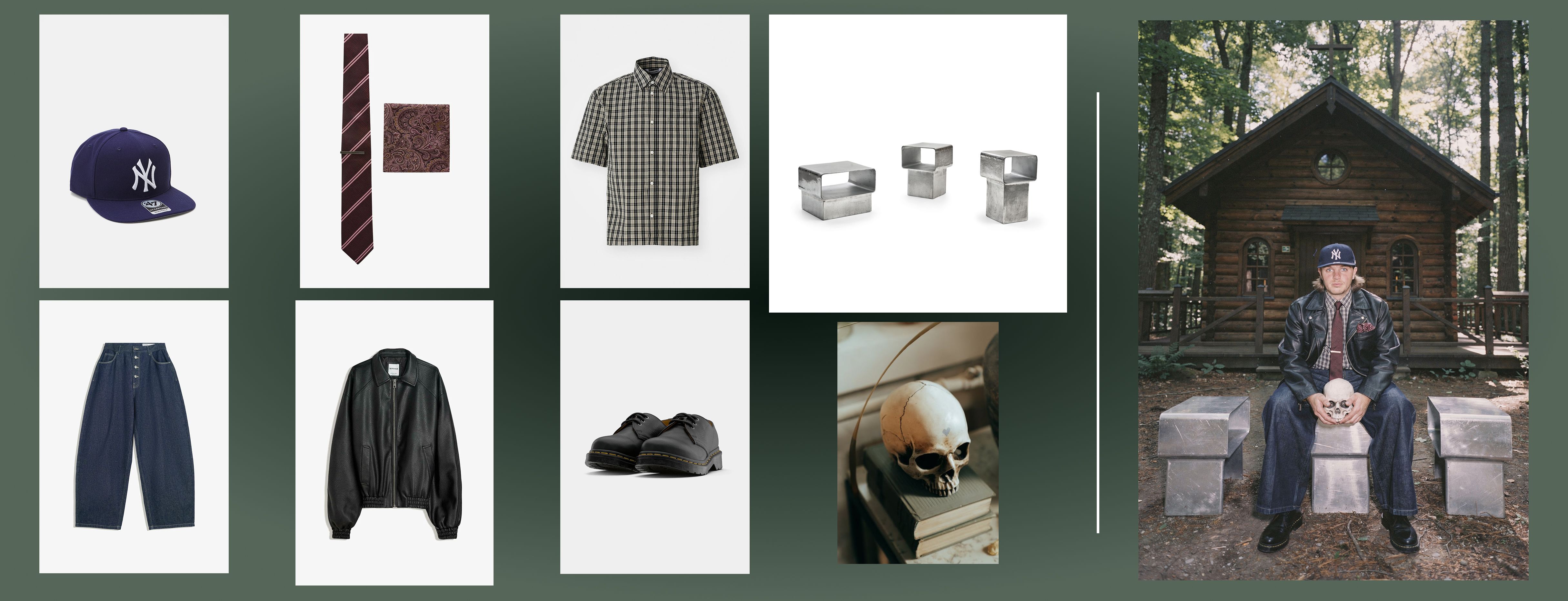
With multi-reference editing, you can create entire editorial series with consistent characters. Provide clothing items and a scene description — FLUX.2 generates a coherent model across every shot.

<Frame caption="8 images, one prompt: Create a complete fashion editorial with consistent characters across every scene">
  <img src="https://cdn.sanity.io/images/2gpum2i6/production/51696bb4ac2972e1dda5f3e68f748210f392c4f4-4861x1863.jpg" alt="Multi-reference fashion editorial showing consistent characters across scenes" />
</Frame>

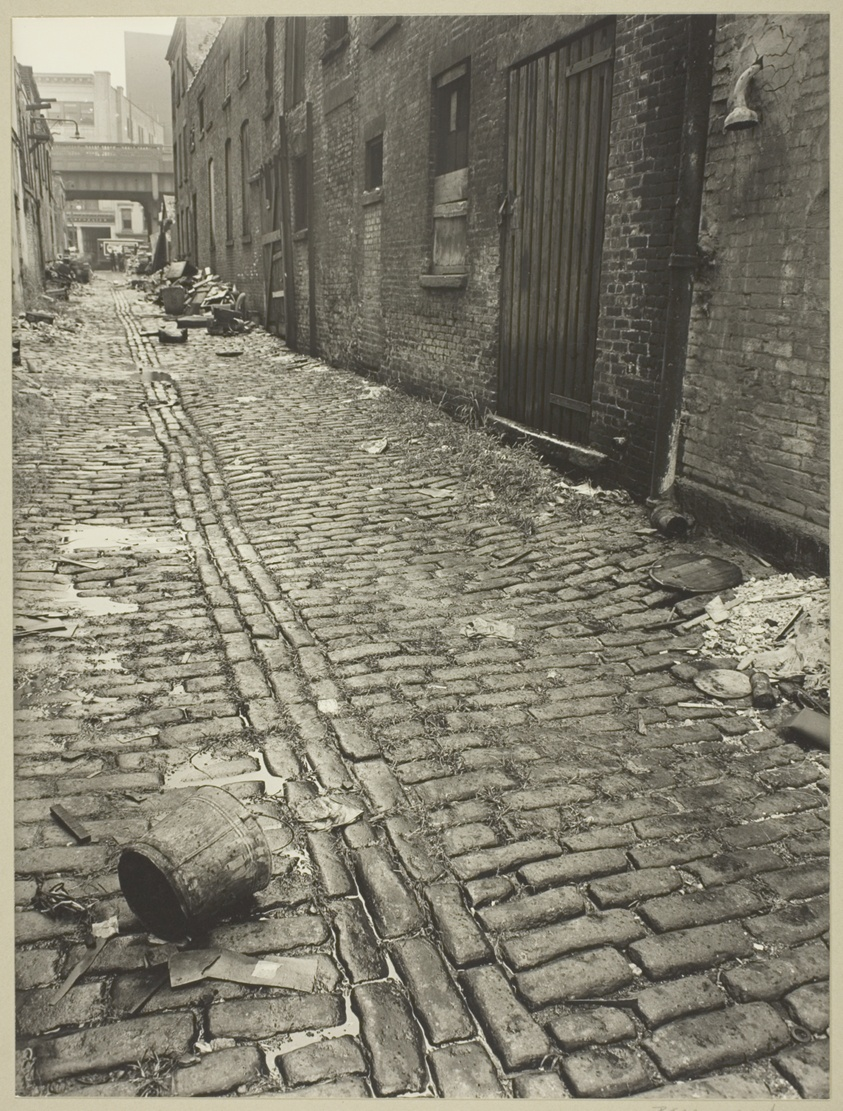
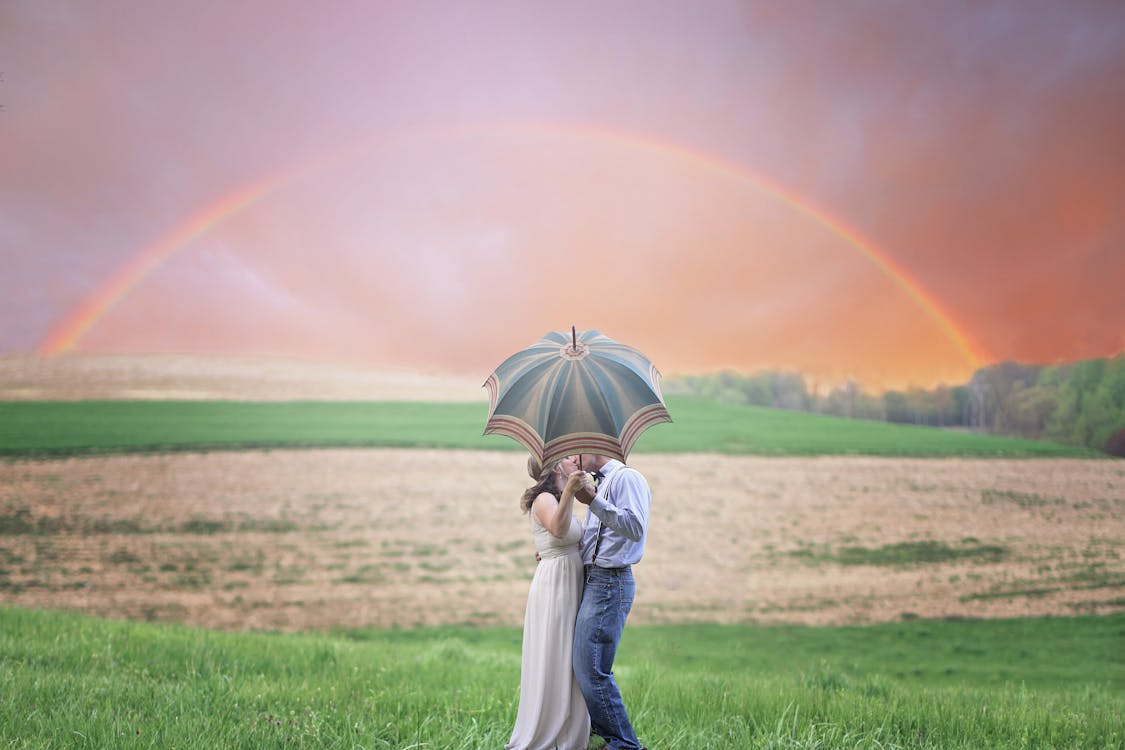
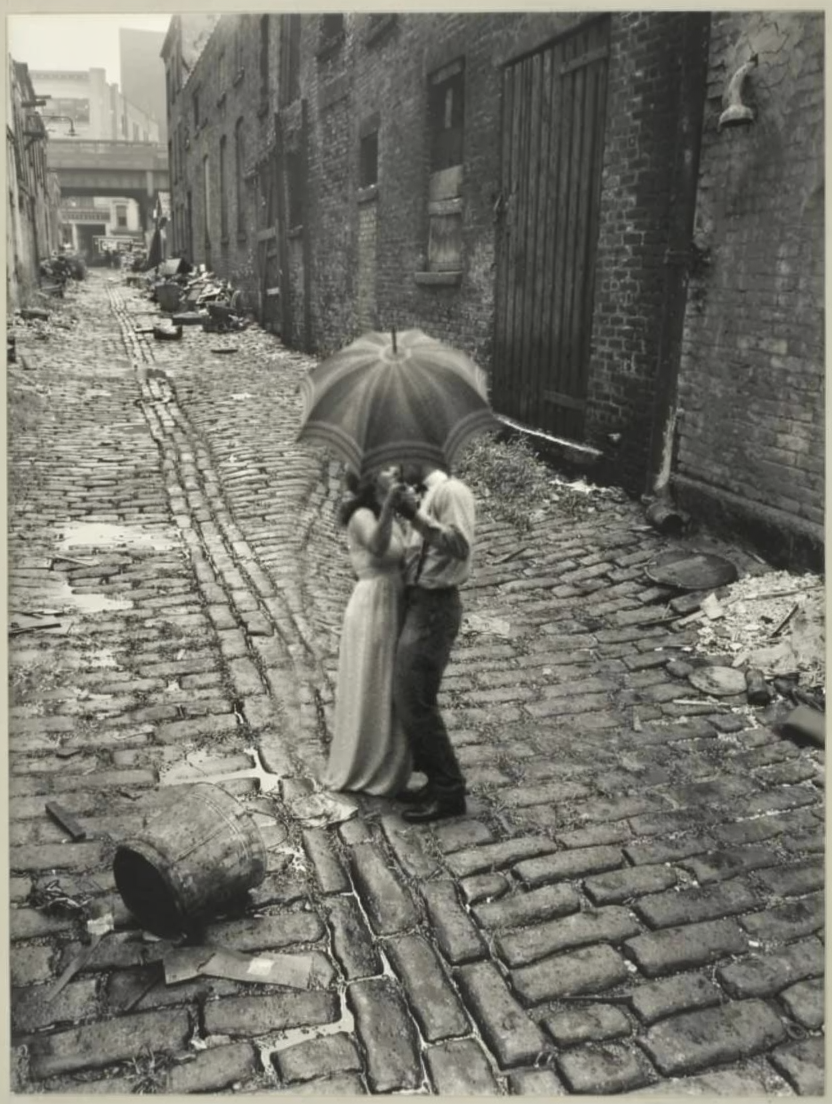
### Character placed in new scene

Place a character from one image into a completely different setting while preserving their appearance and style.

<Columns cols={2}>
  <Frame caption="Image 1 — Street scene">
    <img src="https://cdn.sanity.io/images/2gpum2i6/production/99c00d47bb5b998958fae1f06b6a7b5b23d06b18-843x1111.png" alt="Input: street scene" />
  </Frame>

  <Frame caption="Image 2 — Couple">
    <img src="https://cdn.sanity.io/images/2gpum2i6/production/42b9fb3fb1c7a9d63671dc3594daff8a41b77d54-1125x750.png" alt="Input: couple" />
  </Frame>
</Columns>

<Frame caption="Result">
  <img src="https://cdn.sanity.io/images/2gpum2i6/production/860bbffc3d1303511e5bce68aa39dea71b464ca1-832x1104.png" alt="Couple placed in street scene with consistent style" />
</Frame>

<PromptDisplay prompt="The couple from Image 2 is now standing in the middle of the street of Image 1, holding the same object. Apply the style of Image 1 to them as well, make them blend in a smooth way into the image, keep image 1 colors." />

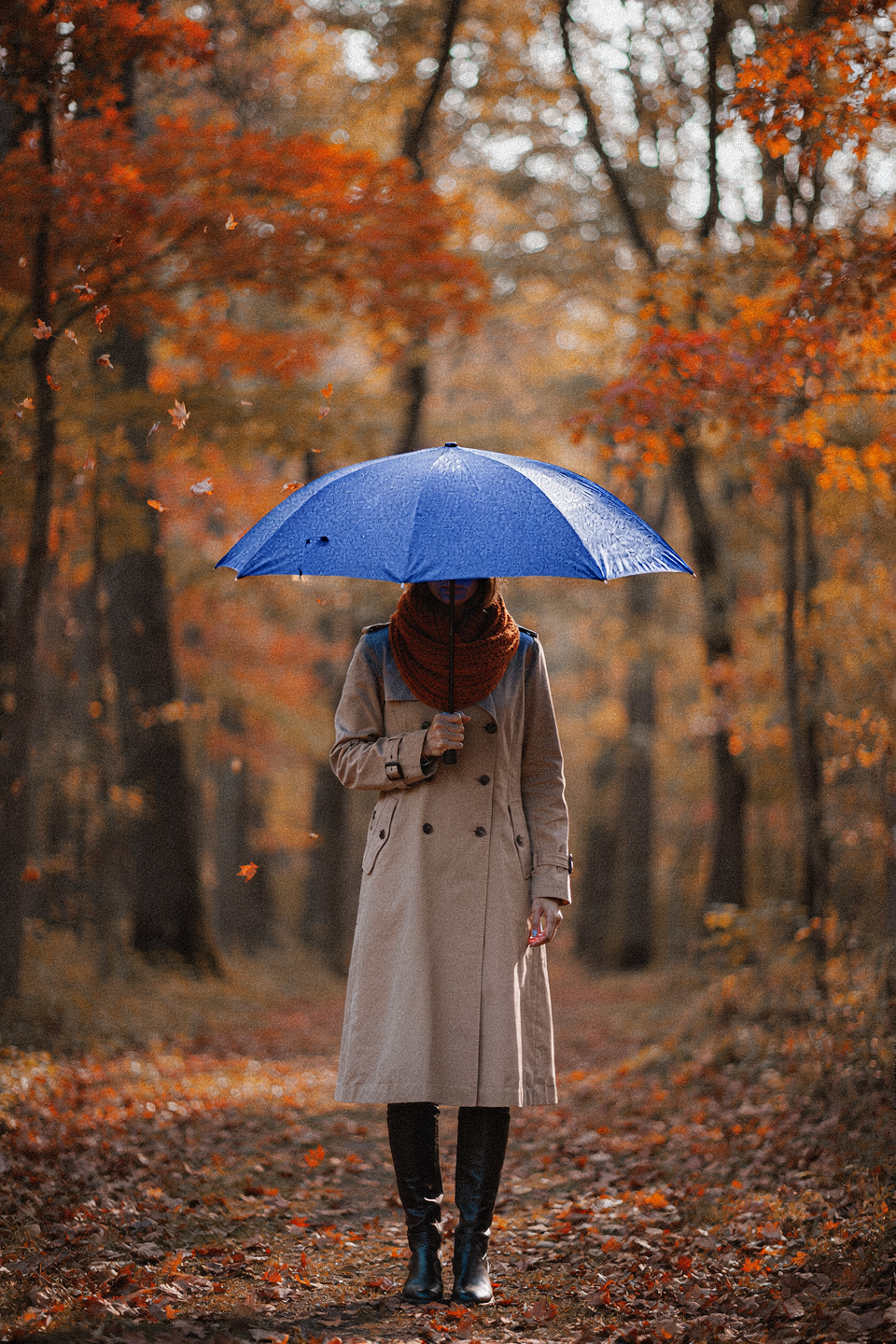
### Season and outfit change — same character

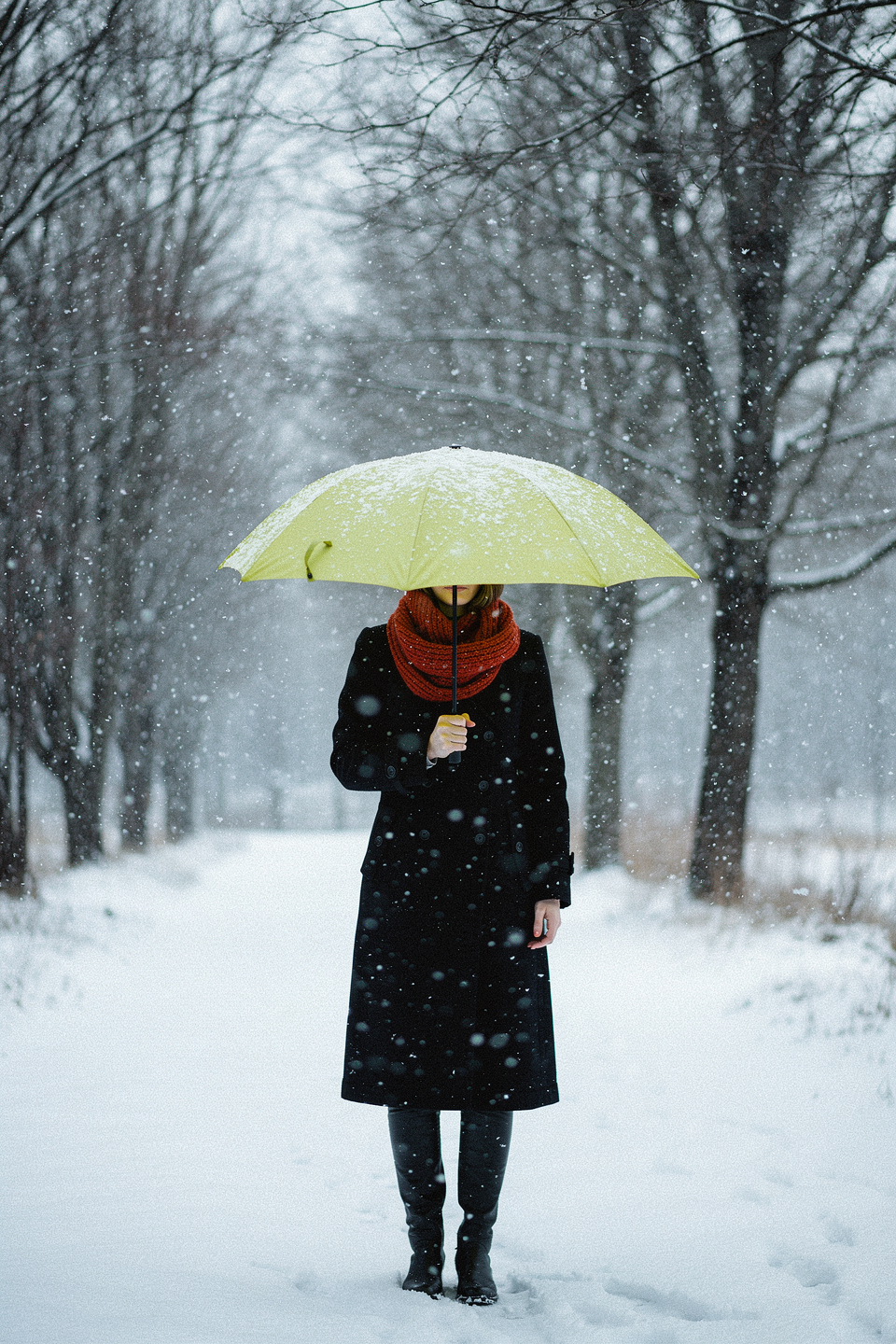
Change the environment, weather, and clothing while keeping the character's identity intact.
<Columns cols={2}>
  <img src="https://cdn.sanity.io/images/2gpum2i6/production/f1593a684df0df252e1d03c64d4000b21d5948a9-960x1440.png" alt="Woman in original scene" />

  <img src="https://cdn.sanity.io/images/2gpum2i6/production/067391e56a9159ed51e81c11a6776ca5ac420f80-960x1440.png" alt="Same woman in winter scene" />
</Columns>

<PromptDisplay prompt="Keep the woman's pose unchanged. It is now heavily snowing, the background is white and the trees are bare. Snowflakes are visible falling in the frame. The woman is wearing a black coat, and the umbrella is a yellowish-green color" />