> ## Documentation Index
> Fetch the complete documentation index at: https://docs.bfl.ml/llms.txt
> Use this file to discover all available pages before exploring further.

# Drawing to Image (Rendering)

> Rendering drawings into images with FLUX editing

export const PromptDisplay = ({prompt}) => {
  const [copied, setCopied] = useState(false);
  const copy = () => {
    navigator.clipboard.writeText(prompt);
    setCopied(true);
    setTimeout(() => setCopied(false), 2000);
  };
  return <div className="not-prose" style={{
    marginTop: "1rem"
  }}>
      <div style={{
    backgroundColor: "#1a1a1a",
    borderRadius: "1rem",
    padding: "1.25rem 1.5rem",
    display: "flex",
    flexDirection: "column",
    gap: "1rem"
  }}>
        <p style={{
    color: "#e5e5e5",
    fontSize: "1rem",
    lineHeight: 1.6,
    margin: 0,
    fontFamily: "inherit"
  }}>
          {prompt}
        </p>
        <div style={{
    display: "flex",
    justifyContent: "flex-end"
  }}>
          <button onClick={copy} style={{
    backgroundColor: copied ? "#3d8a5b" : "var(--aspen-evergreen, #486A58)",
    color: "#fff",
    border: "none",
    borderRadius: "0.375rem",
    padding: "0.25rem 0.6rem",
    fontSize: "0.7rem",
    fontWeight: 600,
    cursor: "pointer",
    transition: "background-color 0.2s"
  }}>
            {copied ? "Copied!" : "Copy prompt"}
          </button>
        </div>
      </div>
    </div>;
};

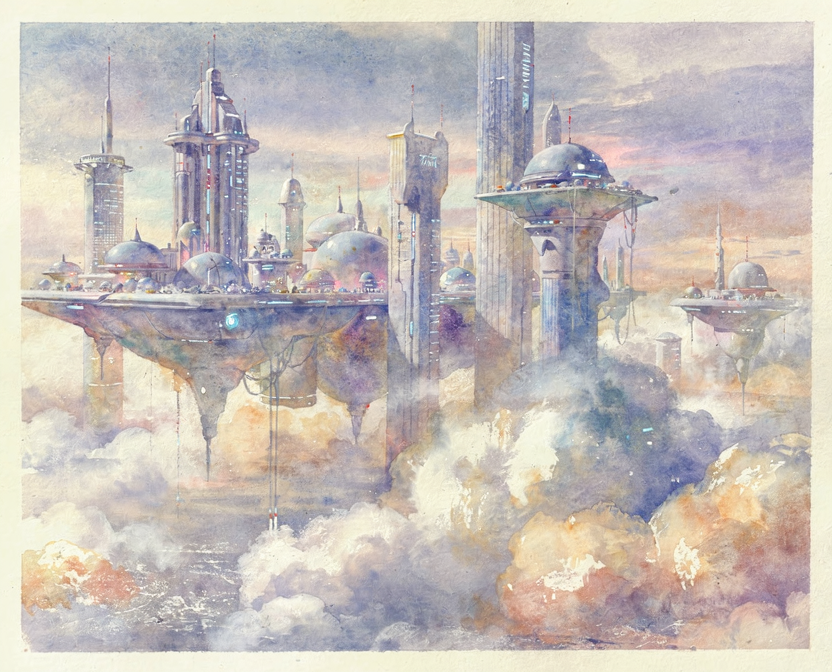
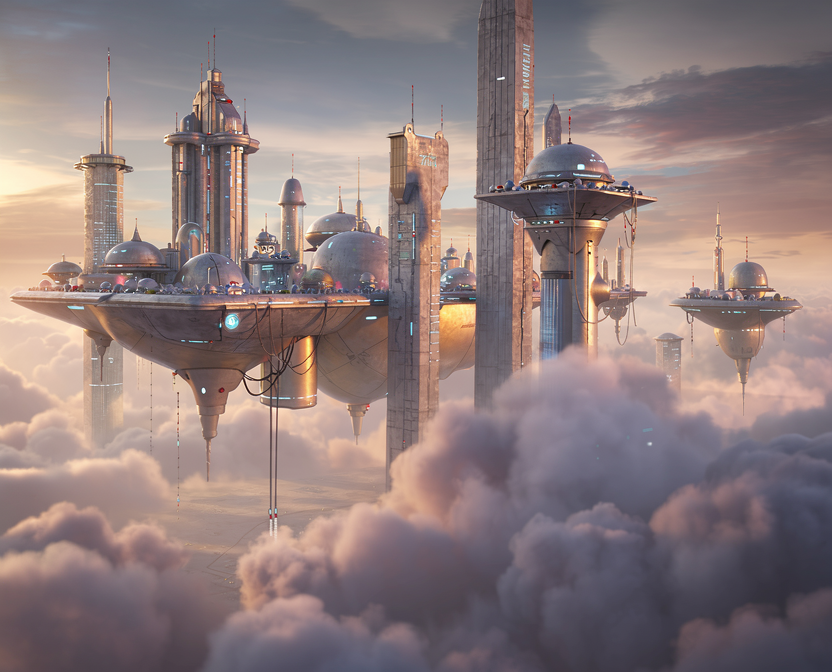
FLUX.2 can transform sketches, illustrations, and stylized art into photorealistic renders. Upload a drawing and describe the target realism level — from simple "make it realistic" to detailed material specifications.

## Examples

### Simple drawing to photo

<Columns cols={2}>
  <img src="https://cdn.sanity.io/images/2gpum2i6/production/6154966fba17593286d9ec3a49a2ddaddf8d8788-832x672.png" alt="Hand drawing" />

  <img src="https://cdn.sanity.io/images/2gpum2i6/production/1846743268240af4c6bbb48781a5aea501b72d48-832x672.png" alt="Photorealistic render" />
</Columns>

<PromptDisplay prompt="Turn the drawing into a realistic photograph" />

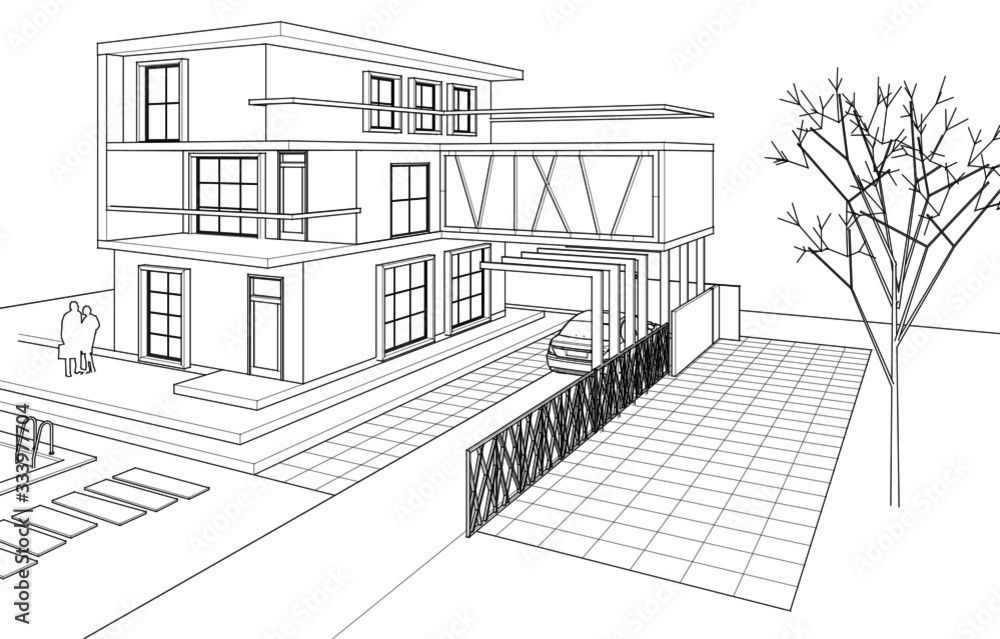
### Architectural illustration to photorealism

<Columns cols={2}>
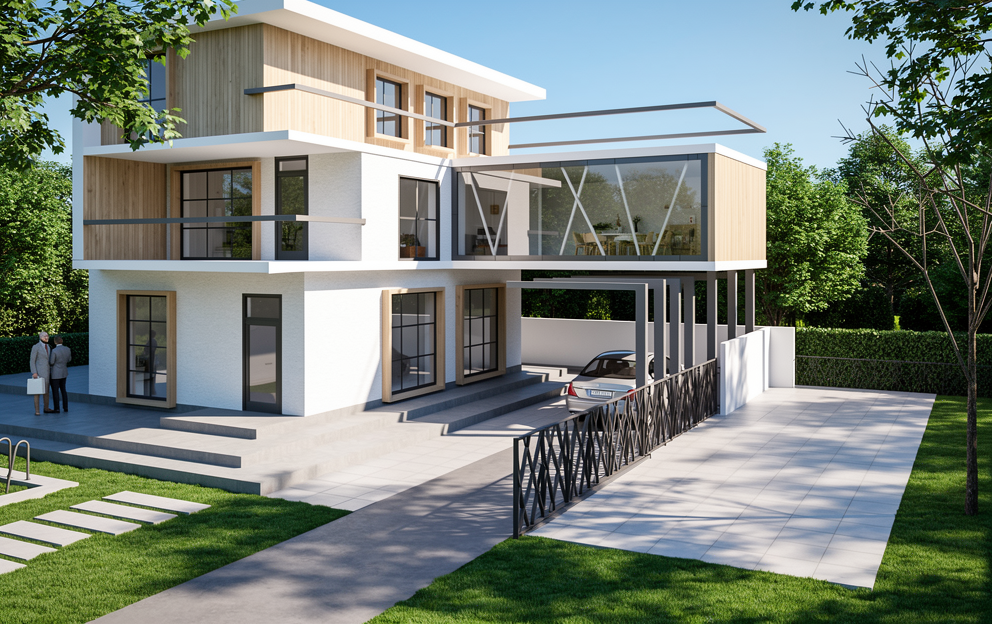
  <img src="https://cdn.sanity.io/images/2gpum2i6/production/5298b857f3f80c33dc6eb0c69e11a94234a76267-1000x639.jpg" alt="Architectural illustration" />

  <img src="https://cdn.sanity.io/images/2gpum2i6/production/90fe9dafd99234d2a16e0efecdc0e04c7cedff6c-992x624.png" alt="Photorealistic house" />
</Columns>

<PromptDisplay prompt="Transform the architectural illustration from image 1 into a fully realistic house, natural lighting, real textures for walls windows and roof, realistic landscaping around the house, accurate shadows, real materials such as wood stone and glass, high resolution photorealism." />

### Quick realism conversion

<Columns cols={2}>
  <img src="https://cdn.sanity.io/images/2gpum2i6/production/2fe6721becb039006773805c0aa1baa9d7d8d1ae-970x433.webp" alt="Stylized image" />

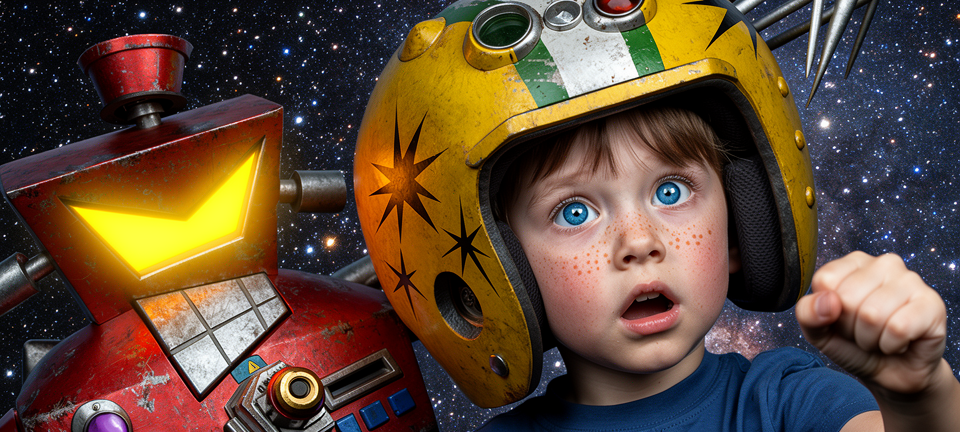
  <img src="https://cdn.sanity.io/images/2gpum2i6/production/1ec742ec1a10c1c6339db7b85b40be4a421c6c7a-960x432.png" alt="Realistic version" />
</Columns>

<PromptDisplay prompt="Turn this image to realistic" />

### 3D with real materials

<Columns cols={2}>
  <img src="https://cdn.sanity.io/images/2gpum2i6/production/553047a6d4f87ddd338ed0fc5493423508373372-736x736.jpg" alt="Stylized illustration" />

  <img src="https://cdn.sanity.io/images/2gpum2i6/production/db0ffae5090eed9015f3a97c16ba392e6dd97850-736x736.png" alt="3D render with real materials" />
</Columns>

<PromptDisplay prompt="Change the style to full 3D with realistic physical materials such as real hair, fabric, grass, and natural surfaces." />

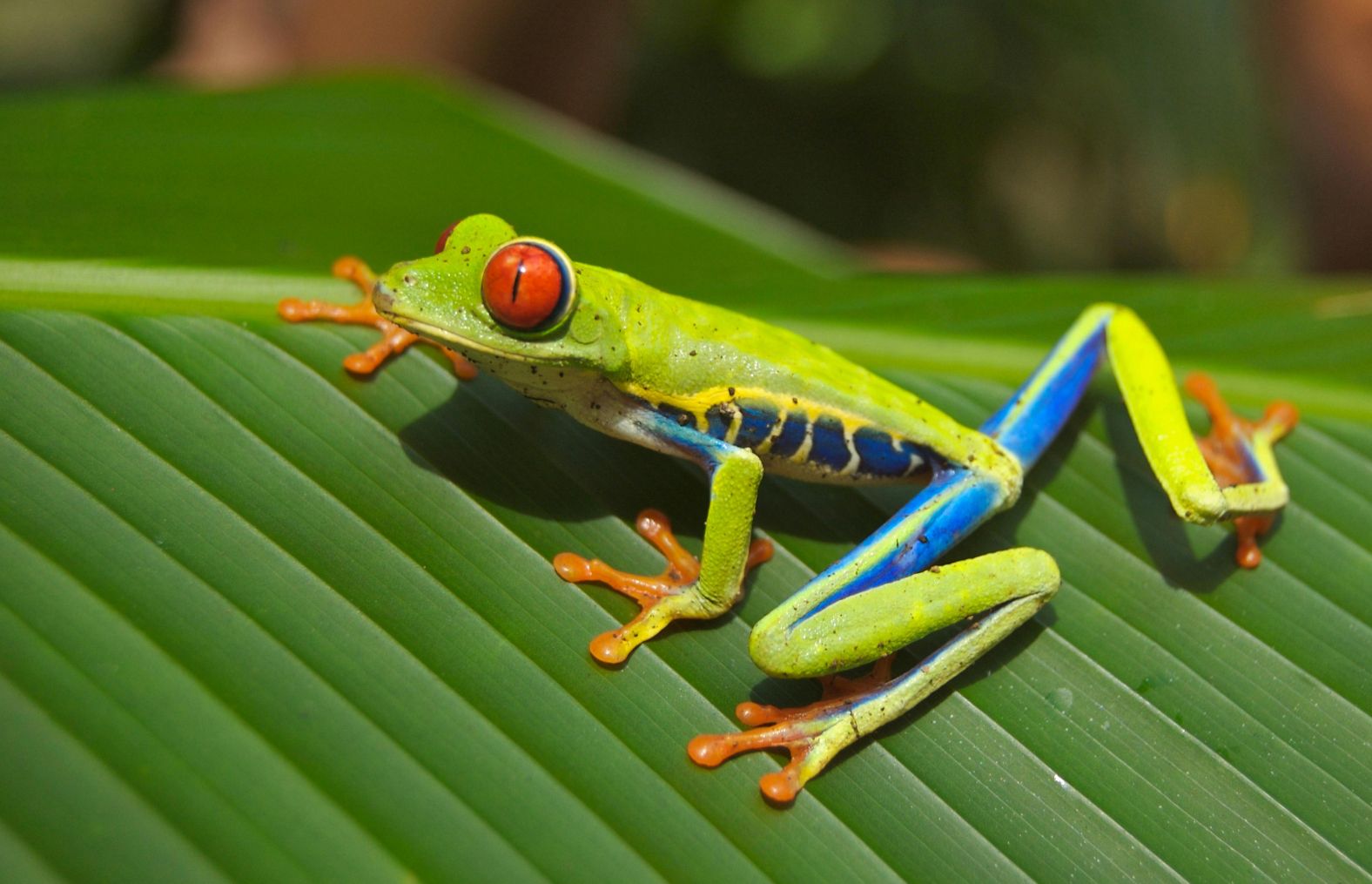
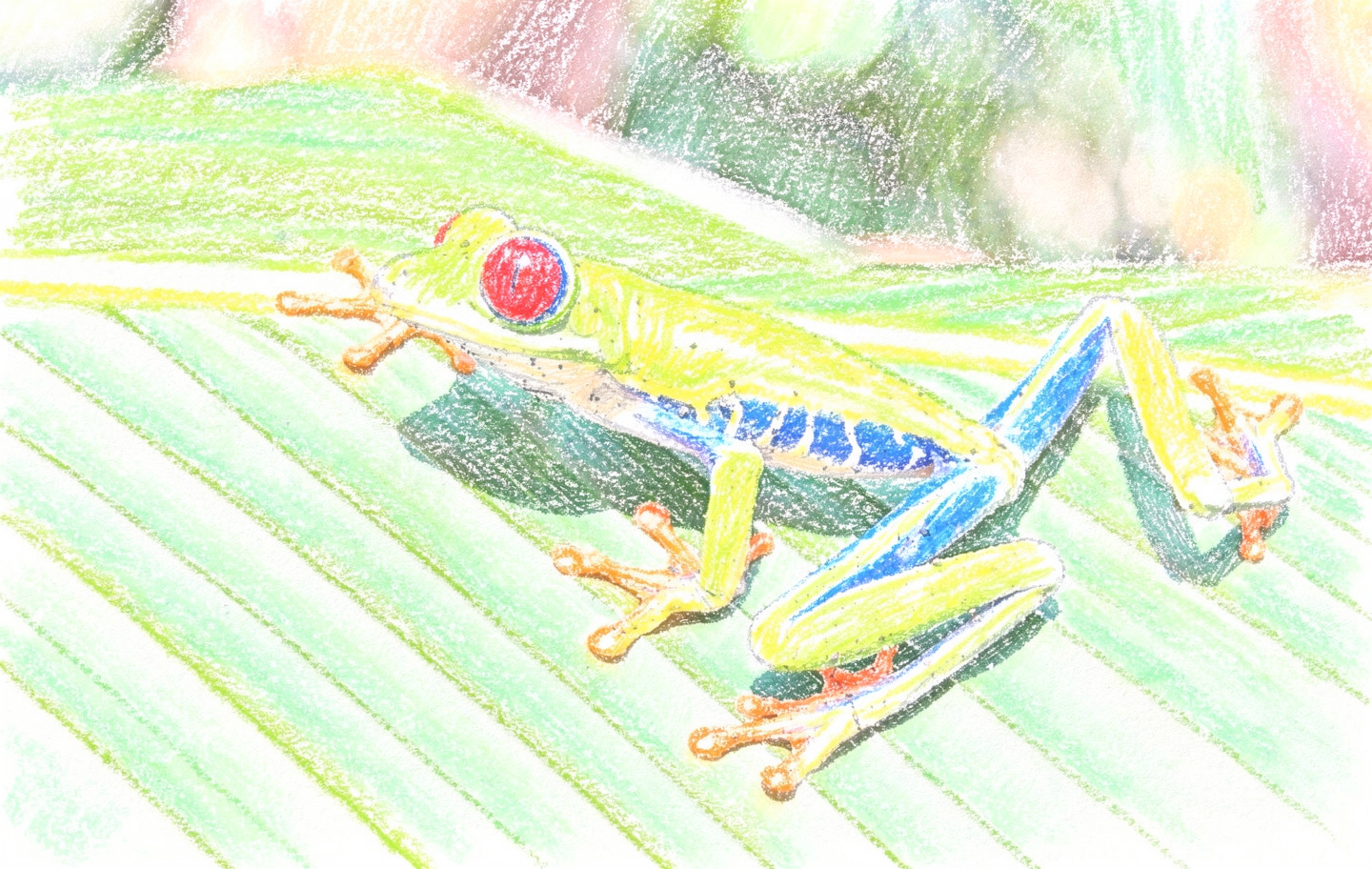
### Photo to pastel illustration

<Columns cols={2}>
  <img src="https://cdn.sanity.io/images/2gpum2i6/production/5665c918f95bc7e67ff98f5e3a1b69d0ba7bb1ad-1576x1015.jpg" alt="Red-eyed tree frog photograph" />

  <img src="https://cdn.sanity.io/images/2gpum2i6/production/e29a3103c9fdec312750f511868cba00944d5e56-1440x912.png" alt="Pastel illustration of tree frog" />
</Columns>

<PromptDisplay prompt="Convert to pastel illustration style." />

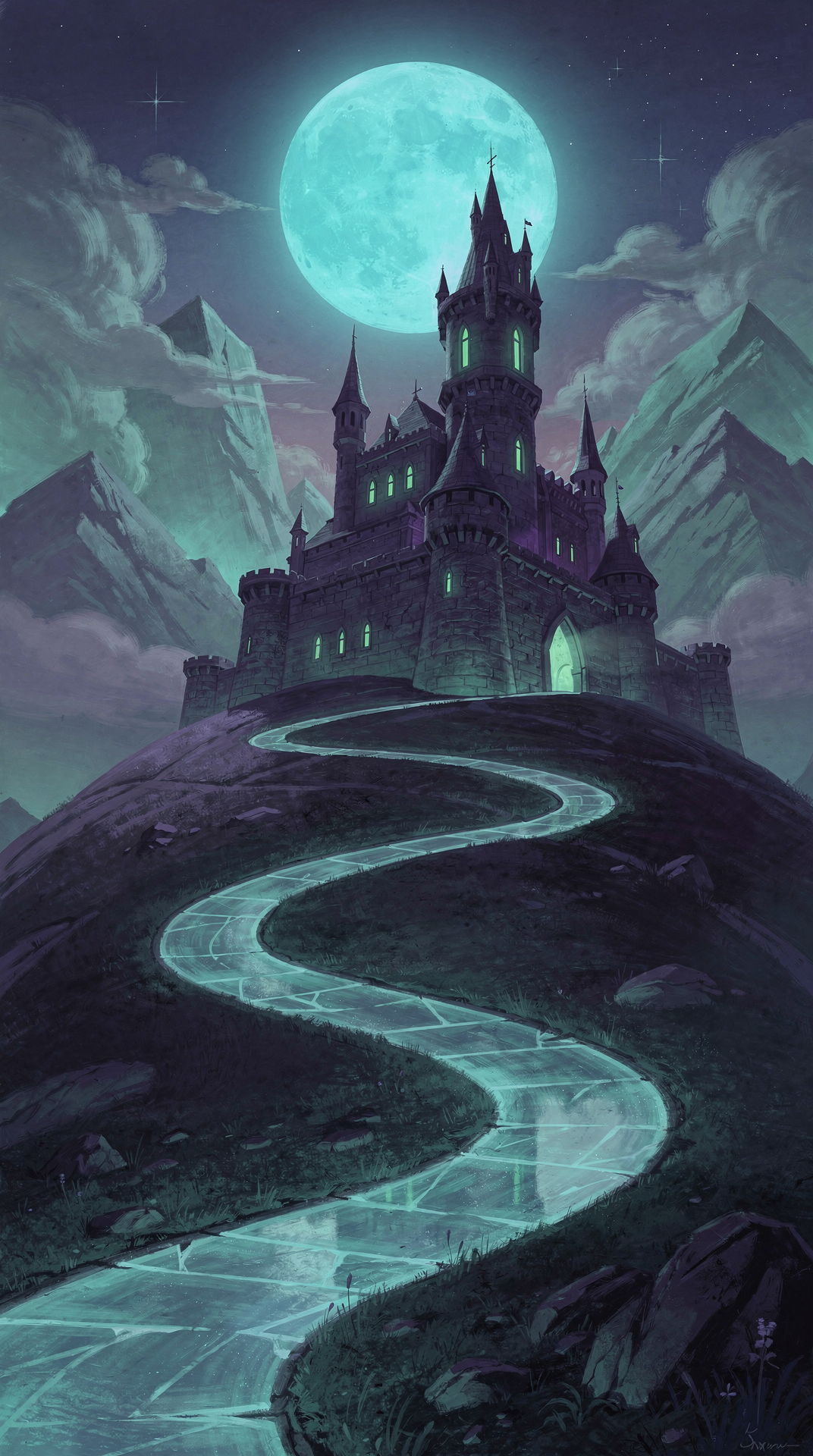
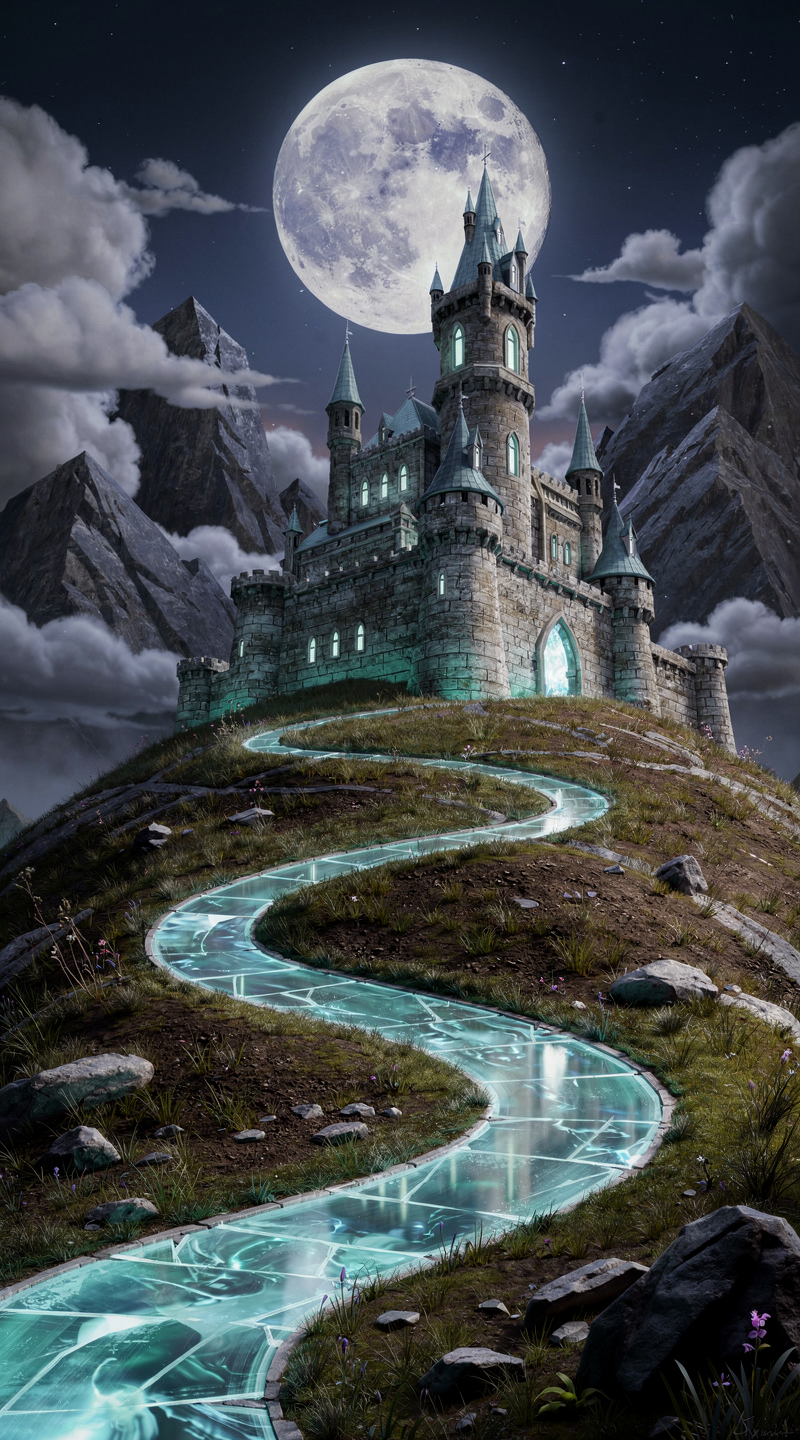
### Physical material transformation
<Columns cols={2}>
  <img src="https://cdn.sanity.io/images/2gpum2i6/production/c54a1b086e42db43d02ab545d470a1b5247dc079-1072x1920.png" alt="Original stylized image" />

  <img src="https://cdn.sanity.io/images/2gpum2i6/production/744285eacb1982cdeb529535f4710a040175dd00-800x1440.png" alt="Realistic material render" />
</Columns>

<PromptDisplay prompt="Change the style of the image to real physical materials, described in extremely detailed and precise realism, while keeping the existing color palette exactly the same." />