> ## Documentation Index
> Fetch the complete documentation index at: https://docs.bfl.ml/llms.txt
> Use this file to discover all available pages before exploring further.

# Style Transfer

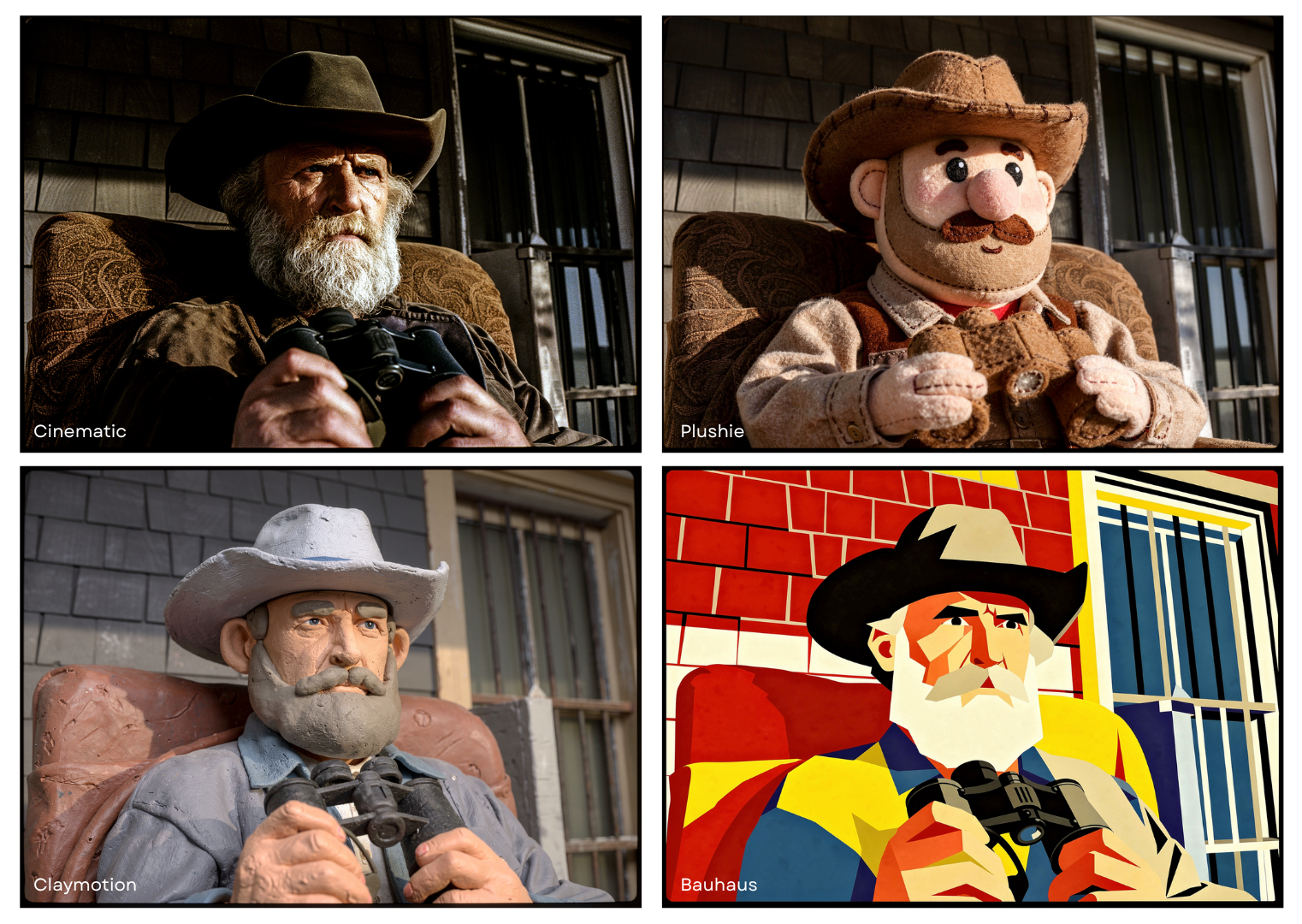
> Re-render images in different artistic mediums with FLUX.2 image editing while preserving original composition, subject, and key details.

export const PromptDisplay = ({prompt}) => {
  const [copied, setCopied] = useState(false);
  const copy = () => {
    navigator.clipboard.writeText(prompt);
    setCopied(true);
    setTimeout(() => setCopied(false), 2000);
  };
  return <div className="not-prose" style={{
    marginTop: "1rem"
  }}>
      <div style={{
    backgroundColor: "#1a1a1a",
    borderRadius: "1rem",
    padding: "1.25rem 1.5rem",
    display: "flex",
    flexDirection: "column",
    gap: "1rem"
  }}>
        <p style={{
    color: "#e5e5e5",
    fontSize: "1rem",
    lineHeight: 1.6,
    margin: 0,
    fontFamily: "inherit"
  }}>
          {prompt}
        </p>
        <div style={{
    display: "flex",
    justifyContent: "flex-end"
  }}>
          <button onClick={copy} style={{
    backgroundColor: copied ? "#3d8a5b" : "var(--aspen-evergreen, #486A58)",
    color: "#fff",
    border: "none",
    borderRadius: "0.375rem",
    padding: "0.25rem 0.6rem",
    fontSize: "0.7rem",
    fontWeight: 600,
    cursor: "pointer",
    transition: "background-color 0.2s"
  }}>
            {copied ? "Copied!" : "Copy prompt"}
          </button>
        </div>
      </div>
    </div>;
};

## Transform any image into different artistic styles

Style transfer lets you re-render a scene in a completely different artistic medium while
preserving the original composition, subject, and key details.

<img src="https://cdn.sanity.io/images/2gpum2i6/production/972f054a1e901627f2c220d5bc0d4a2fc98f8b05-1522x1080.png" alt="Style transfer with FLUX image editing" style={{ width: '100%', borderRadius: '12px' }} />

## Examples

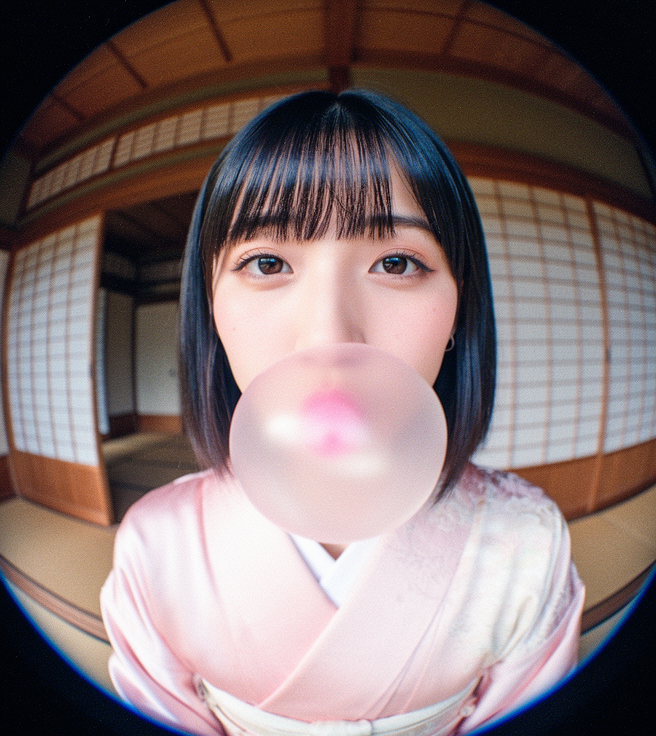
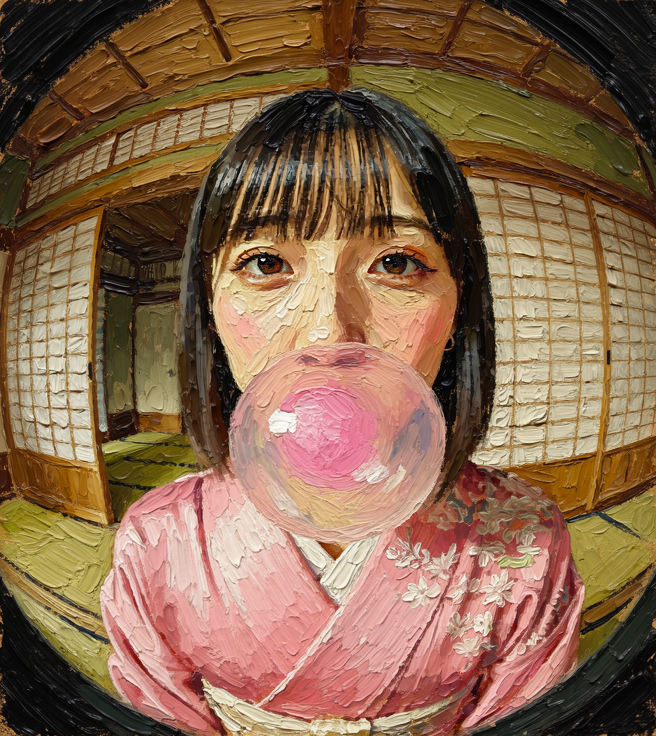
### Oil painting with brushstrokes
<Columns cols={2}>
  <img src="https://cdn.sanity.io/images/2gpum2i6/production/ef75babb2f3e56a3e4acef468fa5bac88a5e672f-656x736.png" alt="Original photo" />

  <img src="https://cdn.sanity.io/images/2gpum2i6/production/aec799c192472171eeac5da0be614ca865bc76c2-656x736.png" alt="Oil painting style" />
</Columns>

<PromptDisplay prompt="Turn the image into an oil painting with thick, textured brushstrokes" />

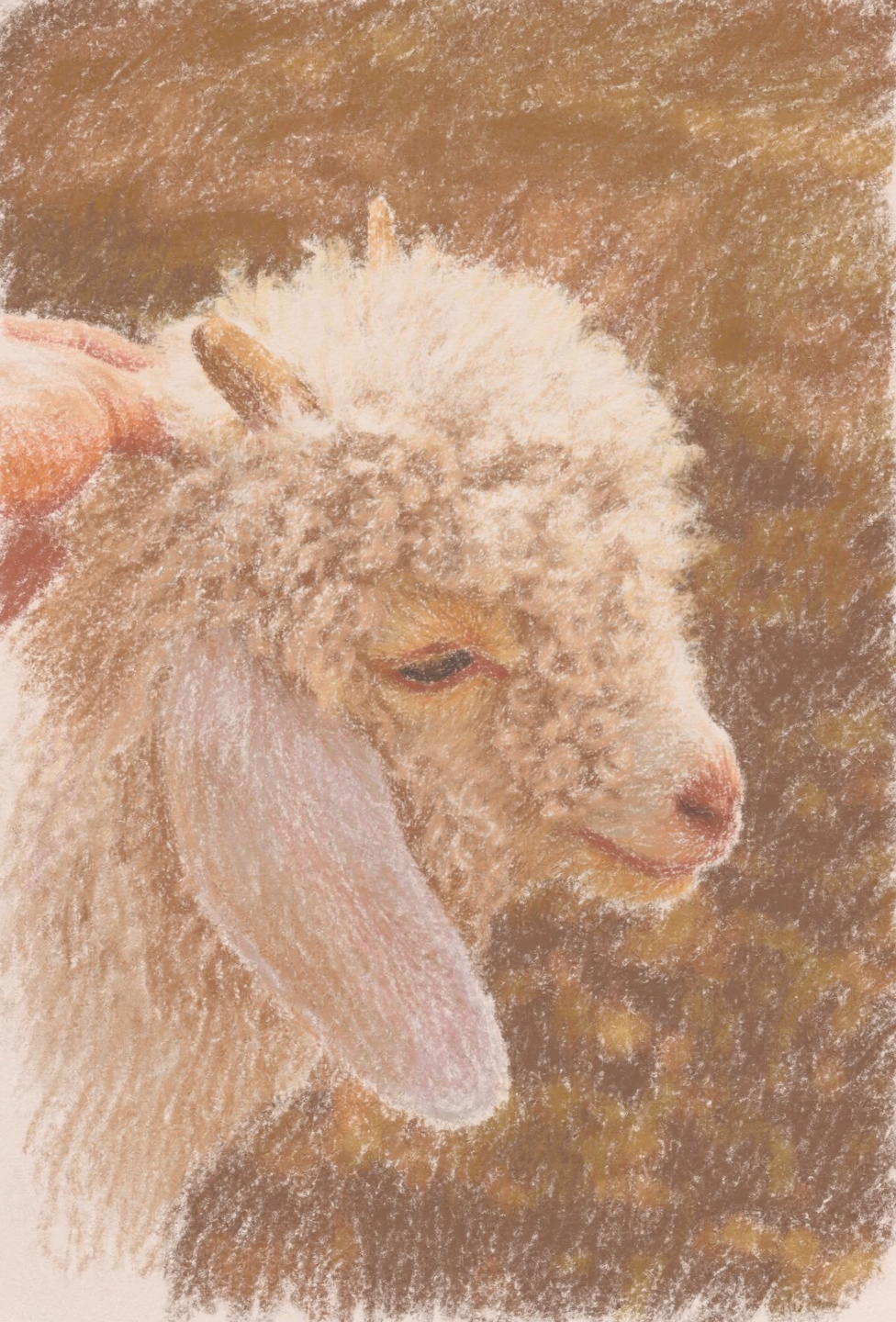
### Pastel illustration

<Columns cols={2}>
  <img src="https://cdn.sanity.io/images/2gpum2i6/production/723bee74d7831c4b4dc6768e02f41465fb4e7a62-2656x3859.jpg" alt="Original photo" />

  <img src="https://cdn.sanity.io/images/2gpum2i6/production/9ef007abbd19b99153c31aa68a3afa888d5a6b48-976x1440.png" alt="Pastel illustration" />
</Columns>

<PromptDisplay prompt="Convert to pastel illustration style." />

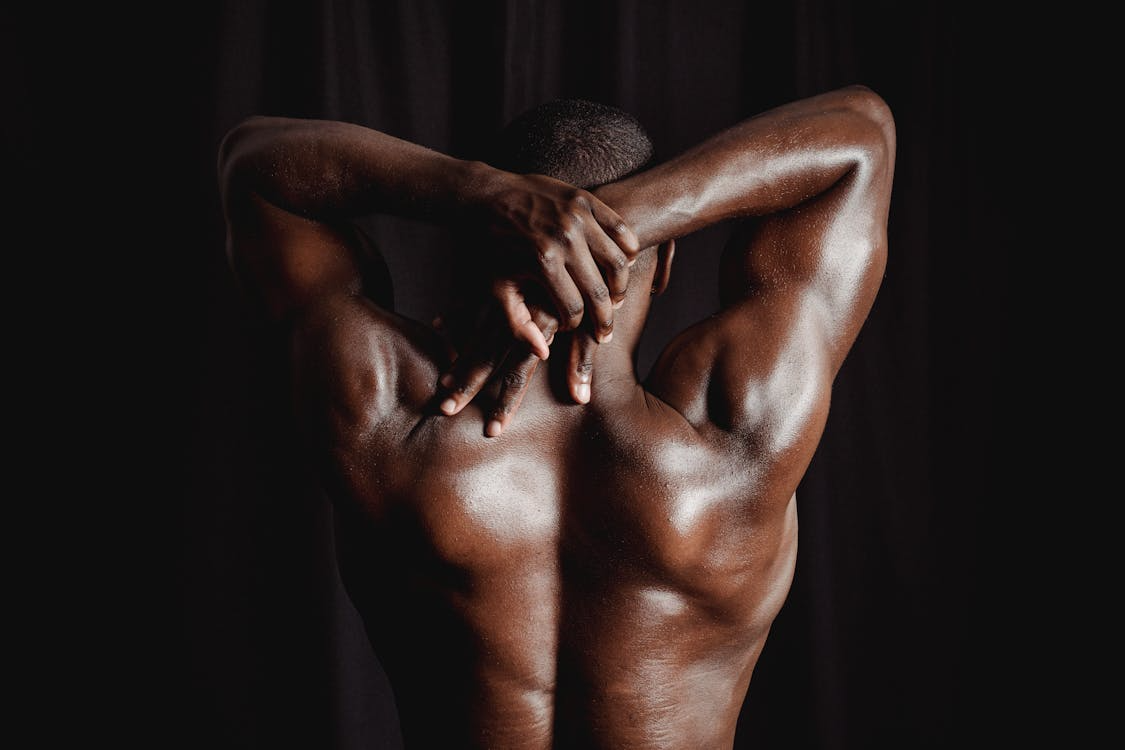
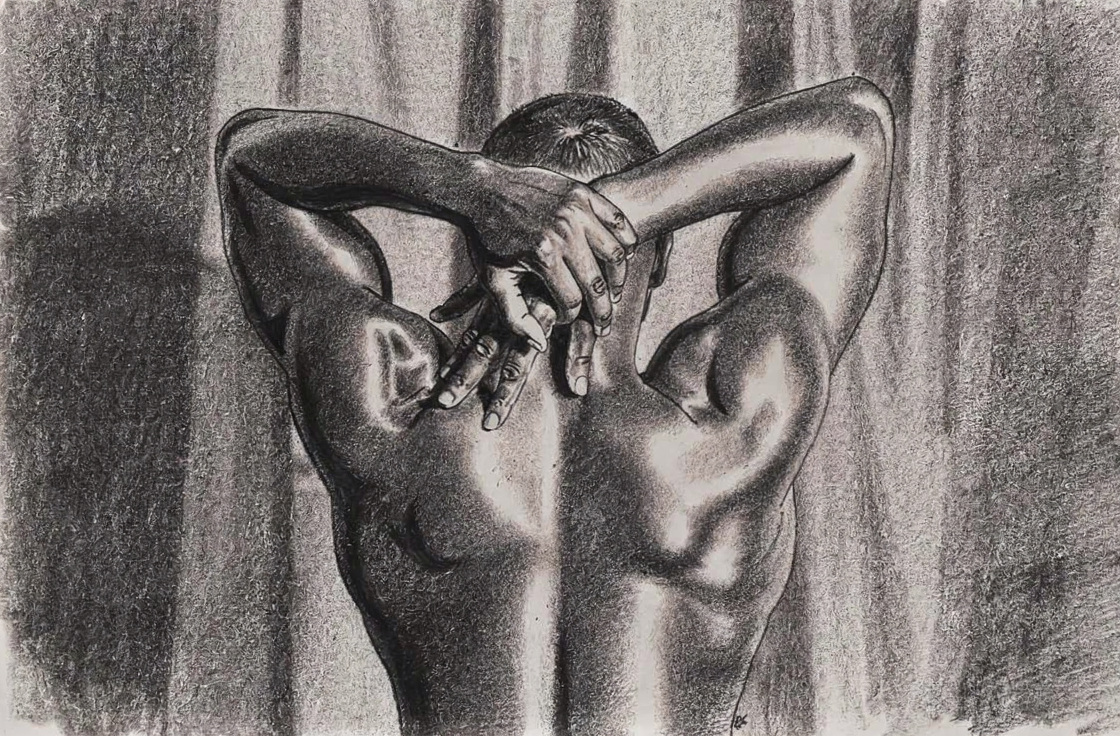
### Charcoal and pencil drawing

<Columns cols={2}>
  <img src="https://cdn.sanity.io/images/2gpum2i6/production/3406f8519e83c604d6257204fff482624cada79d-1125x750.png" alt="Original portrait" />

  <img src="https://cdn.sanity.io/images/2gpum2i6/production/be1a2d1dd8f39c59bf29454007c2ac0a34ca64e4-1120x736.png" alt="Charcoal drawing" />
</Columns>

<PromptDisplay prompt="Convert the original reference image into a charcoal and pencil drawing while fully preserving the subject's skin-tone values. Maintain the exact pose, proportions, lighting, and composition. Use soft, delicate pencil lines for contours and charcoal for depth." />

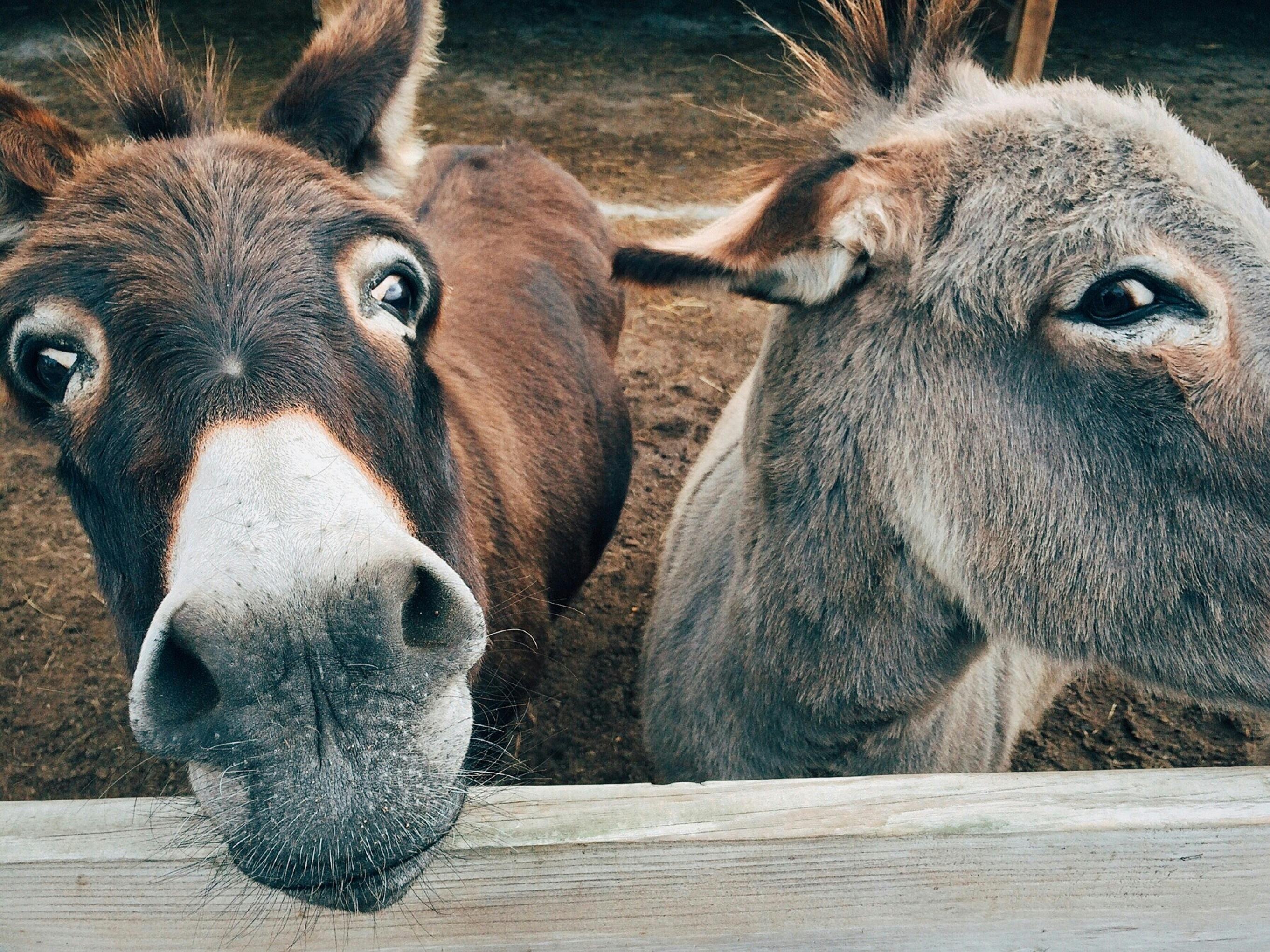
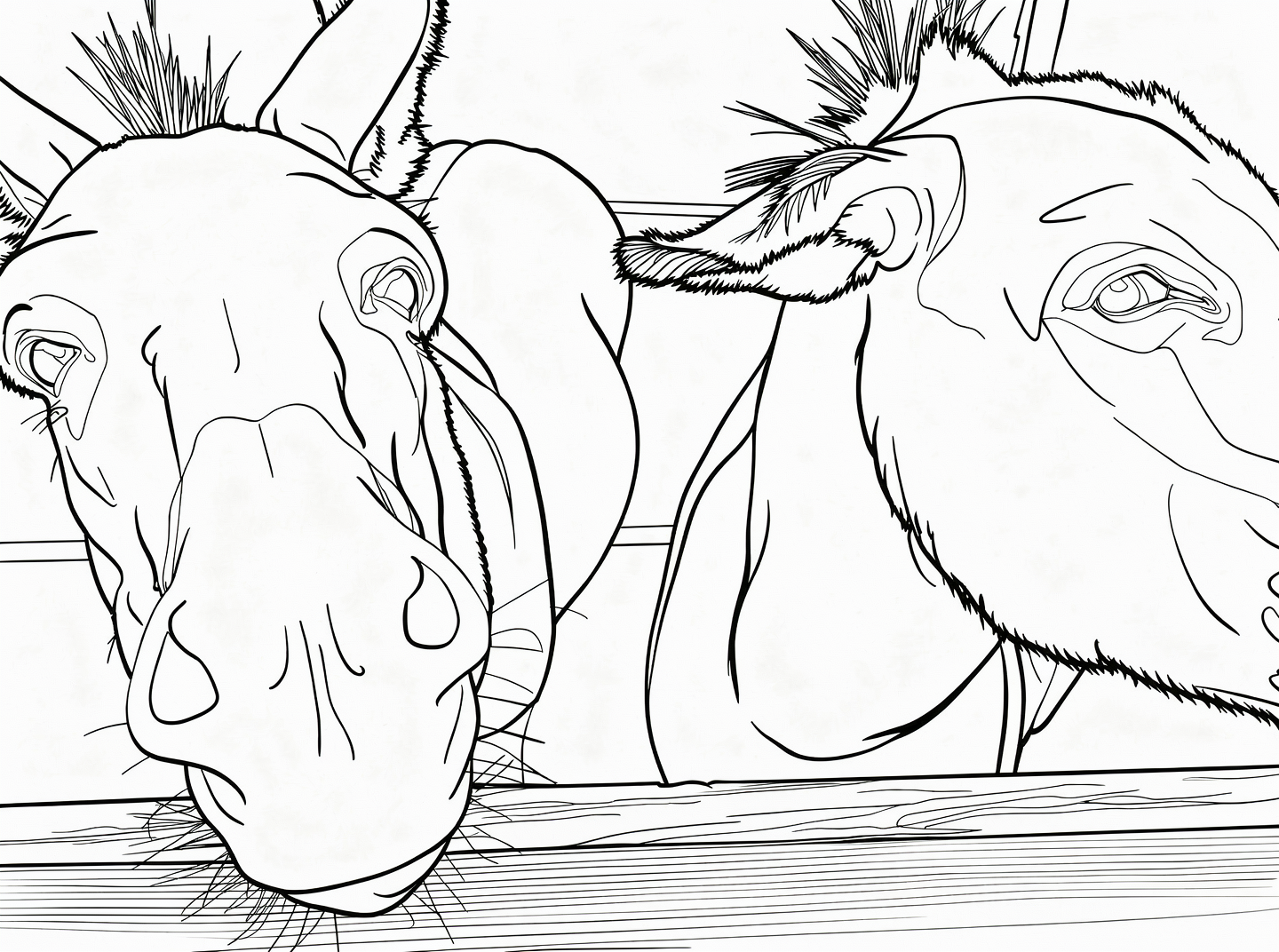
### Minimal line art

<Columns cols={2}>
  <img src="https://cdn.sanity.io/images/2gpum2i6/production/8711e28819b561475161146cac04f7b83541a48e-2723x2042.jpg" alt="Original scene" />

  <img src="https://cdn.sanity.io/images/2gpum2i6/production/b5ff23e5e65ec1dc0d1de9f67032f60ac551f06f-1440x1072.png" alt="Line art illustration" />
</Columns>

<PromptDisplay prompt="Create a clean, minimal black-and-white line art illustration based on this image. Use thin, simple lines with no shading, no color, and no textures. Capture only the essential outlines, shapes, and major details of the scene." />

### Heavy impasto texture

<Columns cols={2}>
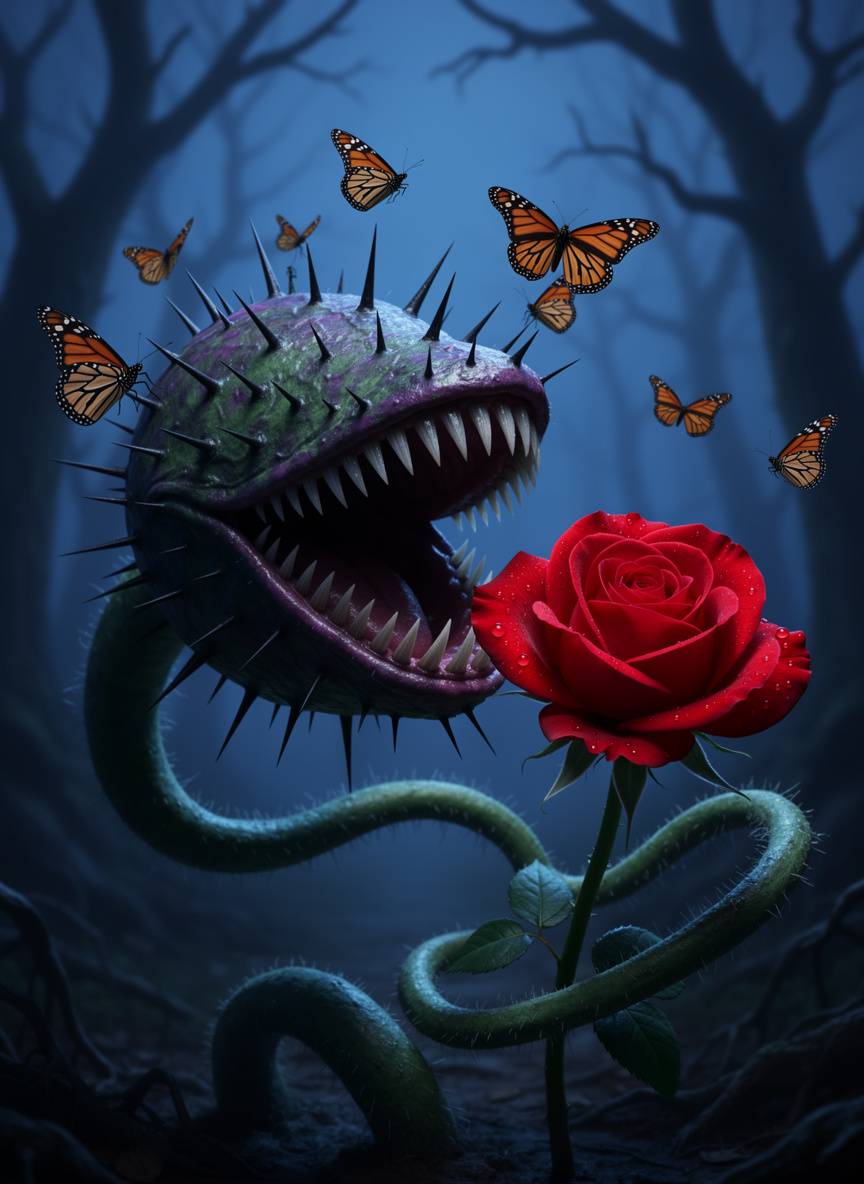
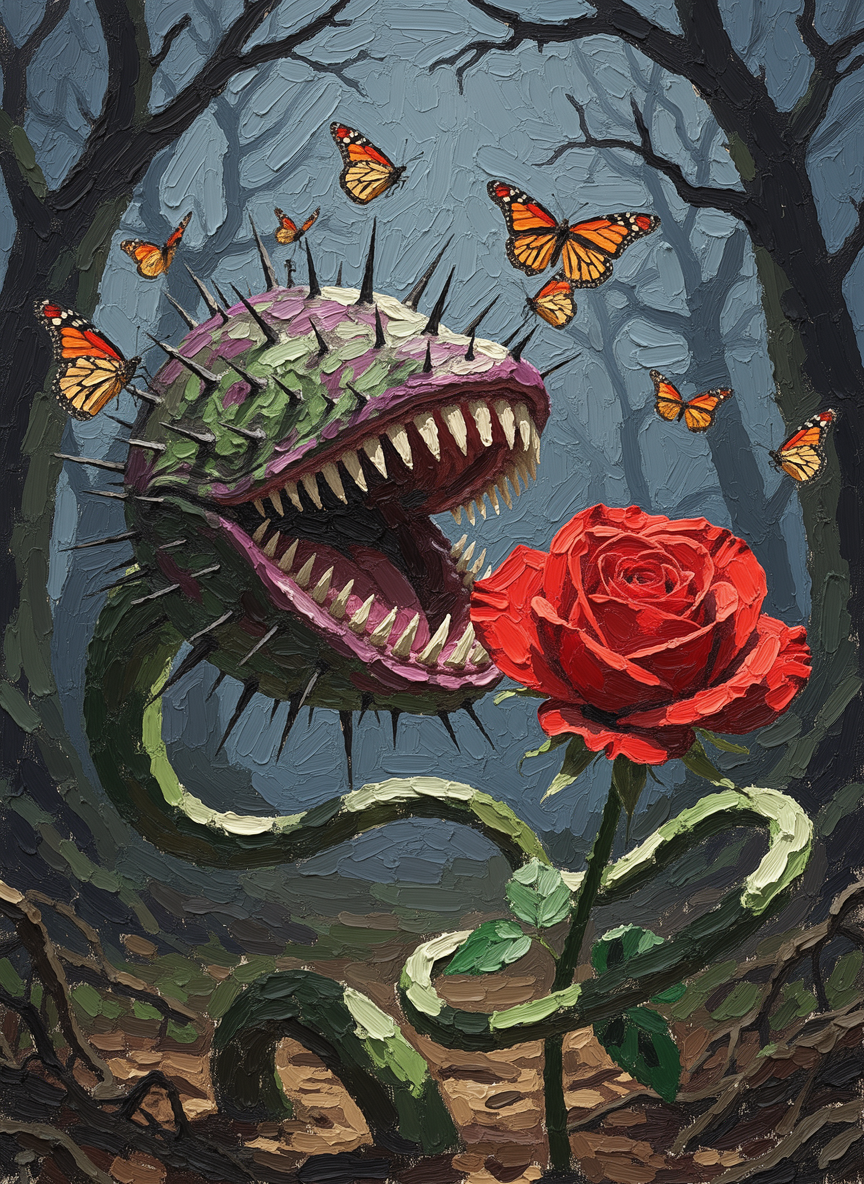
  <img src="https://cdn.sanity.io/images/2gpum2i6/production/63d42f91d62f25a61704c2733df489c8b5b0c5ea-864x1184.jpg" alt="Original photo" />

  <img src="https://cdn.sanity.io/images/2gpum2i6/production/b3fc92a47d84879e9f7bccb8d808ee456fd2dafe-864x1184.png" alt="Impasto painting style" />
</Columns>

<PromptDisplay prompt="Change the style of the image to impasto with very thick and heavy brush strokes" />