> ## Documentation Index
> Fetch the complete documentation index at: https://docs.bfl.ml/llms.txt
> Use this file to discover all available pages before exploring further.

# HEX Color Code Prompting

> Use hex color codes in FLUX.2 prompts for precise color matching — ideal for brand consistency, design work, and exact color control.

export const PromptDisplay = ({prompt}) => {
  const [copied, setCopied] = useState(false);
  const copy = () => {
    navigator.clipboard.writeText(prompt);
    setCopied(true);
    setTimeout(() => setCopied(false), 2000);
  };
  return <div className="not-prose" style={{
    marginTop: "1rem"
  }}>
      <div style={{
    backgroundColor: "#1a1a1a",
    borderRadius: "1rem",
    padding: "1.25rem 1.5rem",
    display: "flex",
    flexDirection: "column",
    gap: "1rem"
  }}>
        <p style={{
    color: "#e5e5e5",
    fontSize: "1rem",
    lineHeight: 1.6,
    margin: 0,
    fontFamily: "inherit"
  }}>
          {prompt}
        </p>
        <div style={{
    display: "flex",
    justifyContent: "flex-end"
  }}>
          <button onClick={copy} style={{
    backgroundColor: copied ? "#3d8a5b" : "var(--aspen-evergreen, #486A58)",
    color: "#fff",
    border: "none",
    borderRadius: "0.375rem",
    padding: "0.25rem 0.6rem",
    fontSize: "0.7rem",
    fontWeight: 600,
    cursor: "pointer",
    transition: "background-color 0.2s"
  }}>
            {copied ? "Copied!" : "Copy prompt"}
          </button>
        </div>
      </div>
    </div>;
};

FLUX.2 supports precise color matching using hex codes. Useful for brand consistency, design work, and any scenario where exact colors matter. Signal hex colors with keywords like "color" or "hex" followed by the code, and associate each hex value clearly with a specific object or surface.

## Basic Syntax

Signal hex colors with keywords like "color" or "hex" followed by the code:

<Columns cols={2}>
  <div>
    <img src="https://cdn.sanity.io/images/2gpum2i6/production/bf14460ae86f1758ac515d8919f7dd25fad01f32-2048x1312.png" alt="Basic hex color syntax example with blue apple illustration" style={{ width:"100%",display:"block",borderRadius:"8px" }} />

    <div style={{ marginTop: 8, marginBottom: 8 }}>
      <span style={{ display: "inline-flex", alignItems: "center", gap: 8, marginRight: 12, marginBottom: 8 }}>
        <span aria-hidden="true" style={{ width: 12, height: 12, borderRadius: 999, backgroundColor: "#0047AB", border: "1px solid #d1d5db", display: "inline-block", flexShrink: 0 }} />

        <code>Apple: #0047AB</code>
      </span>
    </div>

    <PromptDisplay prompt="a vintage illustration of an apple in color #0047AB with a heart-shaped cutout in the middle, on a white background" />
  </div>

  <div>
    <img src="https://cdn.sanity.io/images/2gpum2i6/production/265f7e1133ab7918aa4462edb35ed588944bc818-2048x1312.png" alt="Brand color example" style={{ width:"100%",display:"block",borderRadius:"8px" }} />

    <div style={{ marginTop: 8 }}>
      <span style={{ display: "inline-flex", alignItems: "center", gap: 8, marginRight: 12, marginBottom: 8 }}>
        <span aria-hidden="true" style={{ width: 12, height: 12, borderRadius: 999, backgroundColor: "#C4725A", border: "1px solid #d1d5db", display: "inline-block", flexShrink: 0 }} />

        <code>Walls: #C4725A</code>
      </span>

      <span style={{ display: "inline-flex", alignItems: "center", gap: 8, marginRight: 12, marginBottom: 8 }}>
        <span aria-hidden="true" style={{ width: 12, height: 12, borderRadius: 999, backgroundColor: "#1B6B6F", border: "1px solid #d1d5db", display: "inline-block", flexShrink: 0 }} />

        <code>Sofa: #1B6B6F</code>
      </span>

      <span style={{ display: "inline-flex", alignItems: "center", gap: 8, marginRight: 12, marginBottom: 8 }}>
        <span aria-hidden="true" style={{ width: 12, height: 12, borderRadius: 999, backgroundColor: "#E8A847", border: "1px solid #d1d5db", display: "inline-block", flexShrink: 0 }} />

        <code>Accent: #E8A847</code>
      </span>
    </div>

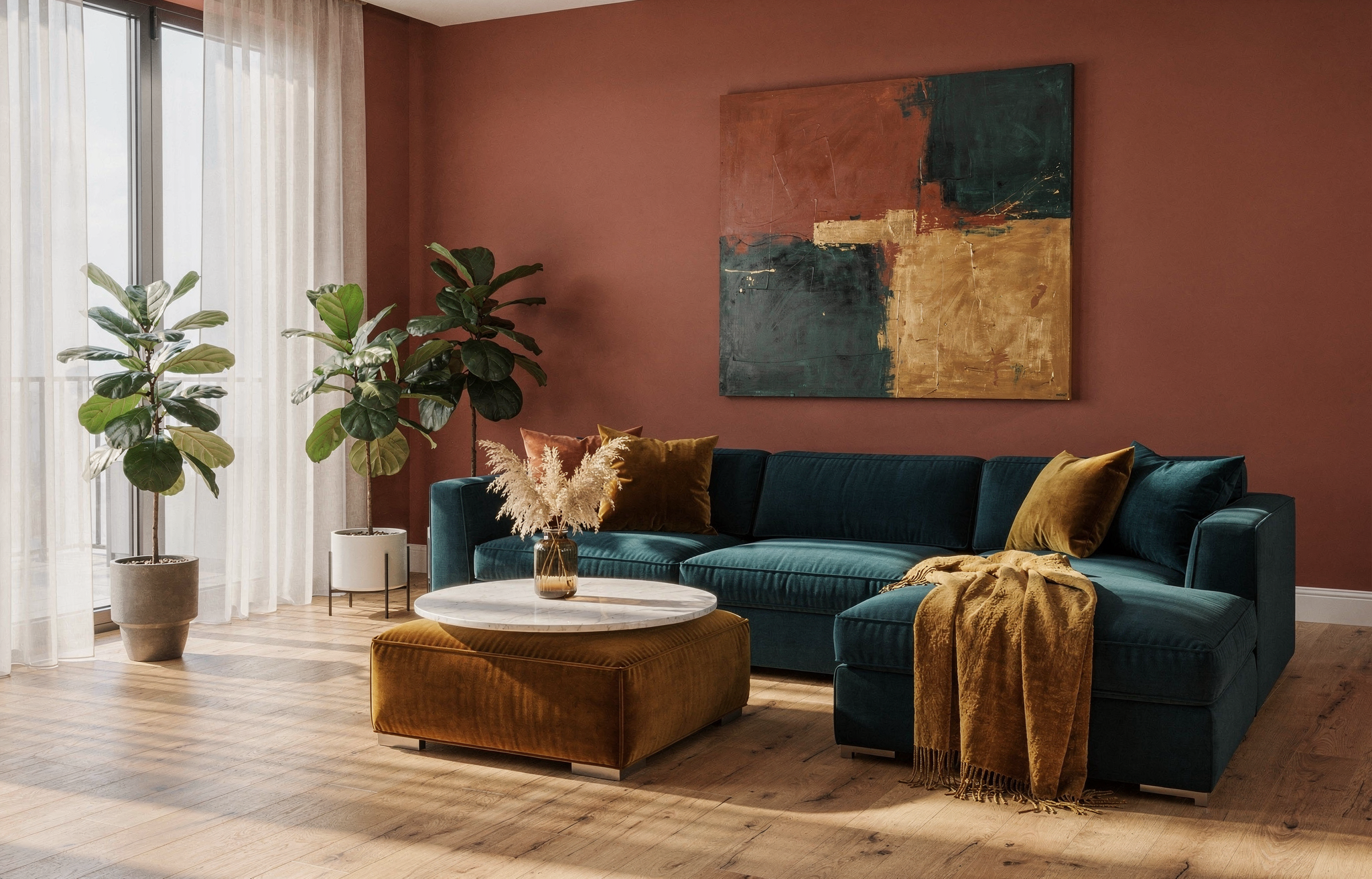
    <PromptDisplay prompt="A modern living room with warm terracotta walls in hex #C4725A, a large L-shaped sectional sofa in deep teal hex #1B6B6F, and golden amber hex #E8A847 accent pillows, throw blanket, and a velvet ottoman." />
  </div>
</Columns>

<Columns cols={2}>
  <div>
    <img src="https://cdn.sanity.io/images/2gpum2i6/production/977e4a3c8503701440bcd2b396816b218436615c-2048x1312.png" alt="Sunflower with hex color prompting" style={{ width:"100%",display:"block",borderRadius:"8px" }} />

    <div style={{ marginTop: 8 }}>
      <span style={{ display: "inline-flex", alignItems: "center", gap: 8, marginRight: 12, marginBottom: 8 }}>
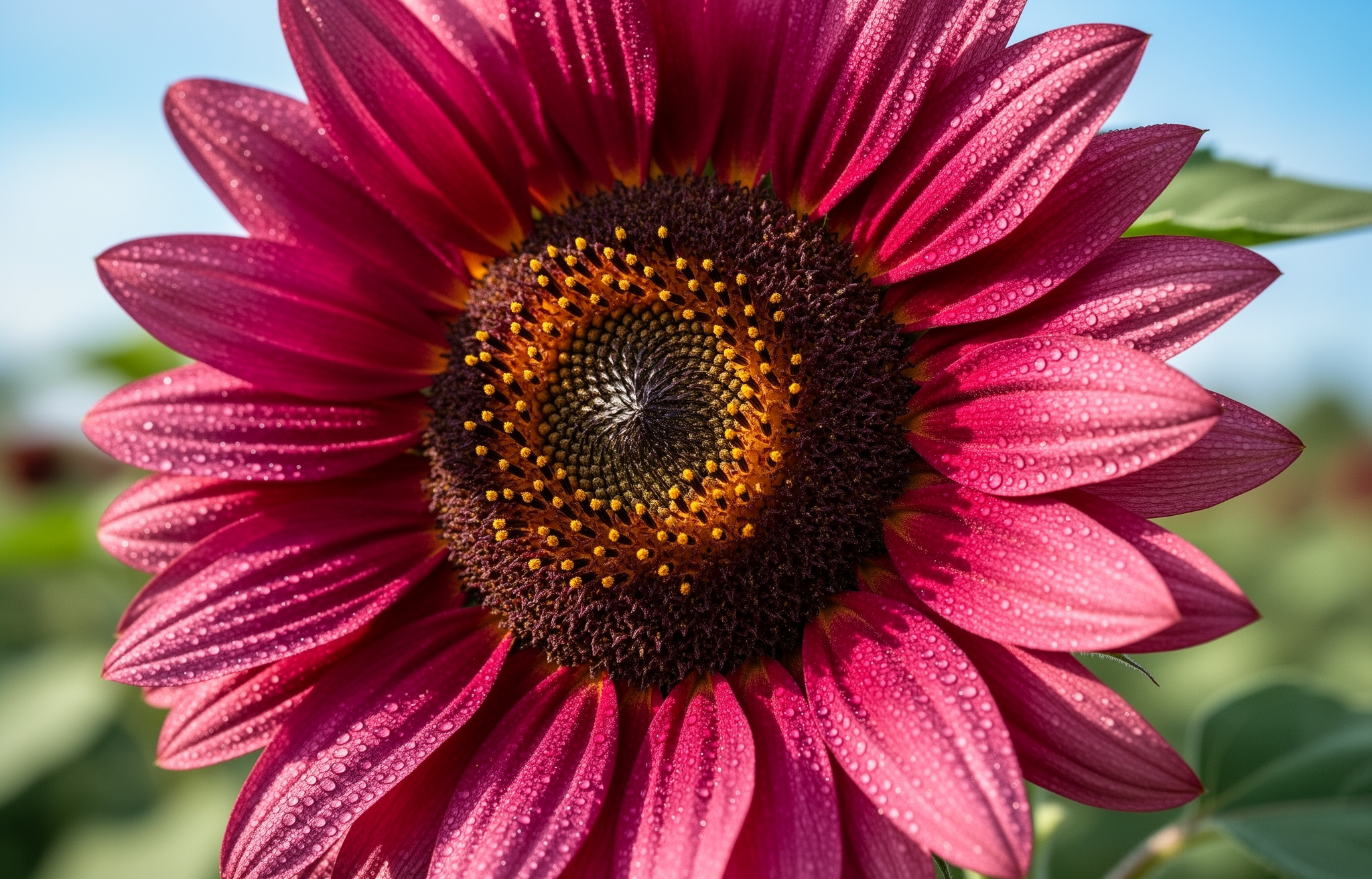
        <span aria-hidden="true" style={{ width: 12, height: 12, borderRadius: 999, backgroundColor: "#C92695", border: "1px solid #d1d5db", display: "inline-block", flexShrink: 0 }} />

        <code>Sunflower: #C92695</code>
      </span>
    </div>

    <PromptDisplay prompt="sunflower in color #C92695" />
  </div>

  <div>
    <img src="https://cdn.sanity.io/images/2gpum2i6/production/b81756df738a87a3b2f199c8581a77e17dc578ac-2048x1312.png" alt="Liquid lucid composition with hex colors" style={{ width:"100%",display:"block",borderRadius:"8px" }} />

    <div style={{ marginTop: 8 }}>
      <span style={{ display: "inline-flex", alignItems: "center", gap: 8, marginRight: 12, marginBottom: 8 }}>
        <span aria-hidden="true" style={{ width: 12, height: 12, borderRadius: 999, backgroundColor: "#00FF2F", border: "1px solid #d1d5db", display: "inline-block", flexShrink: 0 }} />

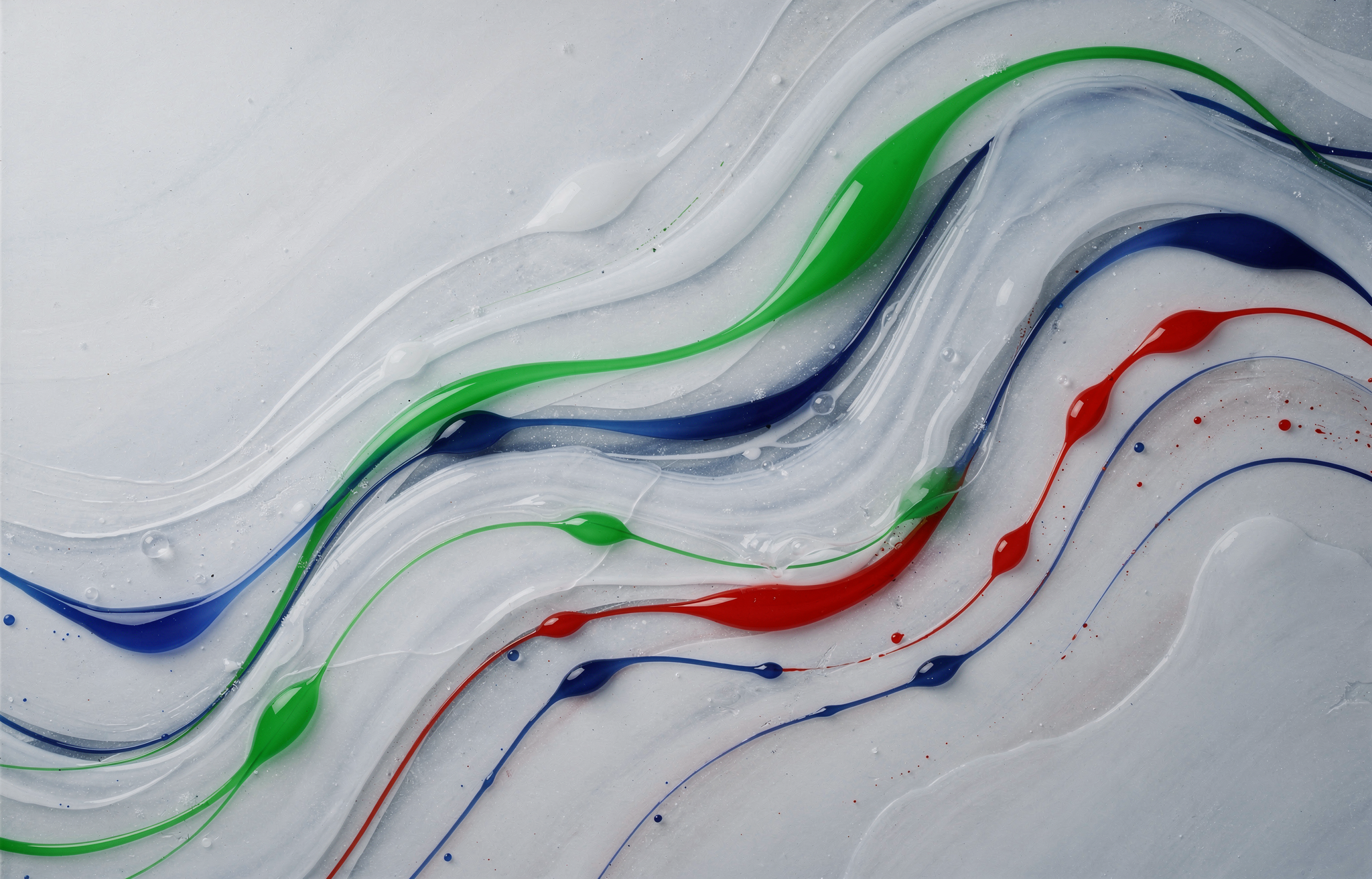
        <code>#00FF2F</code>
      </span>

      <span style={{ display: "inline-flex", alignItems: "center", gap: 8, marginRight: 12, marginBottom: 8 }}>
        <span aria-hidden="true" style={{ width: 12, height: 12, borderRadius: 999, backgroundColor: "#0D00FF", border: "1px solid #d1d5db", display: "inline-block", flexShrink: 0 }} />

        <code>#0D00FF</code>
      </span>

      <span style={{ display: "inline-flex", alignItems: "center", gap: 8, marginRight: 12, marginBottom: 8 }}>
        <span aria-hidden="true" style={{ width: 12, height: 12, borderRadius: 999, backgroundColor: "#FF0000", border: "1px solid #d1d5db", display: "inline-block", flexShrink: 0 }} />

        <code>#FF0000</code>
      </span>
    </div>

    <PromptDisplay prompt="An aesthetically pleasant liquid lucid composition of predominantly wintery colors with deep, rich and saturated #00FF2F #0D00FF #FF0000" />
  </div>
</Columns>

## Gradient Colors

Apply gradients by specifying start and end colors:

<Columns cols={2}>
  <div>
    <img src="https://cdn.sanity.io/images/2gpum2i6/production/16d60384340172110e73d3f9a135c2c8318b1189-2048x1312.png" alt="Vase with gradient colors" style={{ width:"100%",display:"block",borderRadius:"8px" }} />

    <div style={{ marginTop: 8 }}>
      <span style={{ display: "inline-flex", alignItems: "center", gap: 8, marginRight: 12, marginBottom: 8 }}>
        <span aria-hidden="true" style={{ width: 12, height: 12, borderRadius: 999, backgroundColor: "#02eb3c", border: "1px solid #d1d5db", display: "inline-block", flexShrink: 0 }} />

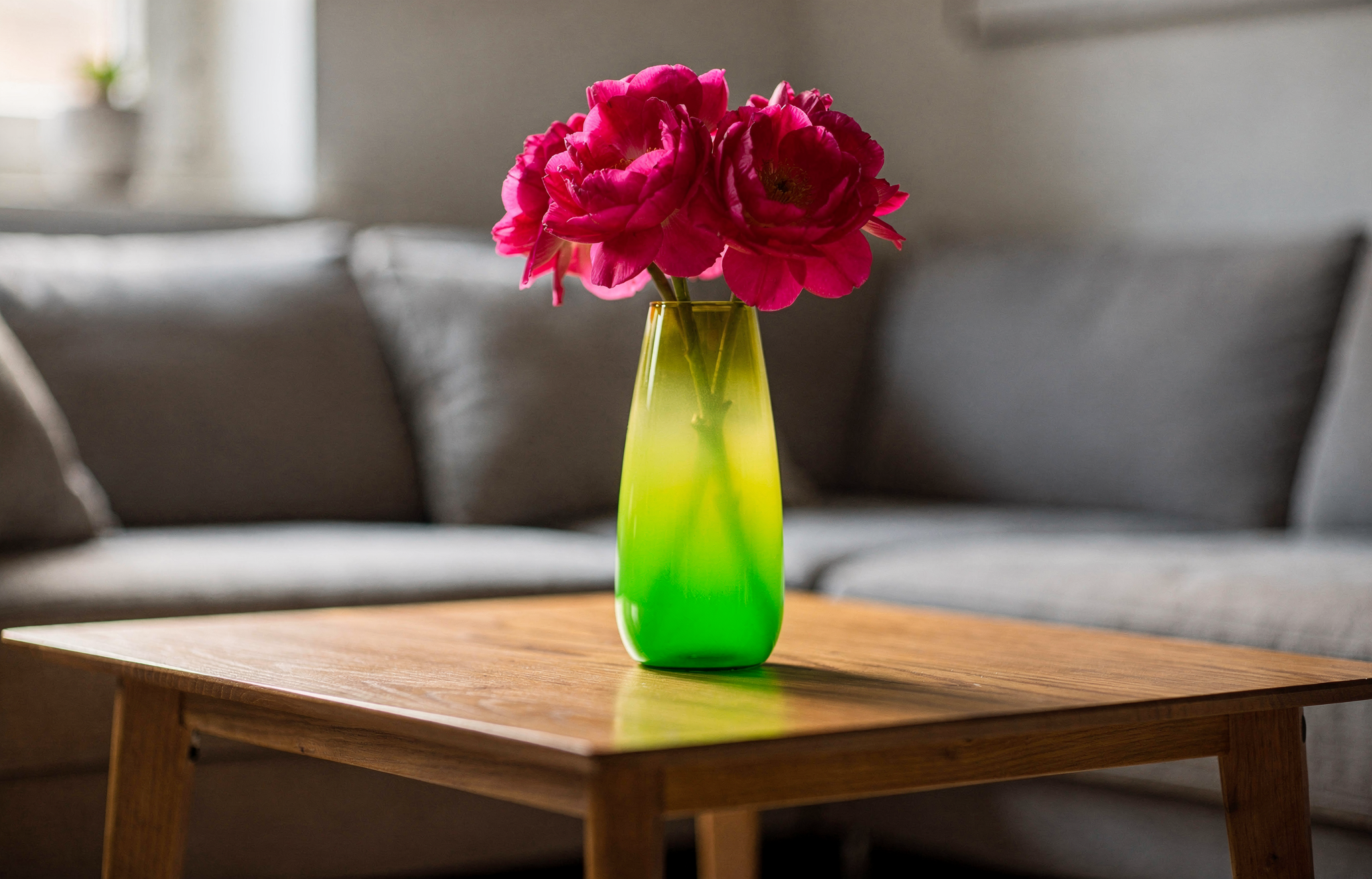
        <code>Start: #02eb3c</code>
      </span>

      <span style={{ display: "inline-flex", alignItems: "center", gap: 8, marginRight: 12, marginBottom: 8 }}>
        <span aria-hidden="true" style={{ width: 12, height: 12, borderRadius: 999, backgroundColor: "#edfa3c", border: "1px solid #d1d5db", display: "inline-block", flexShrink: 0 }} />

        <code>End: #edfa3c</code>
      </span>

      <span style={{ display: "inline-flex", alignItems: "center", gap: 8, marginRight: 12, marginBottom: 8 }}>
        <span aria-hidden="true" style={{ width: 12, height: 12, borderRadius: 999, backgroundColor: "#ff0088", border: "1px solid #d1d5db", display: "inline-block", flexShrink: 0 }} />

        <code>Flowers: #ff0088</code>
      </span>
    </div>

    <PromptDisplay prompt="A vase on a table in living room, the color of the vase is a gradient, starting with color #02eb3c and finishing with color #edfa3c. The flowers inside the vase have the color #ff0088" />
  </div>

  <div>
    <img src="https://cdn.sanity.io/images/2gpum2i6/production/234a2b1db9d33bde2feb84677b3593472bb224bb-2048x1312.png" alt="Round silk throw pillow with radial gradient" style={{ width:"100%",display:"block",borderRadius:"8px" }} />

    <div style={{ marginTop: 8 }}>
      <span style={{ display: "inline-flex", alignItems: "center", gap: 8, marginRight: 12, marginBottom: 8 }}>
        <span aria-hidden="true" style={{ width: 12, height: 12, borderRadius: 999, backgroundColor: "#6A0DAD", border: "1px solid #d1d5db", display: "inline-block", flexShrink: 0 }} />

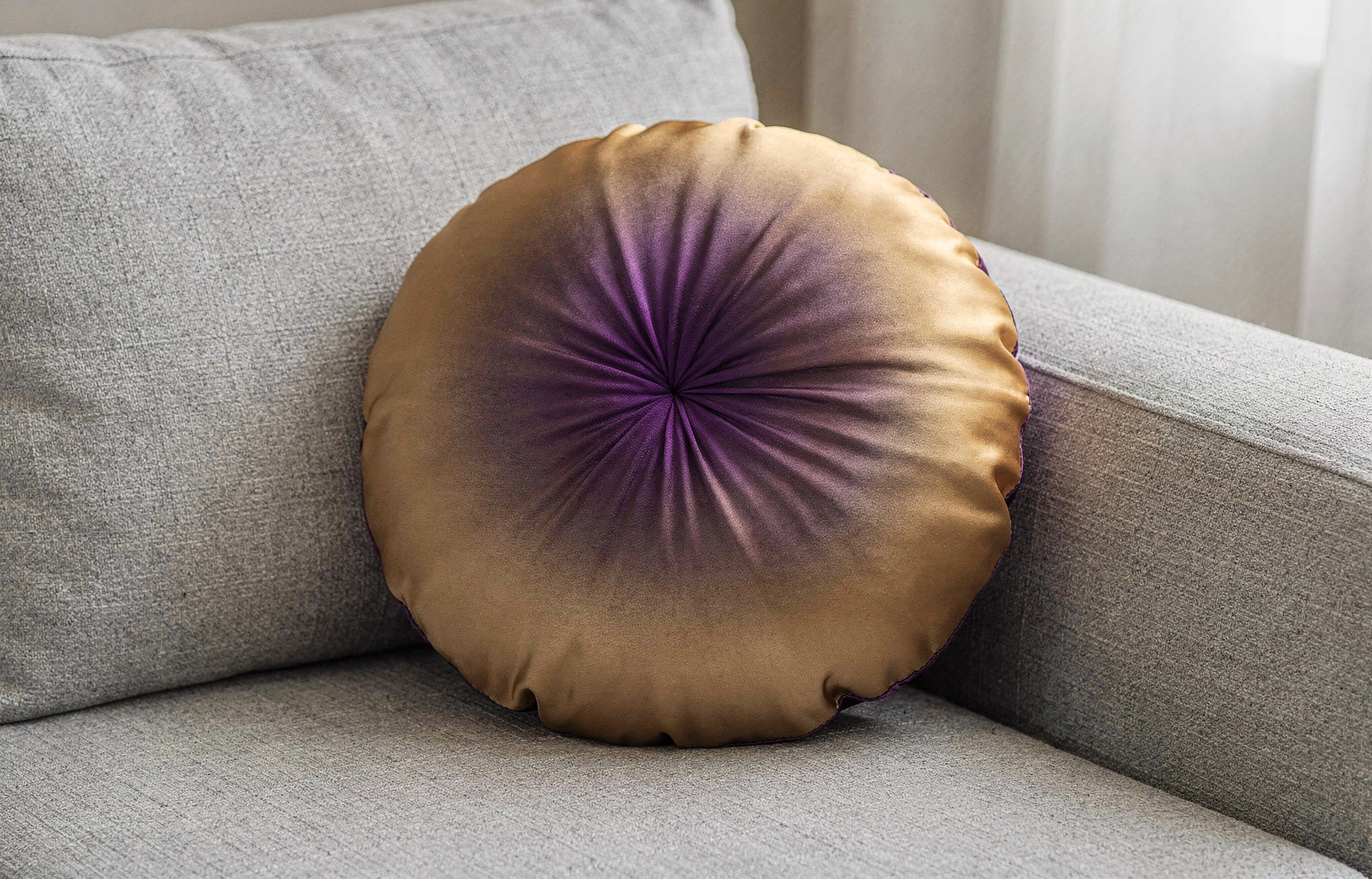
        <code>Center: #6A0DAD</code>
      </span>

      <span style={{ display: "inline-flex", alignItems: "center", gap: 8, marginRight: 12, marginBottom: 8 }}>
        <span aria-hidden="true" style={{ width: 12, height: 12, borderRadius: 999, backgroundColor: "#FFD700", border: "1px solid #d1d5db", display: "inline-block", flexShrink: 0 }} />

        <code>Edges: #FFD700</code>
      </span>
    </div>

    <PromptDisplay prompt="A round silk throw pillow resting on a light gray linen sofa, the fabric of the pillow shows a radial gradient from rich purple (#6A0DAD) at the center fading outward to warm gold (#FFD700) at the edges, even ambient indoor lighting, close-up perspective." />
  </div>
</Columns>

<Columns cols={2}>
  <div>
    <img src="https://cdn.sanity.io/images/2gpum2i6/production/cbe5e55d89bcb1aff61124e60091034eadc58e40-2048x1312.png" alt="Panoramic sky with three horizontal gradient color zones" style={{ width:"100%",display:"block",borderRadius:"8px" }} />

    <div style={{ marginTop: 8 }}>
      <span style={{ display: "inline-flex", alignItems: "center", gap: 8, marginRight: 12, marginBottom: 8 }}>
        <span aria-hidden="true" style={{ width: 12, height: 12, borderRadius: 999, backgroundColor: "#1B0A3E", border: "1px solid #d1d5db", display: "inline-block", flexShrink: 0 }} />

        <code>Upper: #1B0A3E</code>
      </span>

      <span style={{ display: "inline-flex", alignItems: "center", gap: 8, marginRight: 12, marginBottom: 8 }}>
        <span aria-hidden="true" style={{ width: 12, height: 12, borderRadius: 999, backgroundColor: "#CF6A2E", border: "1px solid #d1d5db", display: "inline-block", flexShrink: 0 }} />

        <code>Middle: #CF6A2E</code>
      </span>

      <span style={{ display: "inline-flex", alignItems: "center", gap: 8, marginRight: 12, marginBottom: 8 }}>
        <span aria-hidden="true" style={{ width: 12, height: 12, borderRadius: 999, backgroundColor: "#E8728A", border: "1px solid #d1d5db", display: "inline-block", flexShrink: 0 }} />

        <code>Horizon: #E8728A</code>
      </span>
    </div>

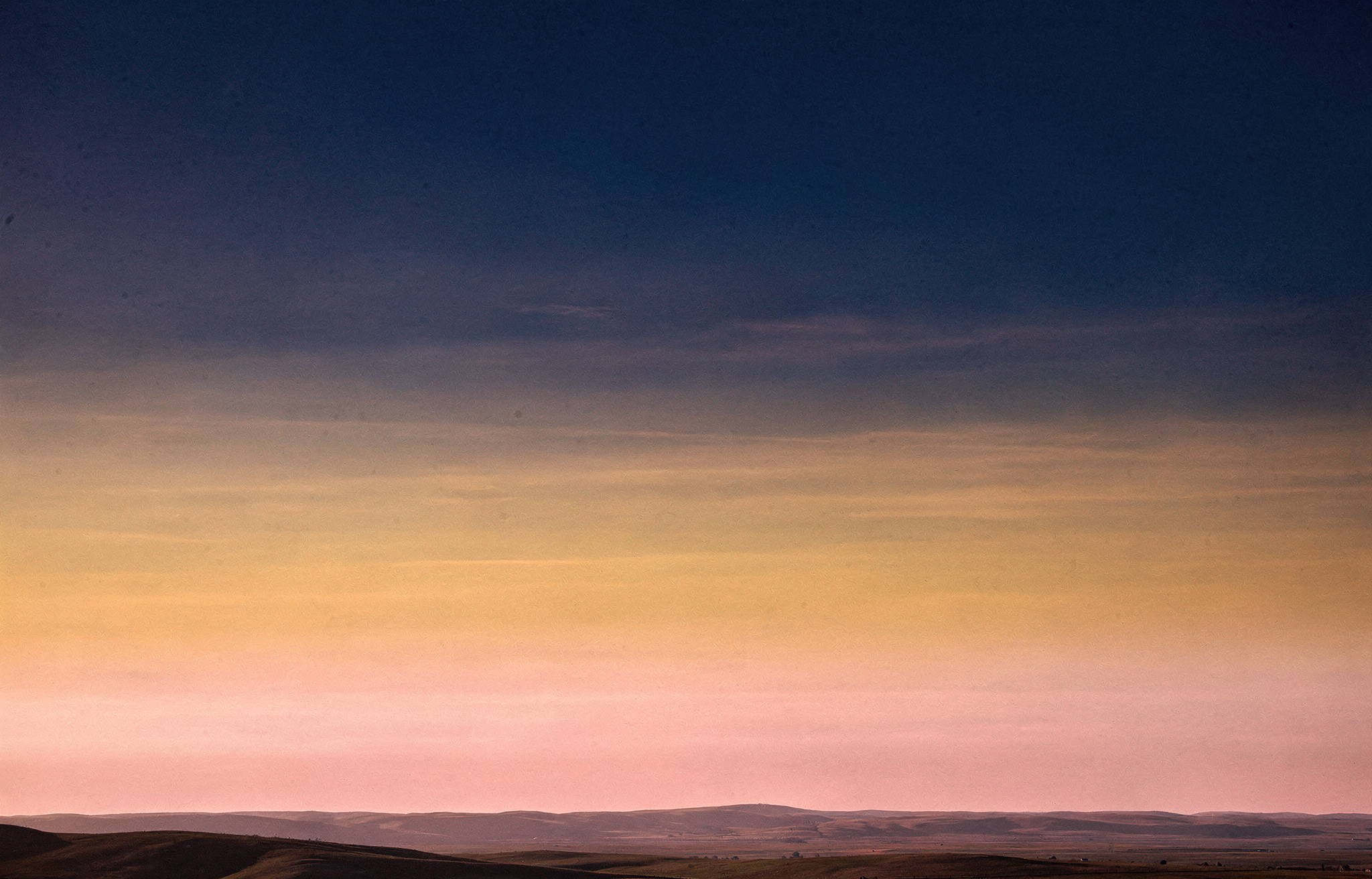
    <PromptDisplay prompt="A wide panoramic view of a vast open sky stretching above a flat horizon line hills. The sky fills the entire frame and displays three distinct horizontal color zones blending smoothly into each other. The upper portion of the sky is deep indigo (#1B0A3E), gradually transitioning through the middle into a warm burnt amber (#CF6A2E), and the lowest section near the horizon glows in soft rose pink (#E8728A)." />
  </div>

  <div>
    <img src="https://cdn.sanity.io/images/2gpum2i6/production/d9411e0e52dabd1be5efd0bc16a67fd6219ce29f-2048x1312.png" alt="Product shot with pink-to-purple-to-blue gradient backdrop" style={{ width:"100%",display:"block",borderRadius:"8px" }} />

    <div style={{ marginTop: 8 }}>
      <span style={{ display: "inline-flex", alignItems: "center", gap: 8, marginRight: 12, marginBottom: 8 }}>
        <span aria-hidden="true" style={{ width: 12, height: 12, borderRadius: 999, backgroundColor: "#FF0080", border: "1px solid #d1d5db", display: "inline-block", flexShrink: 0 }} />

        <code>Pink: #FF0080</code>
      </span>

      <span style={{ display: "inline-flex", alignItems: "center", gap: 8, marginRight: 12, marginBottom: 8 }}>
        <span aria-hidden="true" style={{ width: 12, height: 12, borderRadius: 999, backgroundColor: "#7928CA", border: "1px solid #d1d5db", display: "inline-block", flexShrink: 0 }} />

        <code>Violet: #7928CA</code>
      </span>

      <span style={{ display: "inline-flex", alignItems: "center", gap: 8, marginRight: 12, marginBottom: 8 }}>
        <span aria-hidden="true" style={{ width: 12, height: 12, borderRadius: 999, backgroundColor: "#0070F3", border: "1px solid #d1d5db", display: "inline-block", flexShrink: 0 }} />

        <code>Cobalt: #0070F3</code>
      </span>
    </div>

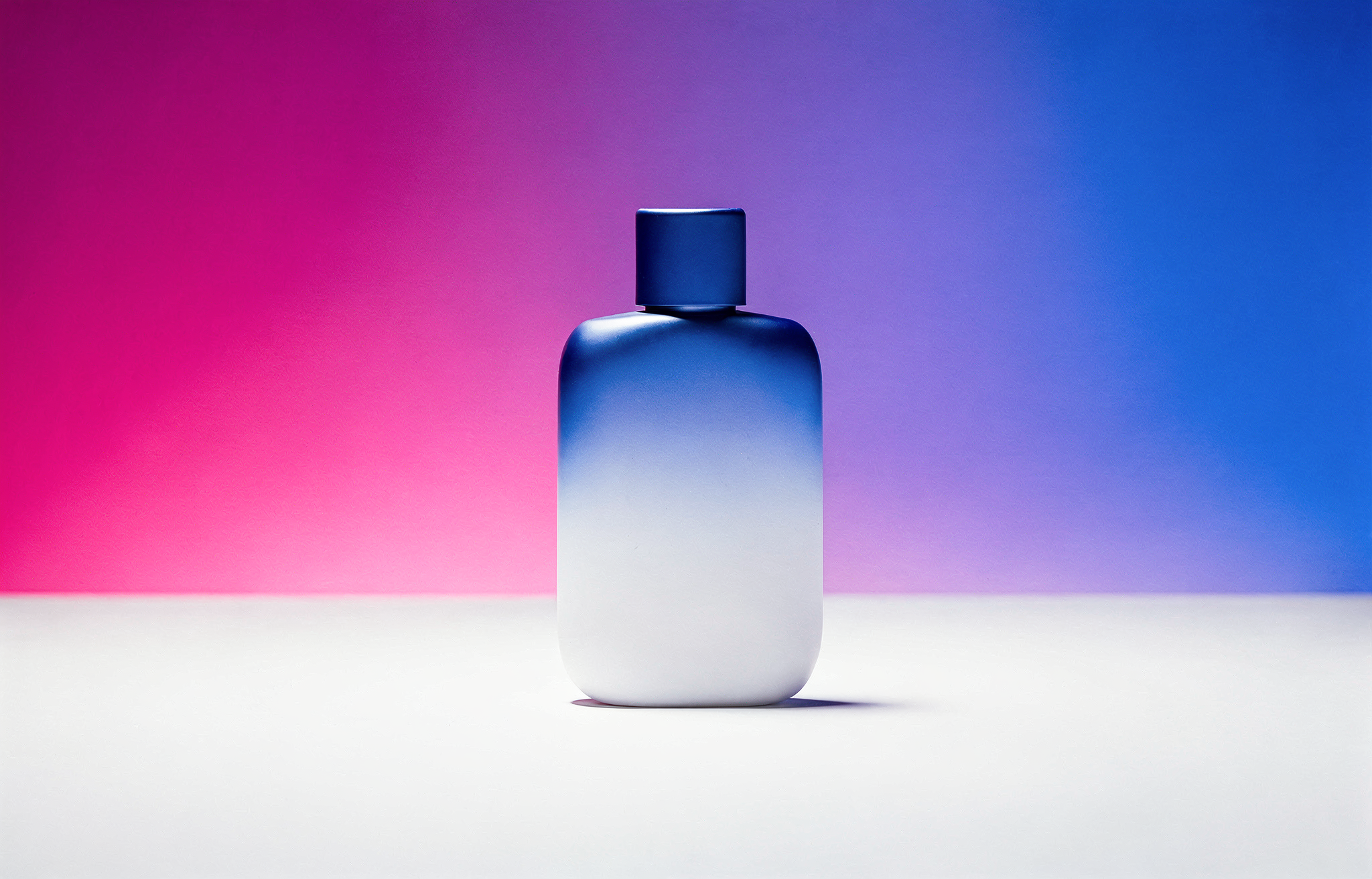
    <PromptDisplay prompt="Studio product still, seamless gradient backdrop transitioning left-to-right from hot pink (#FF0080) through violet-purple (#7928CA) into electric cobalt blue (#0070F3), velvet smooth, zero banding. Single hero product centered, matte surface with soft specular catch. Large softbox 45° camera-left, rim light camera-right for edge definition. 85mm lens, f/8, dead-center eye-level." />
  </div>
</Columns>

<Warning>
  Hex codes work best when clearly associated with specific objects. Vague references like "use #FF0000 somewhere" may produce inconsistent results.
</Warning>