> ## Documentation Index
> Fetch the complete documentation index at: https://docs.bfl.ml/llms.txt
> Use this file to discover all available pages before exploring further.

# Typography & Design

> Generate clean typography, product ads, magazine covers, and posters with FLUX.2

export const PromptDisplay = ({prompt}) => {
  const [copied, setCopied] = useState(false);
  const copy = () => {
    navigator.clipboard.writeText(prompt);
    setCopied(true);
    setTimeout(() => setCopied(false), 2000);
  };
  return <div className="not-prose" style={{
    marginTop: "1rem"
  }}>
      <div style={{
    backgroundColor: "#1a1a1a",
    borderRadius: "1rem",
    padding: "1.25rem 1.5rem",
    display: "flex",
    flexDirection: "column",
    gap: "1rem"
  }}>
        <p style={{
    color: "#e5e5e5",
    fontSize: "1rem",
    lineHeight: 1.6,
    margin: 0,
    fontFamily: "inherit"
  }}>
          {prompt}
        </p>
        <div style={{
    display: "flex",
    justifyContent: "flex-end"
  }}>
          <button onClick={copy} style={{
    backgroundColor: copied ? "#3d8a5b" : "var(--aspen-evergreen, #486A58)",
    color: "#fff",
    border: "none",
    borderRadius: "0.375rem",
    padding: "0.25rem 0.6rem",
    fontSize: "0.7rem",
    fontWeight: 600,
    cursor: "pointer",
    transition: "background-color 0.2s"
  }}>
            {copied ? "Copied!" : "Copy prompt"}
          </button>
        </div>
      </div>
    </div>;
};

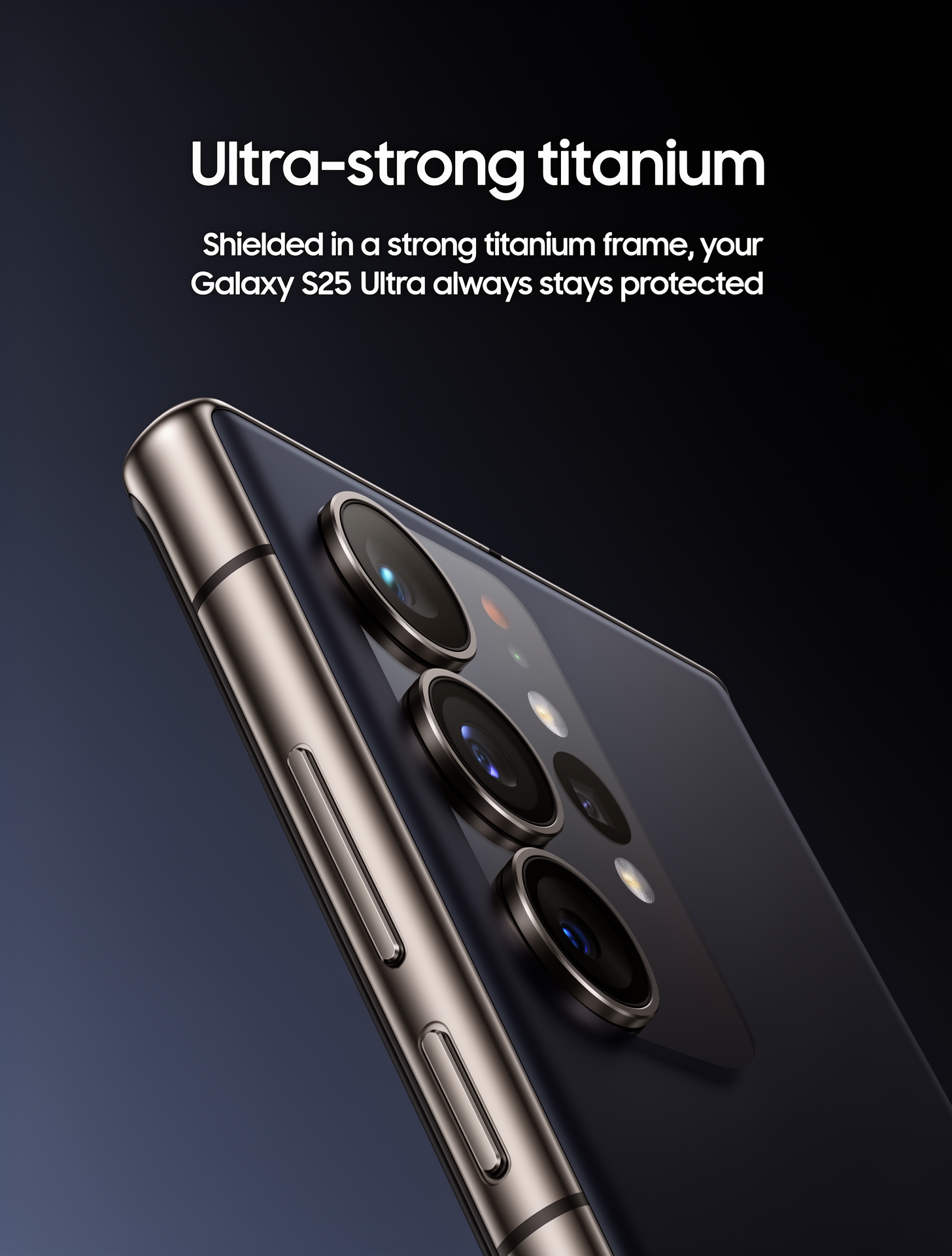
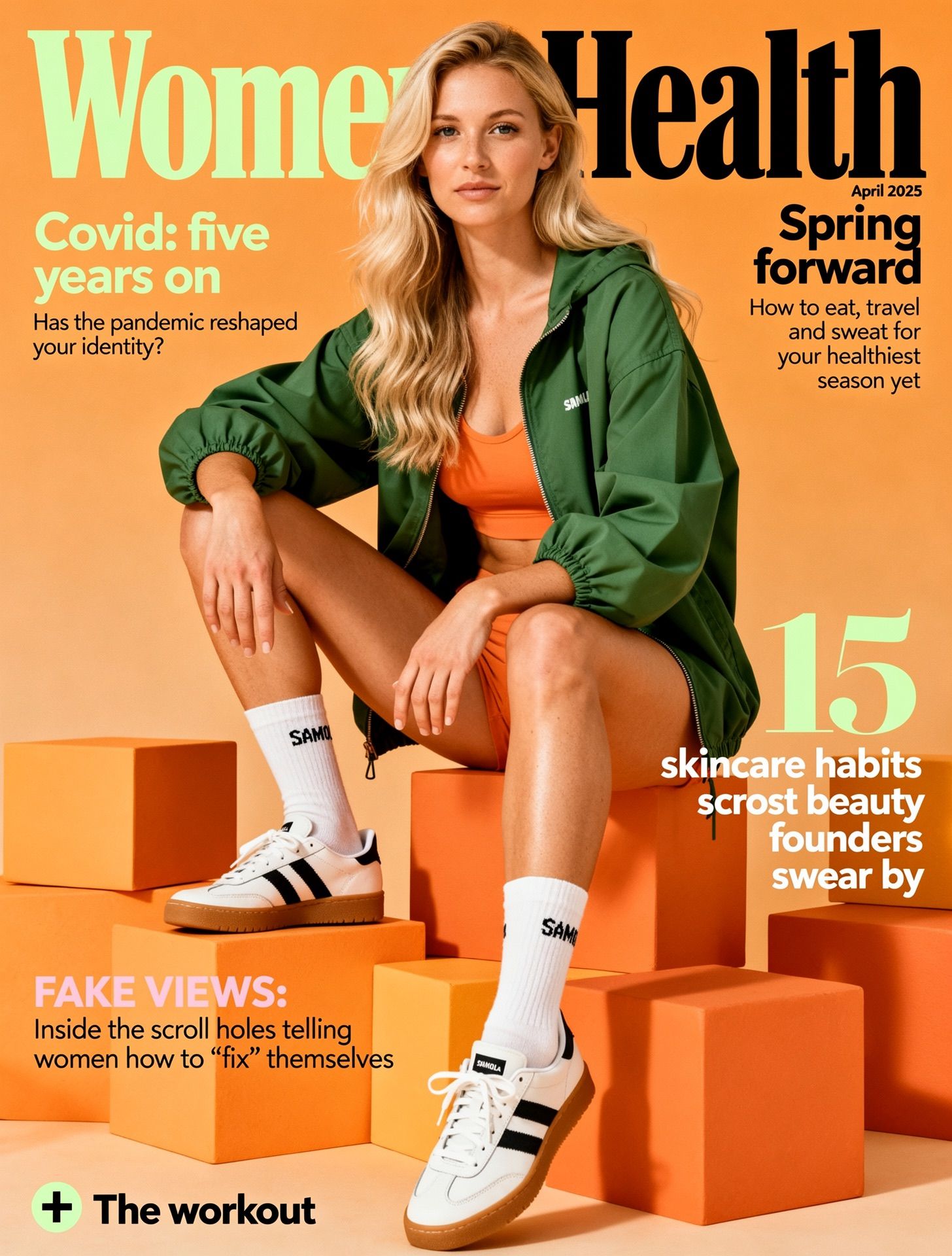
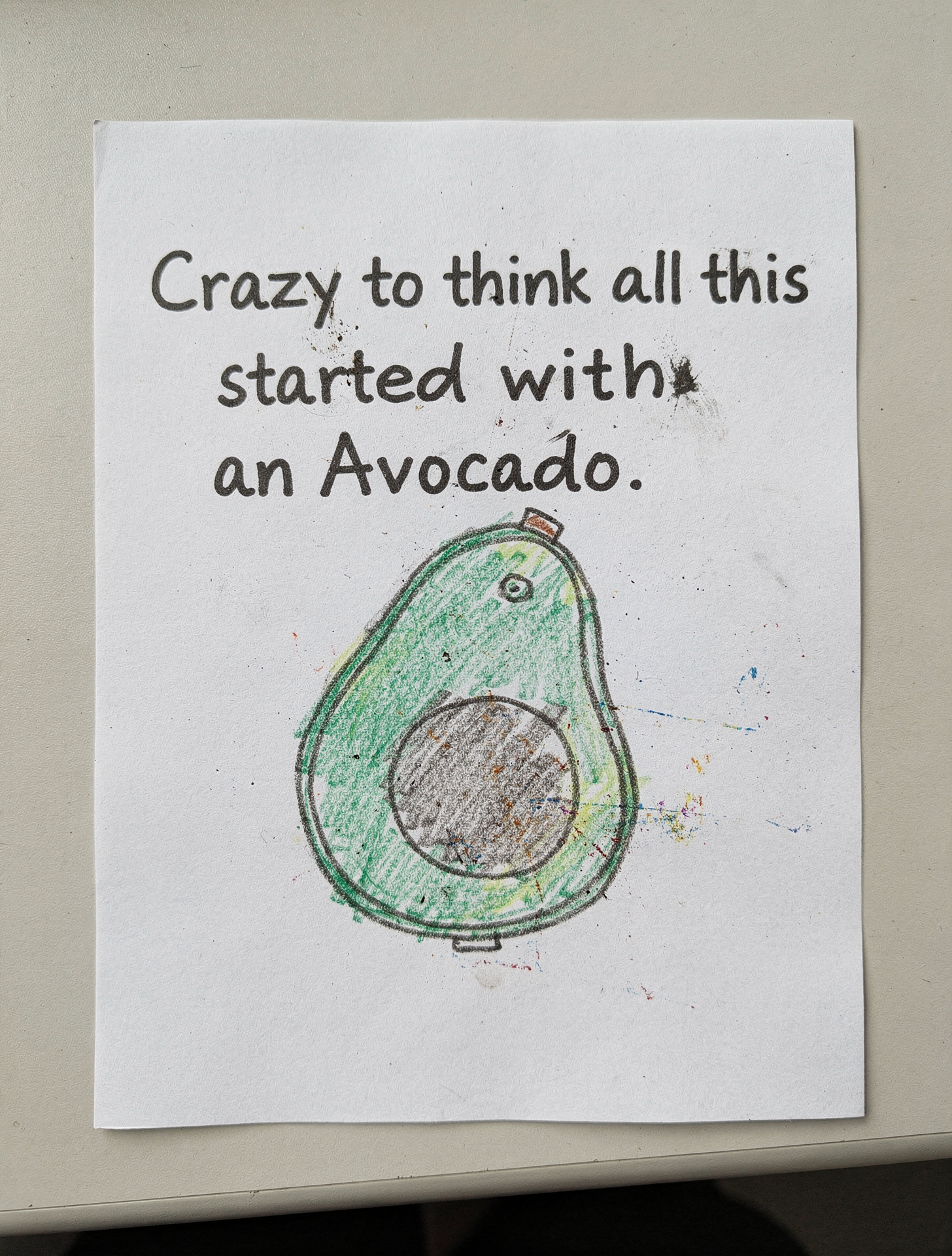
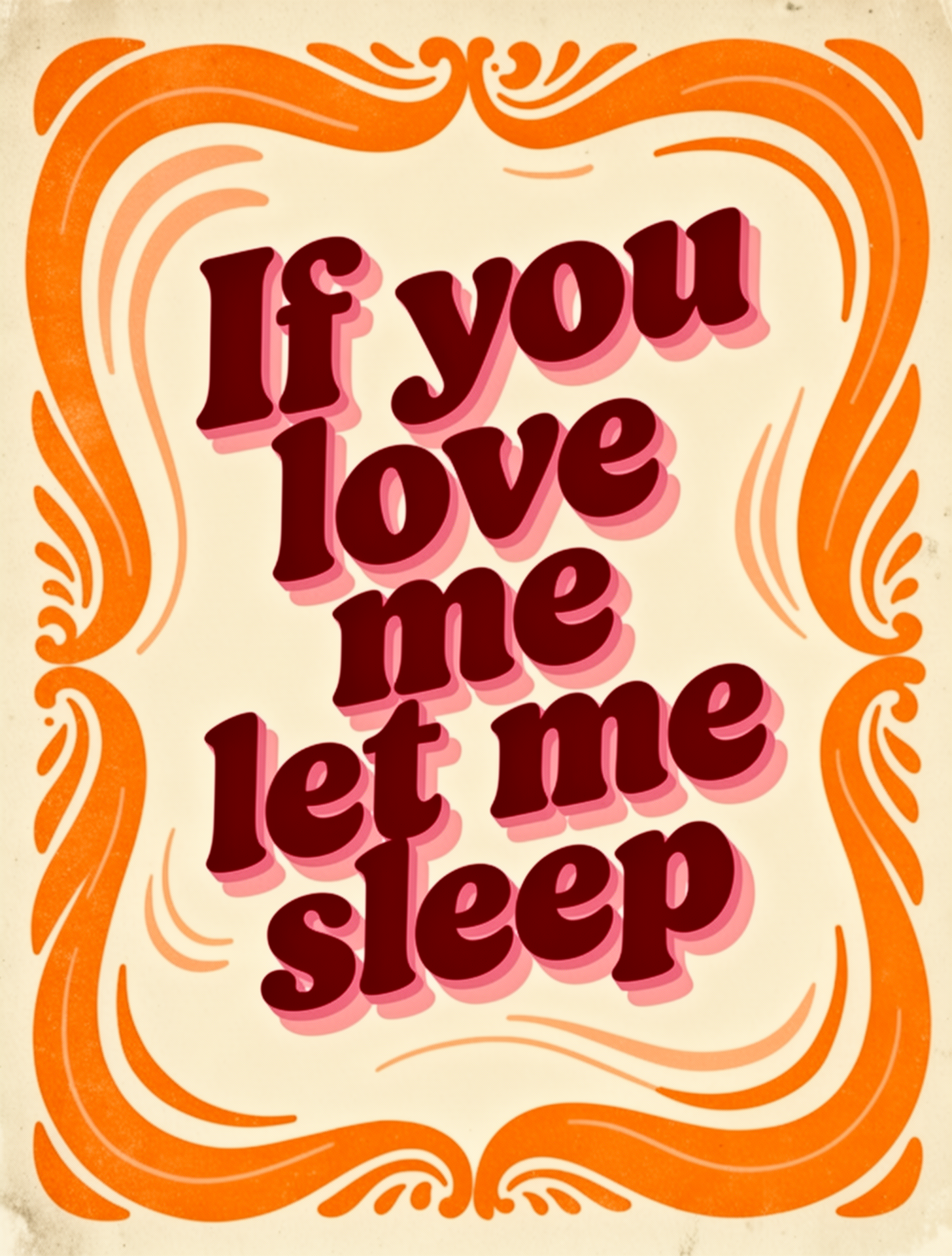
FLUX.2 generates readable text and clean typography for product marketing materials, magazine layouts, and posters. Describe the headline, placement, and style explicitly.

<Columns cols={2}>
  <div>
    <img src="https://cdn.sanity.io/images/2gpum2i6/production/7730d0482ee19d0d3207b5cbbb55074c3b66d554-1456x1920.png" alt="Phone advertisement" />

    <PromptDisplay prompt="Samsung Galaxy S25 Ultra product advertisement, 'Ultra-strong titanium' headline, 'Shielded in a strong titanium frame, your Galaxy S25 Ultra always stays protected' subtext, close-up of phone edge showing titanium frame, dark gradient background, clean minimalist tech aesthetic, professional product photography" />
  </div>

  <div>
    <img src="https://cdn.sanity.io/images/2gpum2i6/production/00ddd4ce8b582891f3b174462dc635dac4e45d46-1456x1920.jpg" alt="Women's Health magazine cover" />

    <PromptDisplay prompt="Women's Health magazine cover, April 2025 issue, 'Spring forward' headline, woman in green outfit sitting on orange blocks, white sneakers, 'Covid: five years on' feature text, '15 skincare habits' callout, professional editorial photography, magazine layout with multiple text elements" />
  </div>

  <div>
    <img src="https://cdn.sanity.io/images/2gpum2i6/production/a49333f6507b4c68370cb20421c150fb9747f348-1456x1920.png" alt="White paper poster with avocado quote" />

    <PromptDisplay prompt={'A White Paper with the Text "Crazy to think all this started with an Avocado." and a really bad drawing with diffusion artifacts of a avocado'} />
  </div>

  <div>
    <img src="https://cdn.sanity.io/images/2gpum2i6/production/6d99bf4508c927ab16b67359b6ff70cdc992b279-1456x1920.png" alt="Groovy retro poster with sleep quote" />

    <PromptDisplay prompt={'Groovy retro poster with the quote "If you love me let me sleep". Bold 70s typography in deep red and warm pink tones. Cream background and bold orange doodle around the text. Funky layout with playful shadow. Style: bold vintage aesthetic, dopamine decor'} />
  </div>
</Columns>

## Text Rendering Tips

FLUX.2 can generate readable text when you describe it clearly:

* **Use quotation marks**: *"The text 'OPEN' appears in red neon letters above the door"*
* **Specify placement**: Where text appears relative to other elements
* **Describe style**: "elegant serif typography", "bold industrial lettering", "handwritten script"
* **Font size**: "large headline text", "small body copy", "medium subheading"
* **Color**: Use hex codes for brand text: *"The logo text 'ACME' in color #FF5733"*