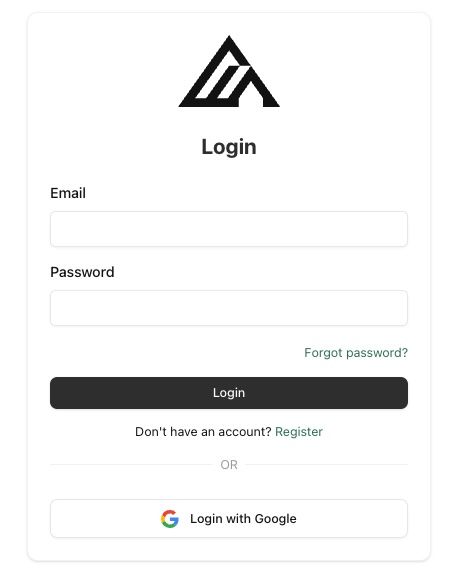
 When you create your account, we automatically set up:
* A **Default Organization** - your workspace for managing team members and billing
* A **Default Project** - where your API keys and usage are tracked
When you create your account, we automatically set up:
* A **Default Organization** - your workspace for managing team members and billing
* A **Default Project** - where your API keys and usage are tracked
{step.code}
{c.value}
{active.configCaption}
}
{active.configCode}
~/.cursor/mcp.json.'
}, {
number: 3,
title: 'Sign in',
description: 'The first FLUX request opens a browser for OAuth sign-in. Tokens refresh automatically after that.'
}],
configCaption: 'Prefer manual setup? Paste this into .cursor/mcp.json instead:',
configCode: `{
"mcpServers": {
"FLUX": {
"url": "https://mcp.bfl.ai"
}
}
}`
}, {
id: 'codex',
label: 'Codex',
steps: [{
number: 1,
title: 'Open your terminal',
description: 'Codex installed? You are ready.',
button: {
label: 'Codex config docs',
href: 'https://developers.openai.com/codex/config-reference'
}
}, {
number: 2,
title: 'Add the MCP server',
description: 'This registers FLUX as a remote MCP server in your Codex config.',
code: 'codex mcp add FLUX --url https://mcp.bfl.ai',
wide: true
}, {
number: 3,
title: 'Sign in',
description: 'Codex detects OAuth support and opens a browser automatically. Sign in, choose the organization you want billed, then start a new Codex session so the FLUX tools are loaded.'
}]
}, {
id: 'windsurf',
label: 'Windsurf',
steps: [{
number: 1,
title: 'Open the Windsurf MCP config',
description: 'Edit ~/.codeium/windsurf/mcp_config.json, or open Cascade → Plugins → Manage plugins → View raw config.',
button: {
label: 'Windsurf MCP docs',
href: 'https://docs.windsurf.com/windsurf/cascade/mcp'
}
}, {
number: 2,
title: 'Add the FLUX server',
description: 'Drop the JSON below into your config. Note that Windsurf uses serverUrl, not url. OAuth is handled automatically.'
}, {
number: 3,
title: 'Reload plugins',
description: 'Refresh plugins from the Cascade panel. The first FLUX call opens a browser for sign-in.'
}],
configCaption: 'Windsurf MCP config — paste this into ~/.codeium/windsurf/mcp_config.json:',
configCode: `{
"mcpServers": {
"FLUX": {
"serverUrl": "https://mcp.bfl.ai"
}
}
}`
}, {
id: 'mcp-remote',
label: 'Other MCP clients',
steps: [{
number: 1,
title: 'Run the bridge',
description: 'Use this when your client supports stdio MCP servers but does not handle the OAuth flow on its own — for example Hermes (Nous Research) and similar tools that only accept static bearer tokens. A browser opens for sign-in; tokens cache to ~/.mcp-auth/ and refresh automatically.',
code: 'npx -y mcp-remote https://mcp.bfl.ai',
wide: true
}, {
number: 2,
title: 'Add it to your config',
description: "Register FLUX as a local stdio server in your client's MCP config. Use the JSON example below and adapt the server name if needed.",
button: {
label: 'mcp-remote docs',
href: 'https://www.npmjs.com/package/mcp-remote'
}
}, {
number: 3,
title: 'Restart the client',
description: 'Your client talks to local stdio. mcp-remote forwards requests to https://mcp.bfl.ai over HTTP and keeps OAuth tokens fresh.'
}],
configCaption: 'For stdio-based clients, the MCP config usually looks like this:',
configCode: `{
"mcpServers": {
"FLUX": {
"command": "npx",
"args": ["-y", "mcp-remote", "https://mcp.bfl.ai"]
}
}
}`
}];
When you create your account, we automatically set up:
* A **Default Organization** - your workspace for managing team members and billing
* A **Default Project** - where your API keys and usage are tracked