

FLUX 3 Image
Overview
FLUX 3 Image gives you maximum control over every pixel. Generate an image from a prompt, edit specific details, combine up to ten references, and draw bounding boxes to place each element.
Open API referenceCapabilities
Write a prompt to generate a new image. Add up to ten reference images and describe how to use them: edit a detail, change the style, or combine them into a new composition. Click any image to view it full size.Text to image
Describe the subject, setting, light, and framing. FLUX 3 renders the whole scene from the prompt.Generate your first image →Edit an image
Write the change as an instruction, and name exactly what to change. Drag the handle to compare each source with its edit:Perfectly edit your images →Multi reference
Refer to each image by its position and say what it contributes. Here, image 1 is the scene and image 2 supplies the object to place in it:Combine up to ten images →Control the composition
Add bounding boxes to the end of the prompt to decide where each element goes. Each box is[top, left, bottom, right] on a 0 to 1000 grid. These
images from the FLUX 3 launch were generated from layout prompts, with their
boxes drawn on top.The same boxes let you edit only part of an image: recolor, move, replace, or
remove one element while the rest stays unchanged.
Learn to use bounding boxes →Ground the prompt
By default, FLUX 3 searches the web to get real things right. Setgrounding
to false for faster results that use only your prompt.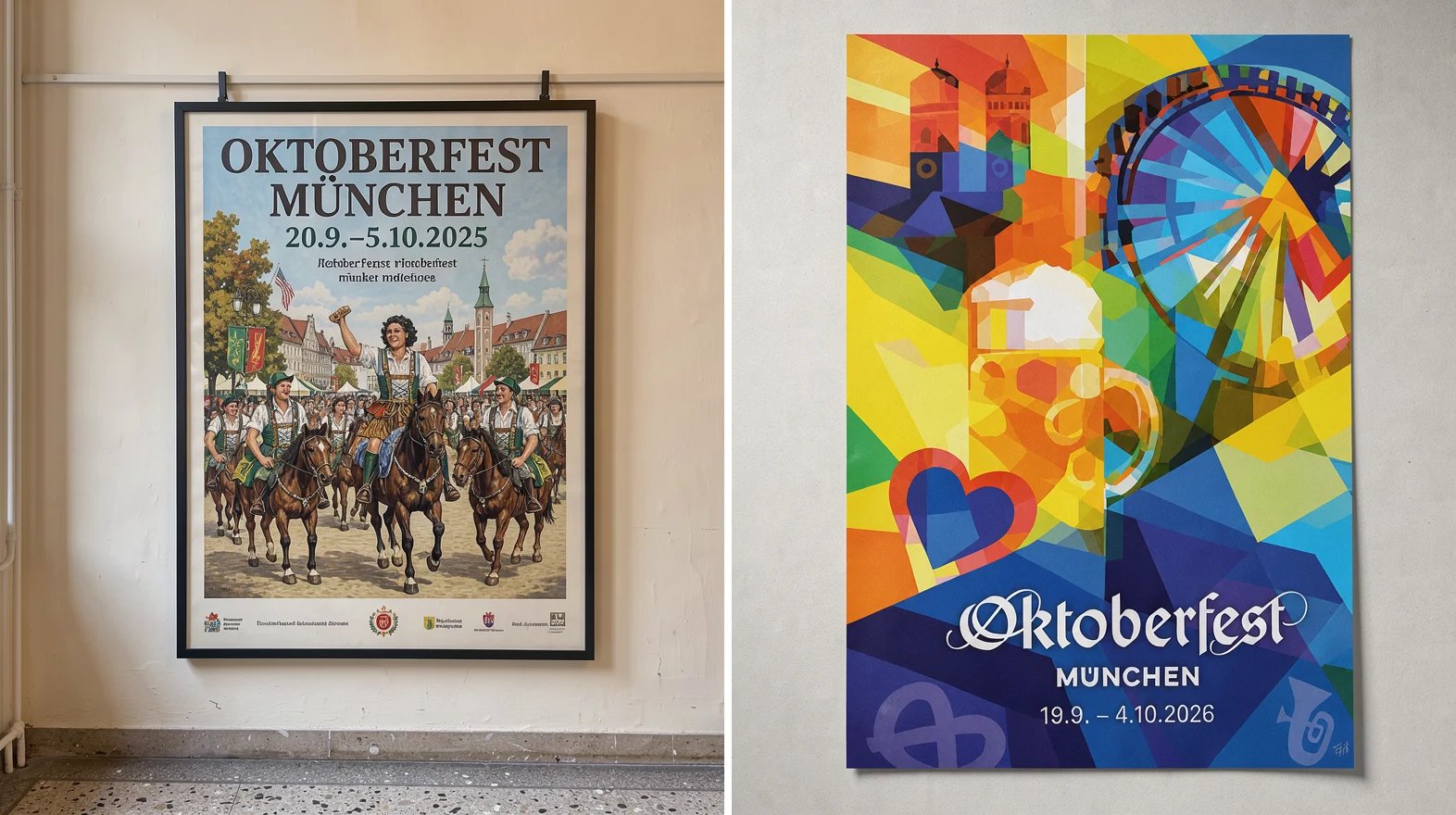
Left: grounding off. Right: grounding on.
Keep exploring
Try in Playground
Try FLUX 3 Image in your browser, with no code.
FLUX 3 Text to Image
Your first request in Python, JavaScript, or cURL, then edits and
multi-reference compositions.
Prompting guide
How to structure prompts for scenes, styles, text, and edits.
Bounding boxes
Place each element with a box, then edit box by box.
API reference
The full request schema, limits, and response codes.
FLUX 3 Image Editing
Place elements and target edits with bounding boxes.