

Aspect ratios
FLUX 3 Image takesaspect_ratio as one of 15 fixed ratios, from 21:9 to 9:21, or auto:
auto follows the first image in images. With no references it produces 1:1, so set the ratio yourself for any text-to-image request that is not square. See Aspect ratio for the request details.
Choose the frame for the subject and where the image will be used:
The ratio and the prompt should agree. If the frame is ultra-wide, say so in the prompt and give the model something to put across the width:
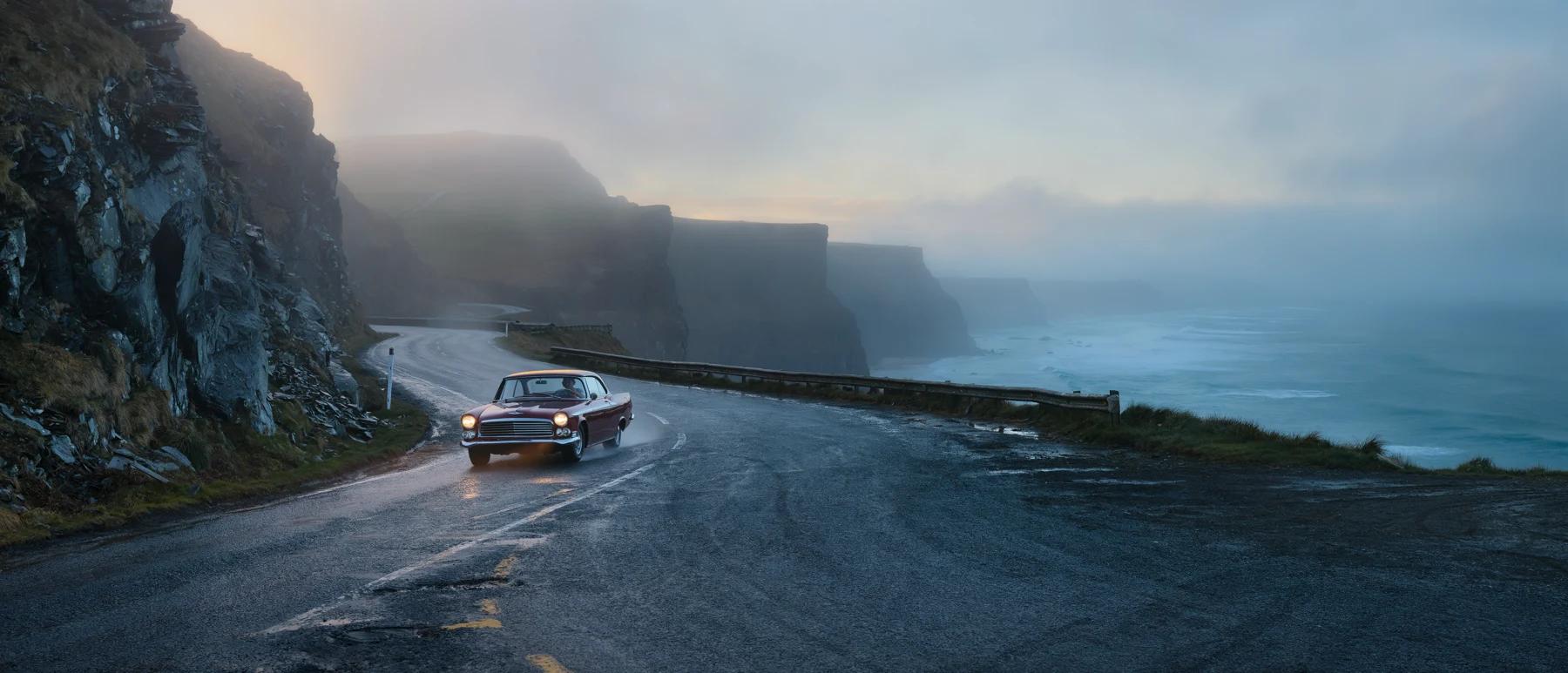
FLUX 3 Image, aspect_ratio 21:9, resolution 4k
21:9 creates. The same prompt in a 9:16 frame would have to squeeze both sides into a narrow column.
For edits,
auto keeps the input’s frame, which is usually what you want. Set a ratio explicitly when the edit should change the frame, for example to turn a square product shot into a 16:9 banner, and describe what fills the new space. For layout prompts, set aspect_ratio to the shape you drew the boxes for: the box grid stretches with the frame.Resolution
Choose an output size withresolution. Check output_mp in the submit
response for the exact size in megapixels.
Iterate at a low resolution, then use
2k or 4k when you need more detail. Changing the resolution makes a new generation, so the composition can differ from the draft. See Resolution.
Working without negative prompts
FLUX 3 Image has no negative prompt field. If a negative instruction gives an unwanted result, describe the intended scene directly: “an empty promenade” instead of “no crowds”.The replacement strategy
When you catch yourself writing a negative phrase:- Identify the unwanted element: “no crowds”
- Ask what would fill that space: “What would I see there?”
- Describe that instead: “an empty promenade” or “a single figure on the pier”
Practical examples
Context and setting
Context and setting
- Instead of: “a street with no cars” Write: “a quiet pedestrian walkway with cobblestones”
- Instead of: “a landscape without buildings” Write: “untouched wilderness with open natural terrain”
- Instead of: “a room with no furniture” Write: “a spacious empty room with polished wooden floors”
Character and portrait
Character and portrait
- Instead of: “a person without a hat” Write: “a person with loose hair falling to the shoulders”
- Instead of: “a portrait with no glasses” Write: “a portrait showing clear, unobstructed eyes”
Mood and atmosphere
Mood and atmosphere
- Instead of: “not dark or scary” Write: “a warm, welcoming atmosphere with soft golden lighting”
- Instead of: “not too realistic” Write: “stylized illustration with simplified forms and bold color blocks”
Composition
Composition
- Instead of: “portrait with no background distractions” Write: “portrait with a smooth gradient background from deep blue to black”
The beach progression
Positive framing plus specific detail moves the image toward what you want. Each step adds detail to the one before:When positive alternatives don’t work
If an unwanted element keeps appearing:- Be more specific about what you do want in that space.
- Describe it early: put the replacement near the start of the sentence that sets the scene, not in a trailing clause.
- Add detail to the positive alternative so it takes up the space: material, color, what it’s doing.
- Give it context so the replacement belongs in the scene: “a deserted beach at dawn, before the first swimmers arrive”.
negative_prompt or prompt_upsampling field.