For complex scenes and production workflows, FLUX.2 interprets structured JSON prompts, giving you precise control over every aspect of your image.
When to use JSON:
- Production workflows requiring consistent structure
- Automation and programmatic generation
- Complex scenes with multiple subjects and relationships
- When you need to iterate on specific elements independently
When natural language works better:
- Quick iterations and exploration
- Simple, single-subject scenes
- When prompt length isn’t a concern
- Creative workflows where flexibility matters
FLUX.2 understands both formats equally well—choose based on your workflow needs.
The Base Schema
{
"scene": "overall scene description",
"subjects": [
{
"description": "detailed subject description",
"position": "where in frame",
"action": "what they're doing"
}
],
"style": "artistic style",
"color_palette": ["#hex1", "#hex2", "#hex3"],
"lighting": "lighting description",
"mood": "emotional tone",
"background": "background details",
"composition": "framing and layout",
"camera": {
"angle": "camera angle",
"lens": "lens type",
"depth_of_field": "focus behavior"
}
}
Building a Prompt Step by Step
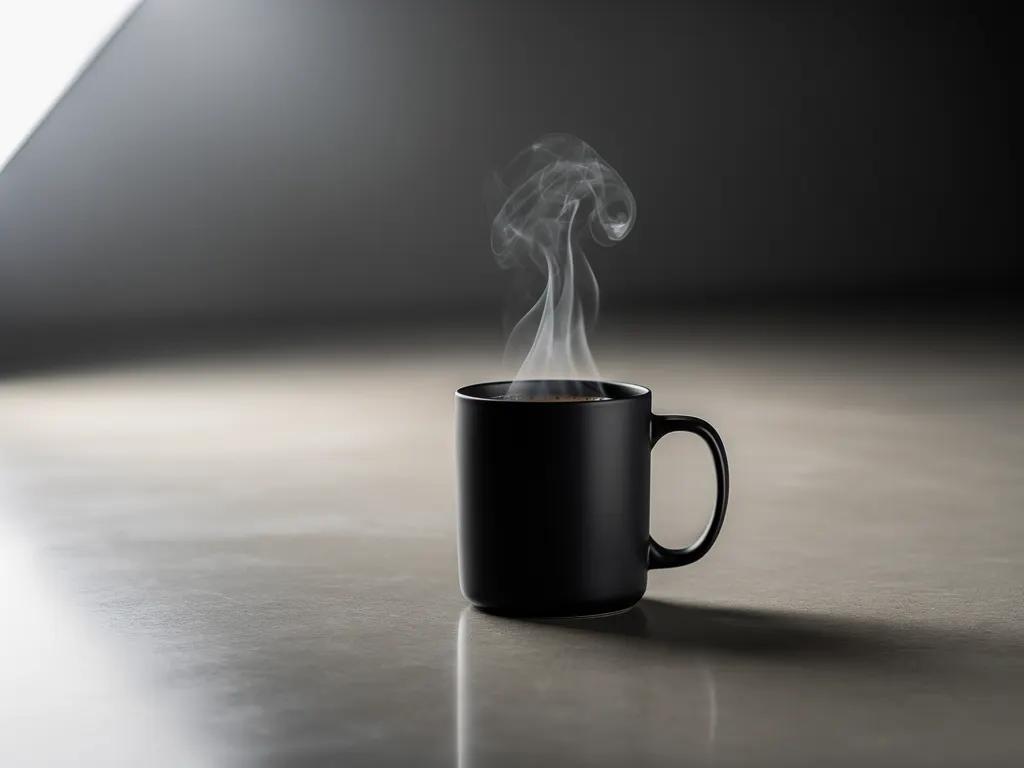
Let’s build a product shot incrementally to see how each element contributes.
Step 1: Generating a coffee mug
{
"scene": "Professional studio product photography setup with polished concrete surface",
"subjects": [
{
"description": "Minimalist ceramic coffee mug with steam rising from hot coffee inside",
"pose": "Stationary on surface",
"position": "Center foreground on polished concrete surface",
"color_palette": ["matte black ceramic"]
}
],
"style": "Ultra-realistic product photography with commercial quality",
"color_palette": ["matte black", "concrete gray", "soft white highlights"],
"lighting": "Three-point softbox setup creating soft, diffused highlights with no harsh shadows",
"mood": "Clean, professional, minimalist",
"background": "Polished concrete surface with studio backdrop",
"composition": "rule of thirds",
"camera": {
"angle": "high angle",
"distance": "medium shot",
"focus": "Sharp focus on steam rising from coffee and mug details",
"lens-mm": 85,
"f-number": "f/5.6",
"ISO": 200
}
}
Step 2: Adding a second mug in a different color
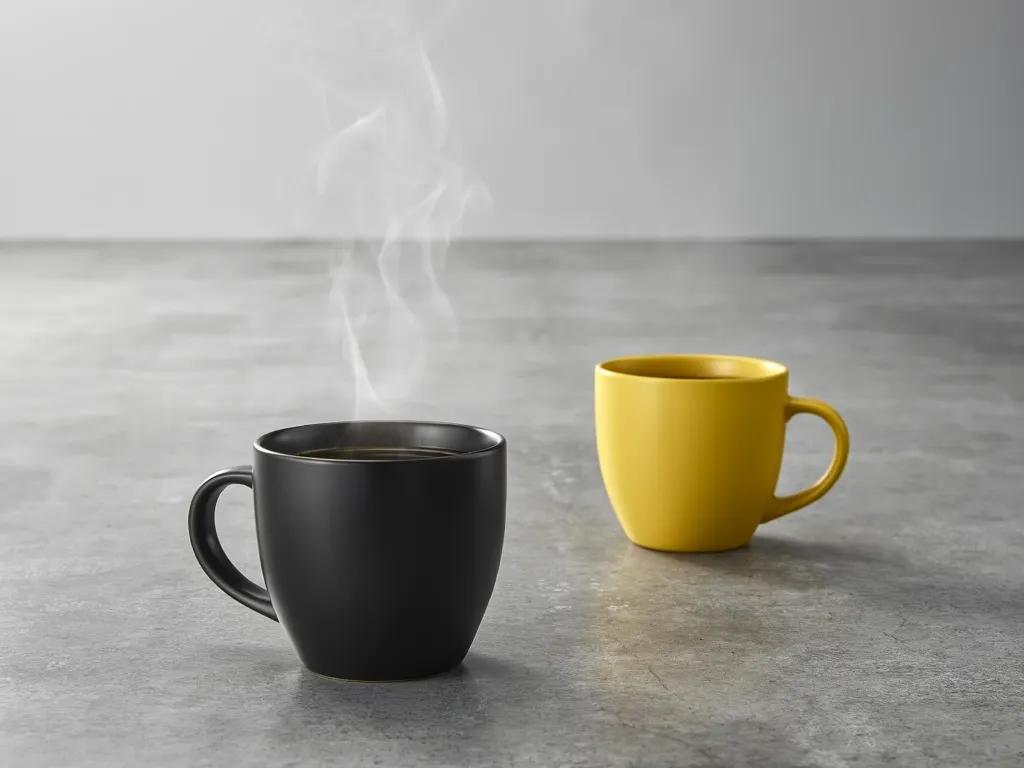
{
"scene": "Professional studio product photography setup with polished concrete surface",
"subjects": [
{
"description": "Minimalist ceramic coffee mug with steam rising from hot coffee inside",
"pose": "Stationary on surface",
"position": "Center foreground on polished concrete surface",
"color_palette": ["matte black ceramic"]
},
{
"description": "Minimalist ceramic coffee mug, matching design to the black mug",
"pose": "Stationary on surface",
"position": "Right side of the black mug on polished concrete surface",
"color_palette": ["matte yellow ceramic"]
}
],
"style": "Ultra-realistic product photography with commercial quality",
"color_palette": ["matte black", "matte yellow", "concrete gray", "soft white highlights"],
"lighting": "Three-point softbox setup creating soft, diffused highlights with no harsh shadows",
"mood": "Clean, professional, minimalist",
"background": "Polished concrete surface with studio backdrop",
"composition": "rule of thirds",
"camera": {
"angle": "high angle",
"distance": "medium shot",
"focus": "Sharp focus on steam rising from coffee and both mugs in frame",
"lens-mm": 85,
"f-number": "f/5.6",
"ISO": 200
}
}
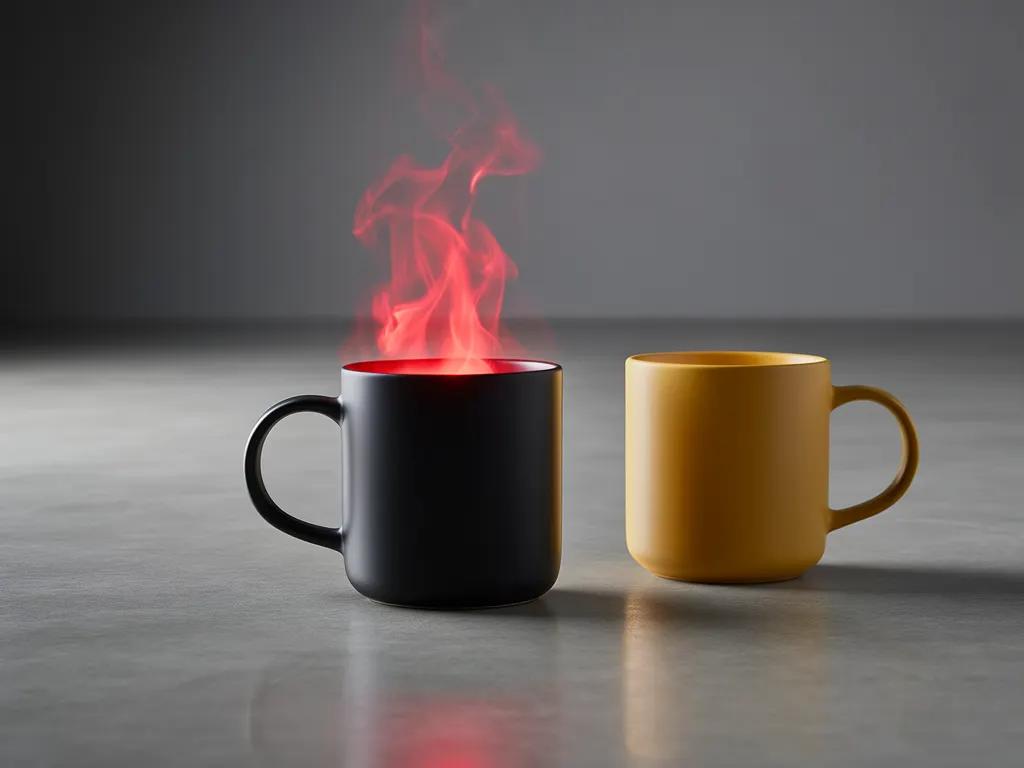
Step 3: Change the color of the steam
{
"scene": "Professional studio product photography setup with polished concrete surface",
"subjects": [
{
"description": "Minimalist ceramic coffee mug with bright red steam rising from hot coffee inside",
"pose": "Stationary on surface",
"position": "Center foreground on polished concrete surface",
"color_palette": ["matte black ceramic", "bright red steam"]
},
{
"description": "Minimalist ceramic coffee mug, matching design to the black mug",
"pose": "Stationary on surface",
"position": "Right side of the black mug on polished concrete surface",
"color_palette": ["matte yellow ceramic"]
}
],
"style": "Ultra-realistic product photography with commercial quality",
"color_palette": ["matte black", "matte yellow", "bright red", "concrete gray", "soft white highlights"],
"lighting": "Three-point softbox setup creating soft, diffused highlights with no harsh shadows",
"mood": "Clean, professional, minimalist",
"background": "Polished concrete surface with studio backdrop",
"composition": "rule of thirds",
"camera": {
"angle": "high angle",
"distance": "medium shot",
"focus": "Sharp focus on steam rising from coffee and both mugs in frame",
"lens-mm": 85,
"f-number": "f/5.6",
"ISO": 200
}
}
You can include the JSON directly in your prompt, or flatten it into natural language. FLUX.2 understands both formats.