

How Structural Guidance Works in FLUX.2
Instead of dedicated ControlNet inputs, FLUX.2 uses its multi-reference editing system to achieve structural control. You provide a reference image that shows the desired structure (a pose, a layout, or a spatial arrangement) and describe how to apply it in your prompt.Pose Guidance
The most common form of structural control is pose guidance, using a reference image to dictate body position, gaze direction, and limb placement.Example: Match a pose from a reference image
Upload a pose reference and describe the stance, arm position, and gaze to match. Check the result against the reference.
Input image
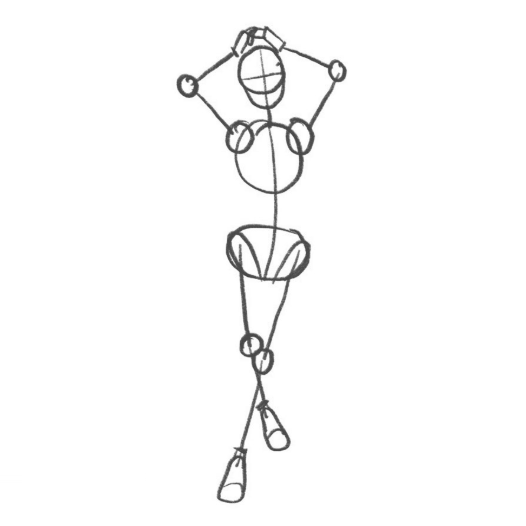
Pose guidance reference
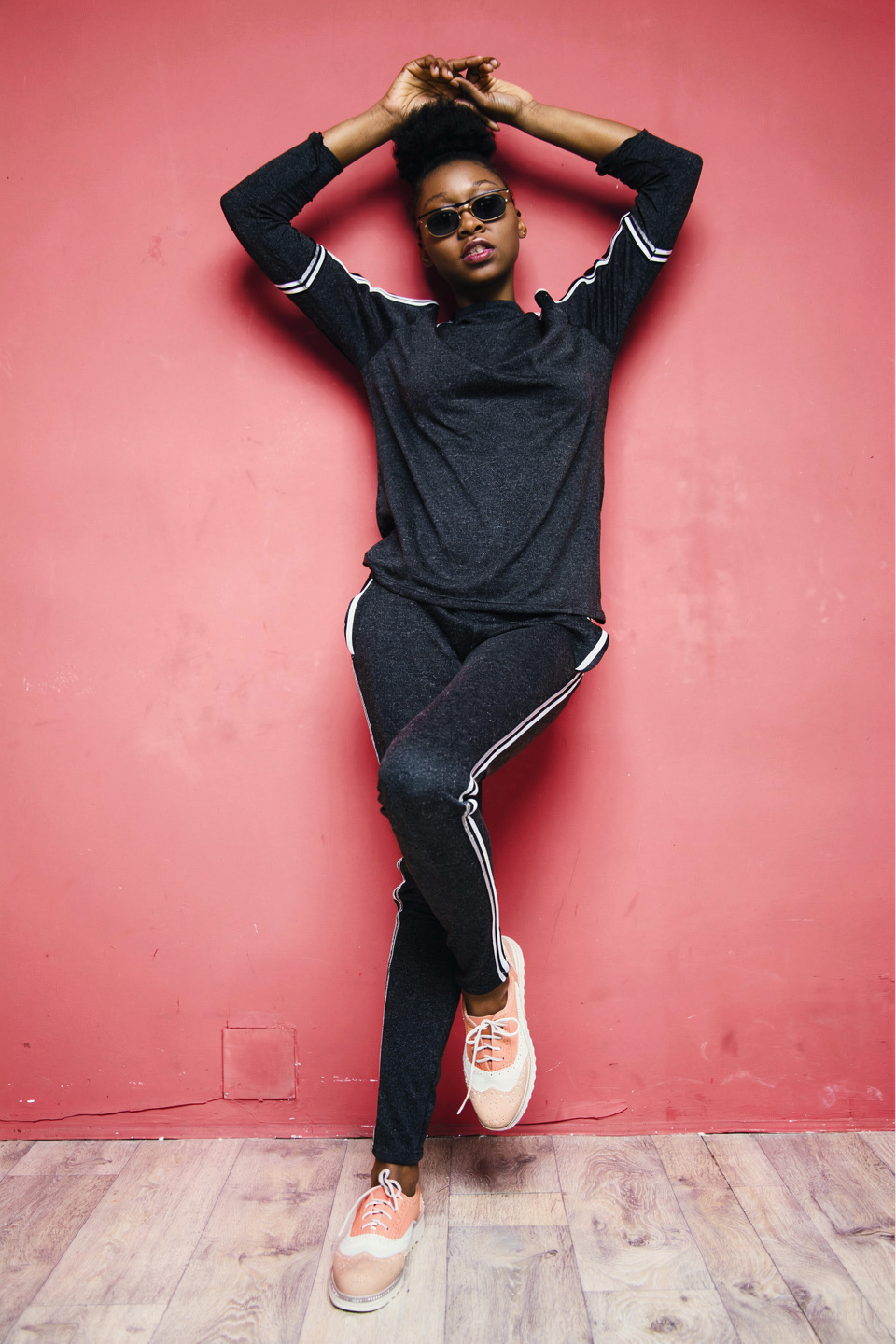
Result: Exact pose match
Prompting for Pose Transfer
Describe which image provides the pose and which provides the character or scene:“Match the exact pose from image 2: same arm position, same body angle, same gaze direction. Use the person and clothing from image 1.”
Tips for Pose Guidance
- Use clear pose references: Simple poses with visible limbs work best. Avoid heavily occluded or ambiguous poses.
- Be specific about what to match: Instead of “use the pose from image 2”, say “match the arm position, stance, and head tilt from image 2”.
- Combine with identity preservation: Pair pose guidance with character consistency by explicitly referencing both the pose source and identity source.
Layout and Composition Control
Beyond poses, you can use reference images to guide the overall spatial arrangement of a scene.Example: Collage-based layout control
You can use a single collage image to guide the spatial composition of your output. Arrange reference elements in a collage and FLUX.2 interprets the layout.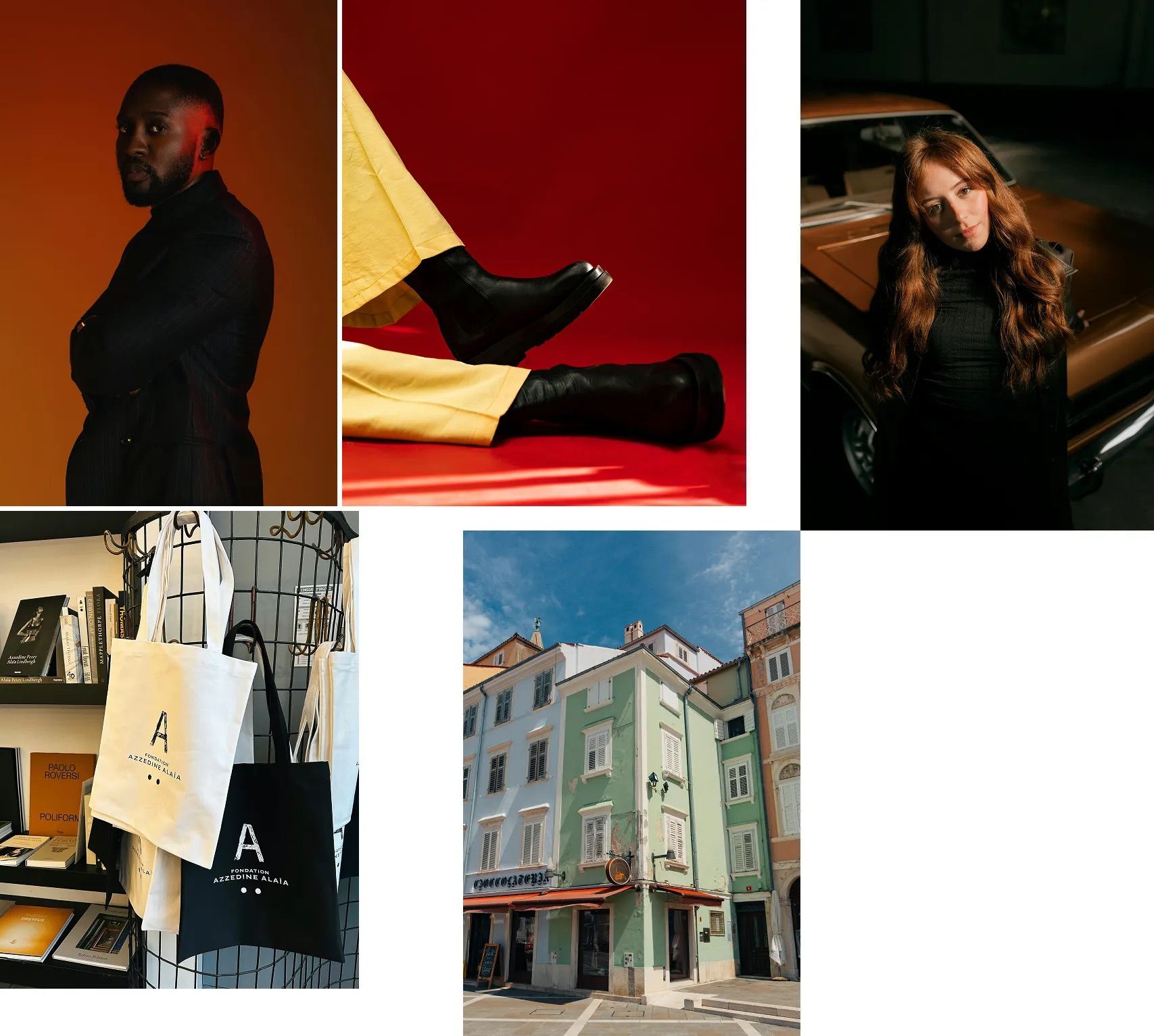
Input: Collage with reference elements
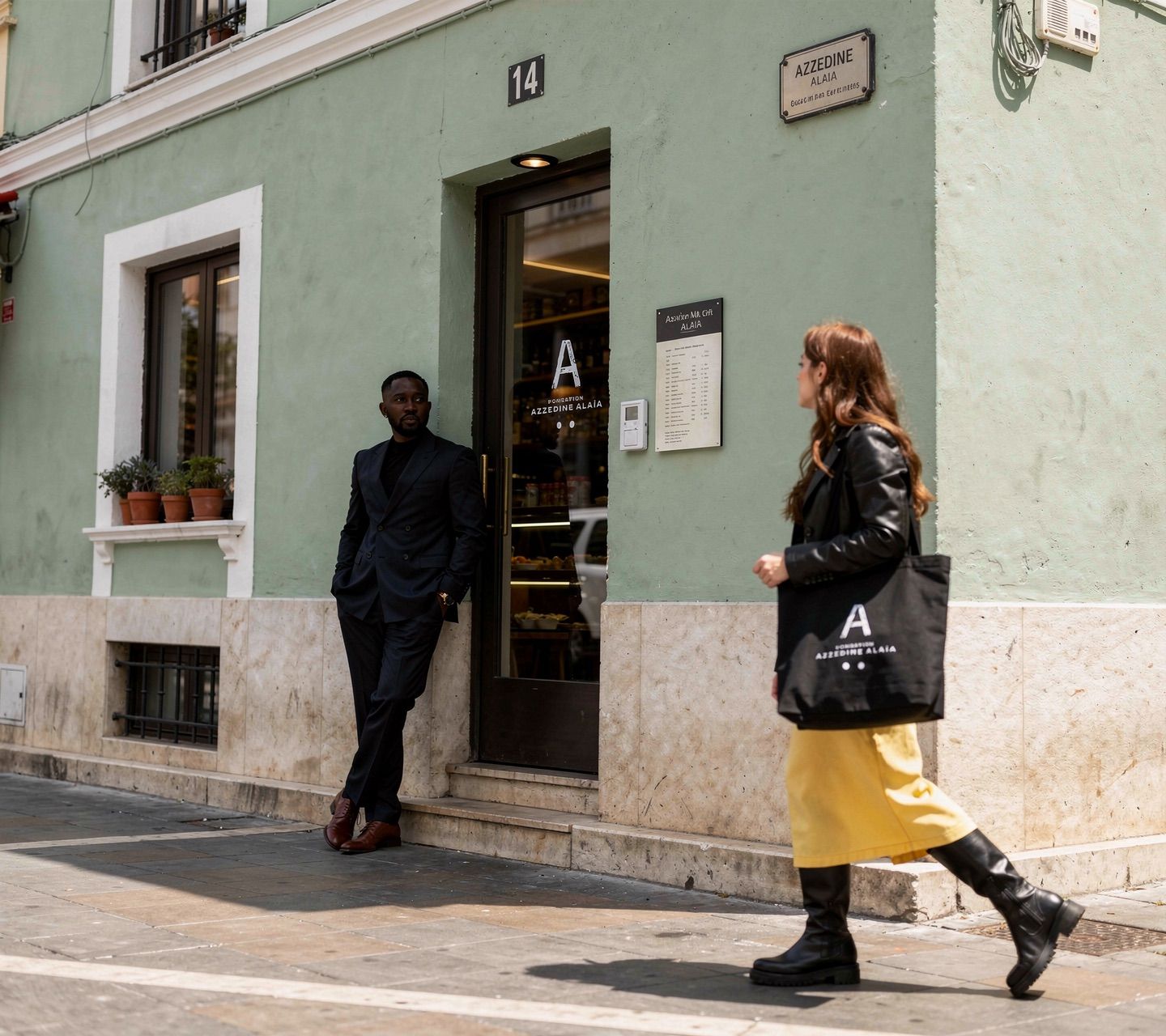
Output: Composed scene from collage elements
Quality may be slightly lower with the collage method compared to using multiple separate input images. For best results, use individual reference images when possible.
Example: Multi-reference structural composition
Combine structural elements from multiple references: each image contributes a specific piece (shoes, clothing, accessories) and FLUX.2 assembles them into a coherent result.Scene Layout
“Use the spatial layout from image 1: same composition, same positioning of elements. Replace all objects with futuristic sci-fi versions while keeping the arrangement identical.”
Architectural and Interior Guidance
“Keep the room layout and furniture positioning from image 1. Change the style to mid-century modern with warm wood tones and brass fixtures.”
Common Prompt Patterns
Pose Transfer with Style Change
“The person from image 1 in the exact pose from image 2. Apply a cinematic film noir style: high contrast black and white, dramatic side lighting, deep shadows.”
Pose Transfer with Scene Change
“Place the person from image 1 into a sun-drenched Mediterranean terrace. Match the standing pose from image 2 exactly: same weight distribution, same arm position.”
Layout Preservation with Content Swap
“Keep the exact spatial arrangement from image 1. Replace the person with a robot, the chair with a hovering platform, and the window view with a cityscape. Maintain all proportions and positioning.”
Multi-Reference Structural Control
“Use the pose from image 1, the clothing from image 2, the face from image 3, and the background from image 4. Combine them into a single coherent fashion editorial shot.”
Best Practices
Do
- Use clean, uncluttered reference images for structural guidance
- Explicitly state which image provides the structure vs. content
- Combine structural references with style or identity references
- Be specific about which structural elements to preserve (pose, layout, depth)
Avoid
- Using ambiguous or low-quality pose references
- Expecting pixel-perfect structural matching: FLUX.2 interprets structure semantically
- Overloading the prompt with too many structural constraints at once
- Forgetting to reference images by number in your prompt
For full API documentation on multi-reference editing, including how to pass multiple input images, see FLUX.2 Image Editing. For general multi-reference prompting tips, see Multi-Reference Editing.